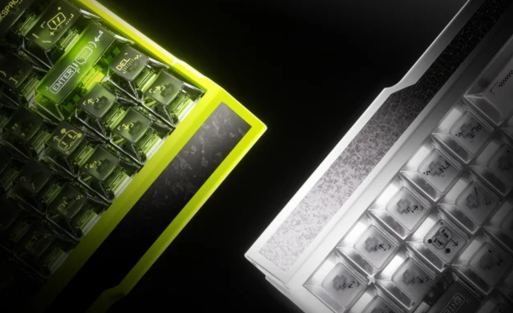
Best Gaming Keyboards for Under $100
Looking for a great gaming keyboard that won’t break the bank? Here are the top 7 Aula keyboards under $100: Aula F98, Aula F87 Pro V2, Aula F108 Pro, AULA WIN68 HE,Aula WIN60 HE ,AULA F75 MAX, and AULA F75. Aula keyboards stand out for their tri-mode connectivity, thocky sound, and satisfying typing feel. Check out the table below to see why so many gamers trust an Aula keyborad for quality and performance.
| Feature | Description |
|---|---|
| Connectivity | Wired (USB-C) and wireless options with detachable cable |
| Typing Experience | Satisfying, thocky sound for each keystroke |
| Build Quality | Compact design with a sturdy plastic build |
| Sound Profile | Comparable to higher-end keyboards |
Choosing a Keyboard
Form Factor
When you start shopping for a gaming keyboard, the first thing you’ll notice is the form factor. This simply means the size and layout of the keyboard. Picking the right form factor can make a big difference in your comfort and gaming performance.
Full-size
A full-size keyboard gives you all the keys, including a number pad. If you often enter numbers or use shortcuts for work and gaming, this layout is super handy. You get dedicated function keys, arrow keys, and extra buttons for media control. Full-size keyboards take up more desk space, but they offer maximum versatility. Many gamers who play strategy games or need lots of hotkeys prefer this style.
TKL & 75%
TKL (Tenkeyless) keyboards drop the number pad, making them smaller and easier to fit on your desk. You still get all the main keys, so you won’t miss out on essential functions. TKL models are popular for fast-paced games like FPS and MOBAs because they give you more room to move your mouse and help reduce hand strain.
75% keyboards go even further, shrinking the layout while keeping most keys you need for gaming. These compact designs save space and look sleek. If you want a minimalist setup or travel with your gear, a 75% keyboard is a smart pick. Both TKL and 75% layouts are favorites among gamers who want speed, comfort, and a tidy desk.
Connectivity
How your keyboard connects to your computer matters for both performance and convenience. You’ll see two main options: wired and wireless.
Wired
Wired keyboards plug directly into your PC with a USB cable. This setup gives you the fastest response time, which is perfect for competitive gaming. You never have to worry about battery life, and wired models are usually more affordable. If you want reliability and zero lag, wired is the way to go.
Wireless
Wireless keyboards use Bluetooth or a USB dongle to connect. You get a clutter-free desk and can use your keyboard from across the room. Modern wireless keyboards offer great battery life and solid performance, but some may have a tiny bit of input lag. For casual gaming or if you love a clean workspace, wireless is a great choice.
| Feature | Wired Keyboards | Wireless Keyboards |
|---|---|---|
| Response Time | Super fast, ideal for gaming | Slight lag possible, best for casual play |
| Portability | Stays put on your desk | Easy to move, great for travel |
| Cost | Usually cheaper | Can be pricier |
| Durability | Very reliable | Depends on battery and build |
| Clutter | Wires can get messy | No wires, neat setup |
Switch Types
The switches under each key affect how your keyboard feels and sounds. You’ll find two main types in gaming keyboards under $100.
Mechanical
Mechanical switches use physical parts to register each press. They feel satisfying and make a distinct sound. You can choose from different switch styles—some are clicky, some are quiet, and some are smooth. Mechanical switches last a long time, often up to 100 million keystrokes. They’re perfect if you want a tactile typing experience and reliable performance.
Magnetic
Magnetic switches use magnets to detect key presses. These switches are super fast and durable, often outlasting mechanical ones. You’ll notice quicker response times and smoother action, which can help in games that require rapid key presses. Magnetic switches also resist dust and moisture, so your keyboard stays in top shape longer.
Choosing the right form factor, connectivity, and switch type helps you find a keyboard that fits your gaming style and daily needs. Whether you pick a full-size, TKL, or 75% Aula keyboard, you’ll get a great mix of comfort and performance.
Features
When you look for a gaming keyboard, features can make or break your experience. Let’s break down the three most popular ones you’ll find on top picks under $100.
RGB
RGB lighting isn’t just about looks. You get a keyboard that glows in different colors, and you can often change the patterns or brightness. Many gamers love customizing their setup with cool effects. You might want a rainbow wave, a solid color, or even lights that react to your music. RGB makes your desk pop and helps you see keys in the dark. Some keyboards let you control each key’s color, while others offer preset modes. If you care about style, RGB is a must-have.
Hot-swap
Hot-swappable switches are a game changer. You can pull out a switch and pop in a new one without any tools or soldering. This means you can try different switch types—clicky, linear, or tactile—whenever you want. If you spill something or a switch wears out, you can replace it fast. Hot-swap keyboards are perfect for anyone who likes to experiment or wants a keyboard that lasts longer. You don’t need to buy a whole new keyboard just to change the feel.
- Why gamers love hot-swap:
- Easy to customize
- Quick repairs
- Try new switch styles
Battery
If you go wireless, battery life matters. You don’t want your keyboard dying in the middle of a game. Most wireless models have batteries that last for days or even weeks. Some Aula keyboard models offer up to 4000mAh or more, so you can play or work without worrying. Charging is usually simple—just plug in a USB-C cable and keep using your keyboard. Long battery life means less stress and more fun.
| Feature | Description |
|---|---|
| RGB Lighting | Customizable effects make your setup look awesome and help you see keys at night. |
| Hot-Swap Capability | Lets you change switches easily for a personalized typing feel and quick fixes. |
| Battery Life | Long-lasting batteries keep wireless keyboards running for days, even with RGB turned on. |
| Ergonomic Design | Comfortable shapes help you game longer without hand fatigue. |
| Customization Process | Some keyboards have tricky RGB controls, so look for models with easy software. |
Aula keyborad Picks
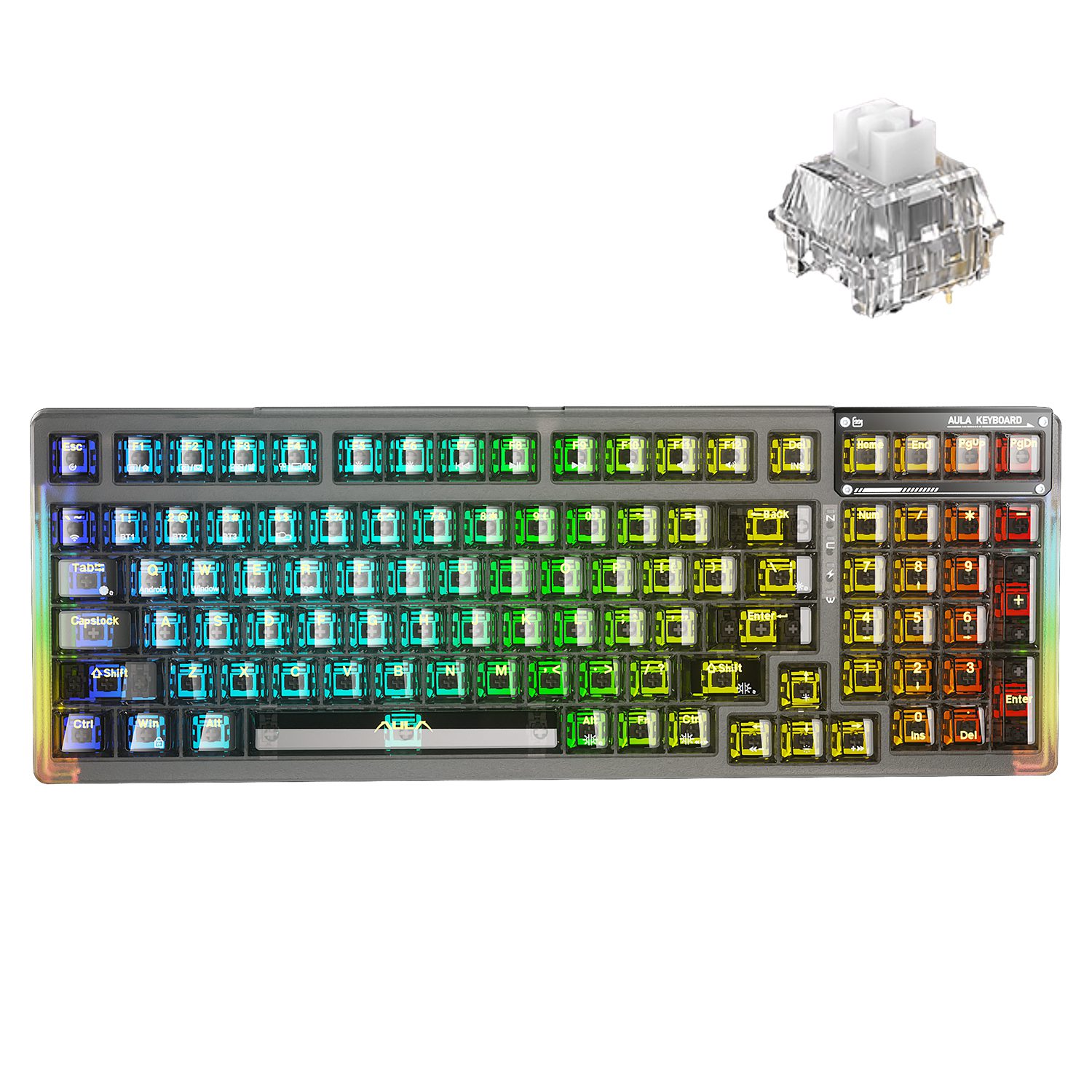
1. Aula F98
If you want a keyboard that packs a punch without emptying your wallet, the Aula F98 is a top pick. This compact 98% layout gives you almost every key you need, including a number pad, but keeps your desk tidy. You get tri-mode connectivity, so you can switch between Bluetooth, 2.4GHz wireless, or USB-C wired in seconds. The gasket-mounted design makes every keystroke feel soft and satisfying. Hot-swappable switches let you change up your typing feel anytime. The 4000mAh battery lasts all day, even with the RGB lights on.
| Feature | Aula F98 |
|---|---|
| Layout Size | 98% |
| Hot Swappable | Yes |
| Connection | Bluetooth, Wireless, Wired |
| Polling Rate | 1000 Hz |
| Battery Capacity | 4000 mAh |
| Mount Style | Gasket Mount |
| Backlight | RGB |
| Keycaps Material | PBT, ABS |
| Weight | 1040g |
| Dimensions | 41 x 138 x 385 mm |
Pros:
- Tri-mode connectivity for easy device switching
- Hot-swappable switches for quick customization
- Durable PBT keycaps resist wear
- Vibrant RGB lighting with adjustable effects
- Compact and portable design
- Long-lasting 4000mAh battery
Who Should Buy
You should grab the Aula F98 if you want a keyboard that does it all. It’s perfect for gamers who need fast response times and for professionals who want a comfortable typing experience. If you like to tweak your setup or switch between devices, this model makes it easy. The compact size also fits well in small spaces or on the go.
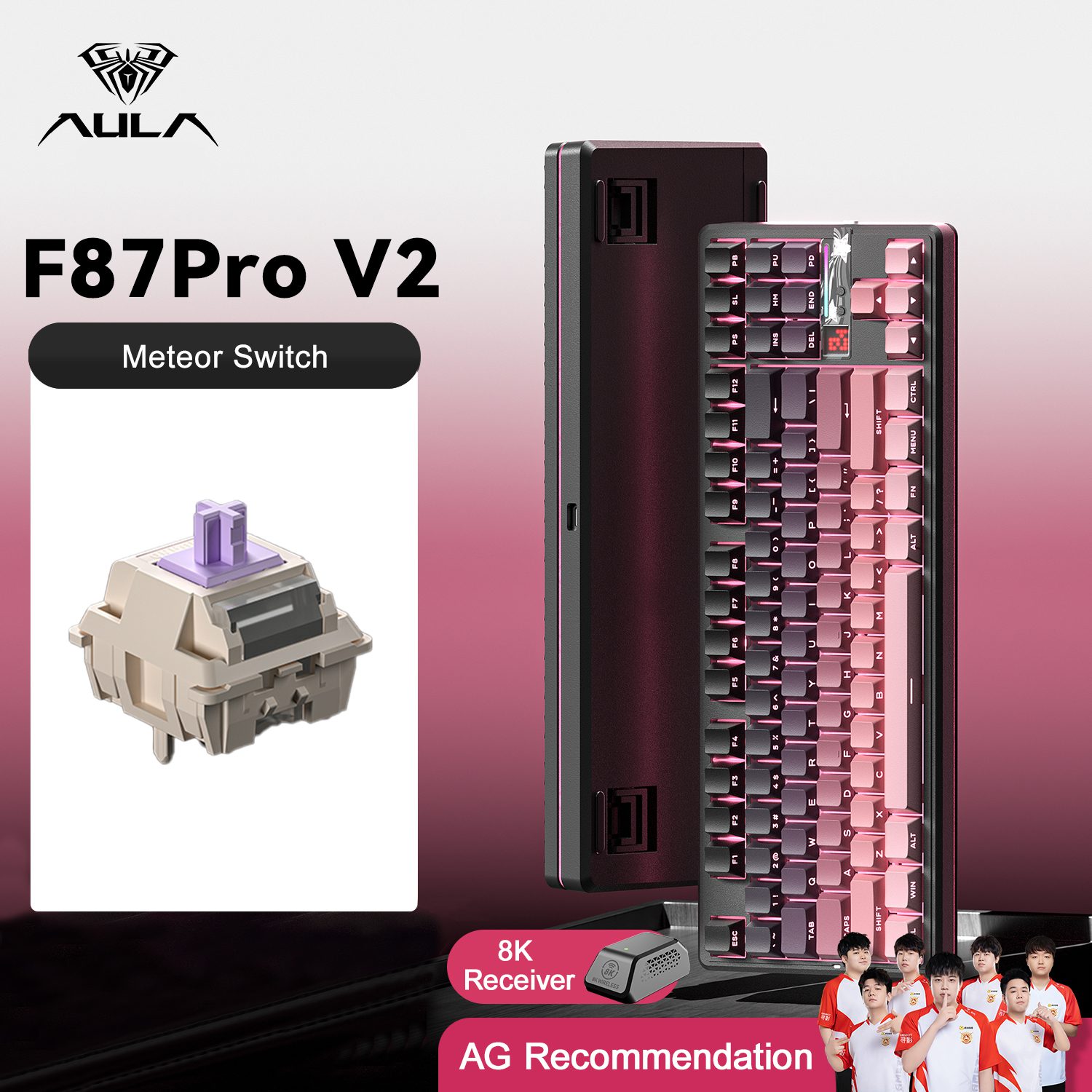
2. Aula F87 Pro V2
The Aula F87 Pro V2 brings serious performance to your desk without a hefty price tag. This tenkeyless (TKL) keyboard saves space but keeps all the keys you need for gaming and work. You get tri-mode connectivity, so you can use it wired, with Bluetooth, or with 2.4GHz wireless. The F87 Pro V2 stands out with its smooth typing feel, crisp sound, and fully hot-swappable switches. You can pick from different battery options, including a massive 8000mAh, so you won’t run out of power during long sessions.
| Feature | Description |
|---|---|
| Price | Budget-friendly mechanical keyboard |
| Typing Experience | Smooth and responsive |
| Sound Quality | Crisp, satisfying sound |
| Customization | Hot-swappable with 3-pin and 5-pin switches |
| Connectivity | Wired, Bluetooth, 2.4GHz wireless |
| Battery Options | 4000mAh or 8000mAh |
| RGB Options | North-facing and south-facing RGB |
| Keycap Material | PBT for durability |
| Programmable Keys | Yes |
| Size | Tenkeyless (TKL) |
Pros:
- Tri-mode connection for flexibility
- Hot-swappable switches for easy upgrades
- Multiple battery options for long use
- Programmable keys for custom macros
- Durable PBT keycaps
- Crisp sound and smooth typing
Who Should Buy
You’ll love the Aula F87 Pro V2 if you want a compact keyboard that doesn’t skimp on features. It’s great for gamers who need fast response and for anyone who likes to personalize their setup. If you want a keyboard that travels well and fits tight spaces, this TKL model is a winner.
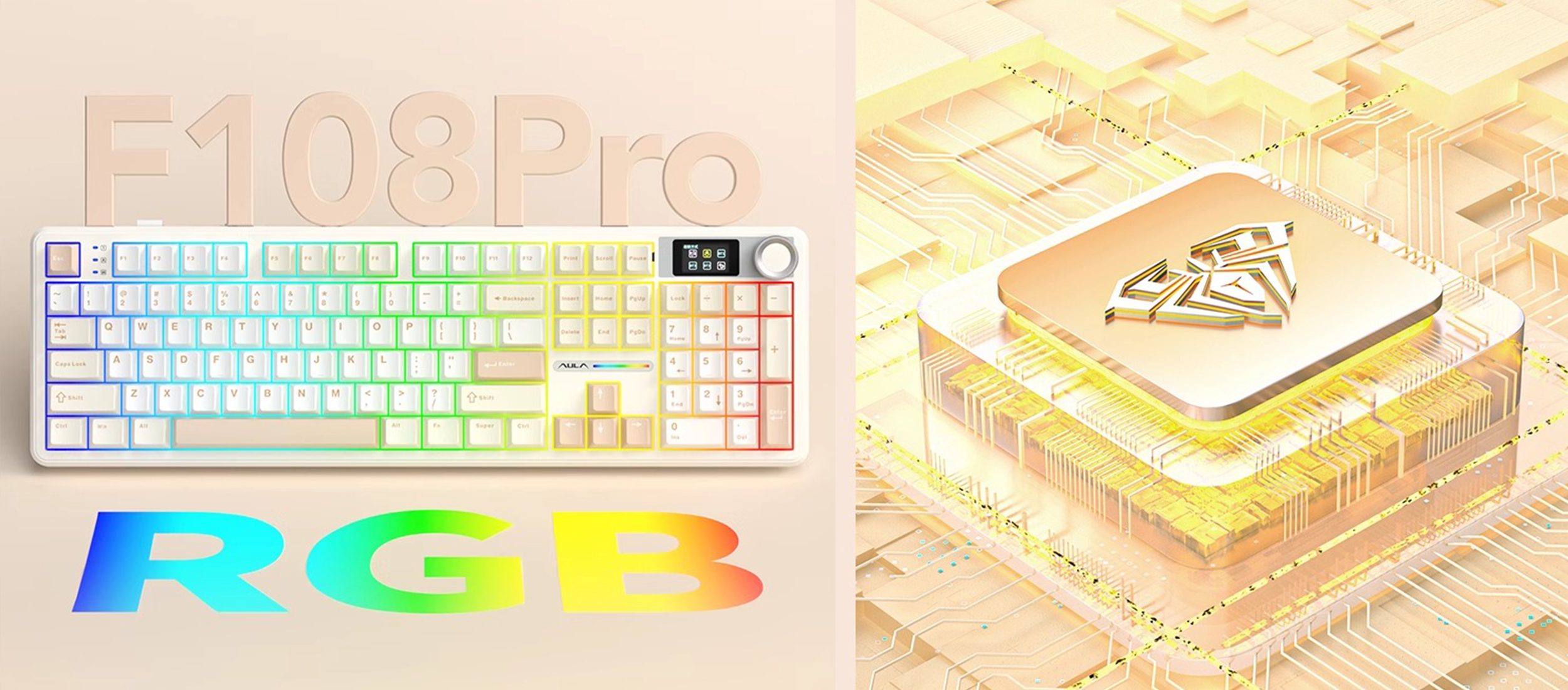
3. Aula F108 Pro
The Aula F108 Pro is your go-to if you want a full-size keyboard with all the bells and whistles. You get a complete 108-key layout, perfect for gaming, typing, and number crunching. Tri-mode connectivity lets you switch between devices with ease. The F108 Pro features a smart display screen and a multi-function knob, so you can control volume, lighting, and more without leaving your game. The 8000mAh battery keeps you powered up for days, and hot-swappable switches make customization simple.
| Feature | Benefit for Gamers/Typists |
|---|---|
| 8000mAh battery | Long-lasting performance |
| Tri-mode connectivity | Works with all your devices |
| Smart display screen | Customizable images and settings |
| Multi-function knob | Quick access to controls |
| 3ms response time | Fast, reliable for gaming |
| Hot-swappable switches | Easy to change switches |
| RGB backlighting | Personalize your setup |
| Ergonomic full-sized layout | Comfortable for long sessions |
Who Should Buy
If you want a keyboard that does everything, the Aula F108 Pro is for you. It’s ideal for gamers who need lots of keys, professionals who type all day, and anyone who wants a keyboard that looks as good as it performs. The smart screen and knob add a premium touch you’ll love.
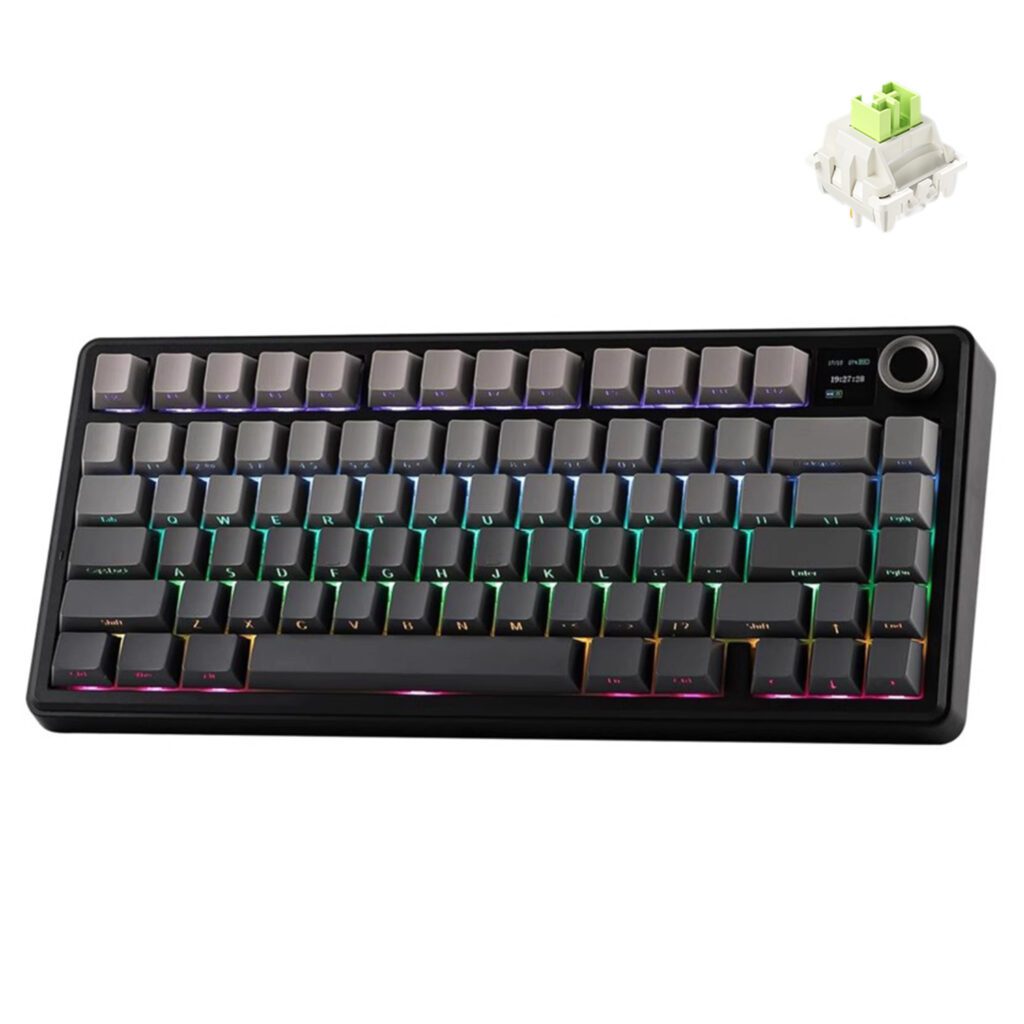
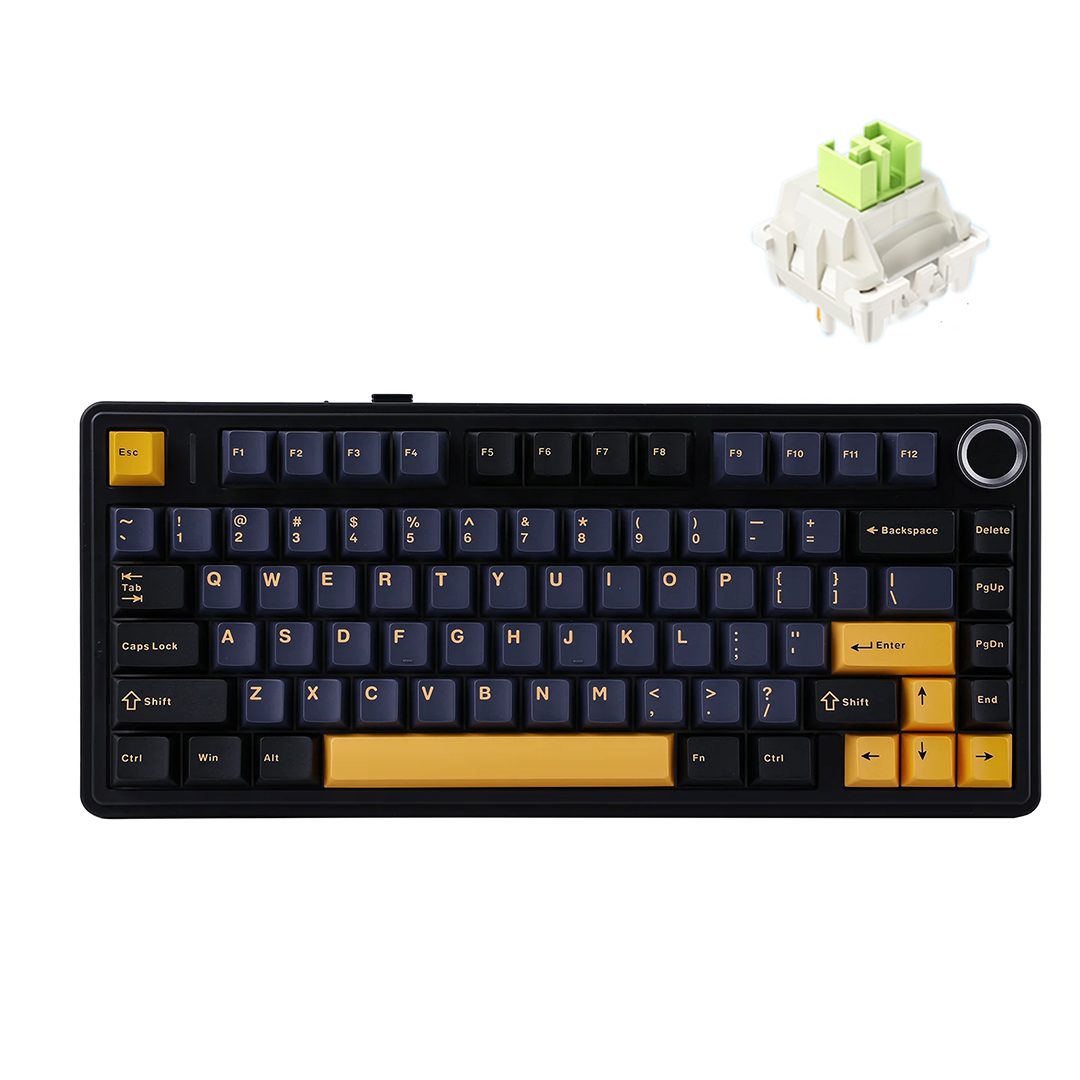
4. AULA F75 MAX
You want a keyboard that feels premium but stays affordable. The AULA F75 MAX delivers just that. Priced around $69, this model packs a punch with a streamlined design and sturdy build. You get three-way connectivity—USB-C, 2.4 GHz wireless, and Bluetooth—so switching between devices is a breeze. The hot-swappable switches and double-shot PBT keycaps let you customize your typing feel and keep your keyboard looking fresh. The 4,000mAh battery means you can game or work for days without worrying about charging. RGB lighting and a customizable TFT smart display add a splash of personality to your setup.
Pros
- Affordable price for a feature-rich keyboard
- Strong construction and sleek design
- Tri-mode connectivity for easy device switching
- Hot-swappable switches for quick customization
- Double-shot PBT keycaps for durability
- Excellent battery life (up to 30 hours with full RGB)
- RGB lighting and customizable effects
- Instant reconnection after sleep mode
- User-friendly software for macros and lighting
- Low latency and anti-ghosting for gaming
Who Should Buy
You should consider the AULA F75 MAX if you want a keyboard that adapts to your needs. Gamers love the low latency and anti-ghosting features. If you enjoy customizing your setup, the user-friendly software makes it easy to tweak macros and RGB effects. The long battery life and tri-mode connectivity suit anyone who switches between devices or travels often. If you want a creamy, pleasant typing experience, this Aula keyboard stands out.
5. AULA F75
Looking for a compact keyboard that doesn’t skimp on features? The AULA F75 brings you a 75% layout, saving desk space while keeping all the keys you need. You get tri-mode connectivity—Bluetooth, 2.4GHz wireless, and USB-C wired—so you can switch between your laptop, tablet, and desktop with ease. The hot-swappable sockets let you change switches without tools. Pre-installed LEOBOG linear switches give you a fast, smooth response. Per-key RGB lighting lets you personalize your setup, and the five-layer sound dampening system keeps things quiet.
Pros:
- Fast key response with LEOBOG linear switches
- Five-layer sound dampening for a quieter experience
- Hot-swappable switches for easy customization
- Per-key RGB lighting for a personalized look
- Volume knob for quick adjustments
- Tri-mode connectivity for flexibility
- Compact 75% layout saves space
- Durable build for long-lasting use
Who Should Buy
You should pick the AULA F75 if you want a compact, versatile keyboard that fits any setup. Gamers appreciate the fast response and quiet operation. If you like to customize your keyboard, the hot-swappable switches and per-key RGB lighting make it easy. The volume knob adds convenience for media control. This Aula keyboard works well for students, professionals, and gamers who want a reliable, space-saving option.
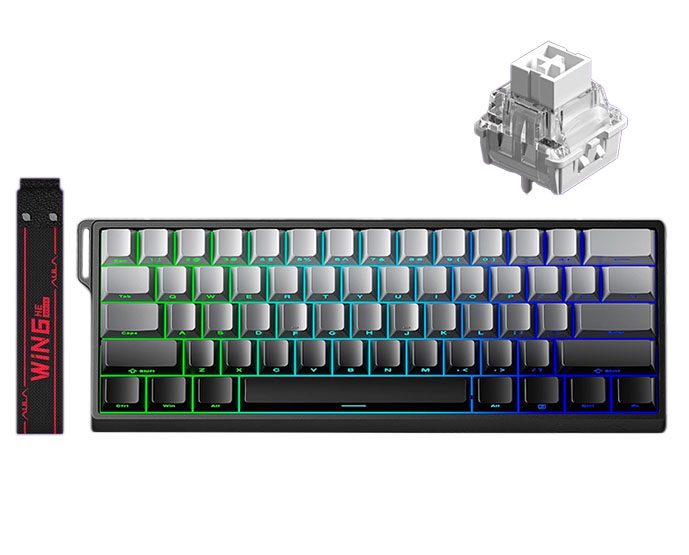
6.Aula WIN60 HE
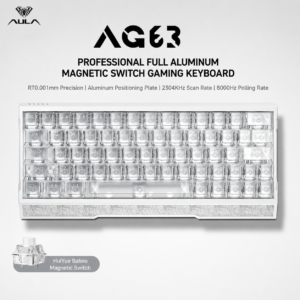
The AULA WIN60 HE is an ultra-compact 60% keyboard, perfect for minimalists and mobile setups. Despite its small size, it keeps all necessary keys accessible. With hot-swappable magnetic switches, per-key RGB, and a sturdy metal plate, it balances performance and portability.
Pros:
- Hot-swappable magnetic switches for easy customization
- 8000Hz polling rate ensures quick and accurate input
- Minimalist 60% layout saves maximum desk space
- Durable PBT keycaps for extended use
- Per-key RGB lighting for fully customizable aesthetics
- Metal positioning plate improves typing stability
Who Should Buy:
The WIN60 HE suits gamers, coders, and professionals who prioritize portability without compromising performance. Its compact layout, fast response, and customizable features make it ideal for users with limited desk space or those who frequently carry their keyboard.
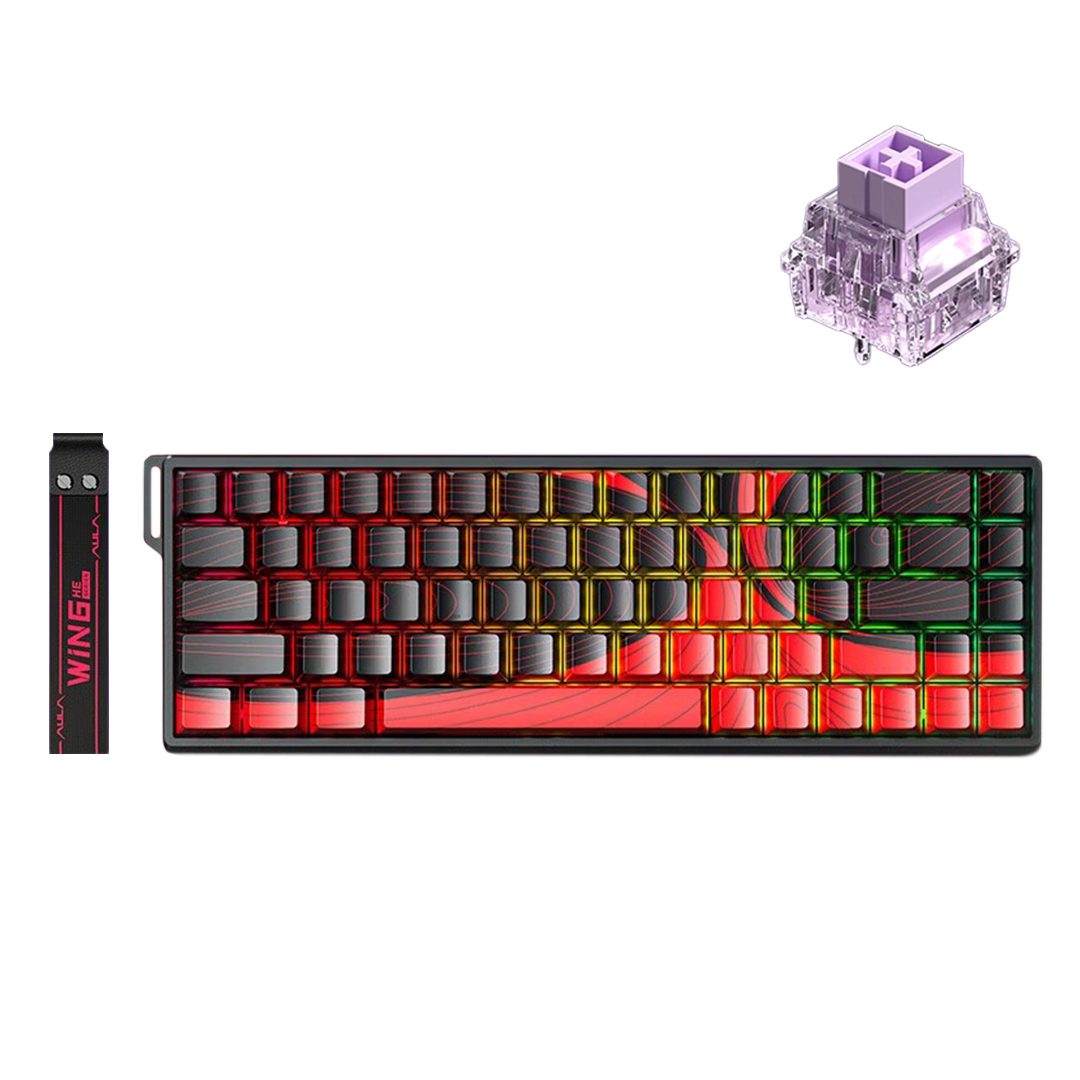
7.AULA WIN68 HE
The AULA WIN68 HE is a compact 68-key mechanical keyboard designed for gamers and professionals who want efficiency without sacrificing functionality. Its TKL-style layout saves desk space while retaining all essential keys. The keyboard features hot-swappable magnetic switches, per-key RGB lighting, and an 8000Hz polling rate, ensuring fast, precise input.
Pros:
- Hot-swappable magnetic switches for effortless customization
- 8000Hz polling rate for ultra-fast response
- Compact 68-key layout saves desk space
- Durable PBT keycaps for long-lasting use
- Per-key RGB lighting for a personalized setup
- Metal positioning plate for enhanced stability and typing feel
Who Should Buy:
The WIN68 HE is ideal for gamers who value speed and precision, as well as professionals and students seeking a reliable, compact keyboard. Its hot-swappable switches and RGB customization are perfect for users who enjoy frequently adjusting their settings.
Highlights
Here’s how the AULA F75 stacks up against other models:
| Feature | AULA F75 | Aula S75 Pro |
|---|---|---|
| Key Response | Fast response with LEOBOG linear switches | Enhanced with premium switch options |
| Durability | Five-layer sound dampening system | Multi-layer sound dampening approach |
| Customization Options | Hot-swappable switches, per-key RGB lighting, volume knob | Hot-swappable switches, per-key RGB lighting, smart display for DIY functions |
- Compact 75% layout for efficient use of space
- Tri-mode connectivity for easy device switching
- Hot-swappable switches and per-key RGB lighting
- Volume knob for instant control
- Five-layer sound dampening for a pleasant typing experience
Aula keyboard vs Others
When you compare Aula keyboards to other popular brands under $100, you’ll notice some clear advantages. Many big names like Corsair, Keychron, and Redragon offer solid options, but Aula packs in more features for the price.
Here’s what sets Aula apart from the competition:
- Strong customization with hot-swappable switches lets you change your typing feel anytime.
- Affordable pricing means you get premium features without overspending.
- Versatile connectivity gives you Bluetooth, 2.4GHz wireless, and USB-C wired in one keyboard.
- Quiet operation makes Aula keyboards great for shared spaces or late-night gaming.
- Long battery life keeps you playing or working for days on a single charge.
Most competitors in this price range might offer one or two of these features, but Aula brings them all together. For example, some Corsair and Redragon models have RGB and mechanical switches, but they often lack hot-swap or tri-mode connectivity. Keychron keyboards are known for wireless options, but you usually pay more for hot-swap or larger batteries.
If you want a keyboard that adapts to your style, works with any device, and lasts through marathon sessions, Aula gives you more value for your money. You don’t have to compromise on features or performance just because you’re shopping under $100.
Best Choice
For Gaming
If you want a keyboard that gives you an edge in gaming, you need to look at speed and key accuracy. The Aula F75 stands out for its fast response and reliable performance. You get tri-mode connectivity, so you can play wired or wireless without lag. The anti-ghosting feature means every key press registers, even during intense moments.
Take a look at how the Aula F75 compares to other popular gaming keyboards:
You see, the Aula F75 delivers solid gaming performance, especially for its price. While some high-end models like the Wooting 80HE offer analog input and ultra-low latency, the Aula F75 still gives you a fast, smooth experience for most games. If you play FPS, MOBAs, or action titles, you’ll appreciate the quick key response and comfortable layout.
For Typing
If you spend hours typing essays, chatting, or working, you want a keyboard that feels great under your fingers. The Aula F108 Pro is your best bet here. This full-size keyboard gives you a classic layout with a number pad, so you can type and crunch numbers with ease. The gasket-mounted design and PBT keycaps create a soft, “thocky” sound that makes every keystroke satisfying.
You’ll love the ergonomic shape and the five-layer sound dampening. These features help reduce fatigue and keep your workspace quiet. The multi-function knob lets you adjust volume or brightness without leaving your flow. If you want a keyboard that makes typing a pleasure, the Aula F108 Pro delivers comfort and style.
For Customization
Do you love tweaking your setup and making your keyboard truly yours? Aula offers several models with top-notch customization features. You can swap out switches, program keys, and even change keycaps to match your style.
Here’s a quick look at some keyboards known for their customization options:
| Keyboard Model | Customization Features |
|---|---|
| AULA S75 PRO Mechanical Keyboard | Hot-swappable switches, programmable keys |
| AULA-AU75 | Custom keycaps, hot-swappable switches |
With Aula’s hot-swappable keyboards, you can try different switch types without any tools. Programmable keys let you set up macros for games or work shortcuts. If you want to change the look, custom keycaps are easy to install.
- Why choose a customizable keyboard?
- You can fine-tune the typing feel.
- You can set up shortcuts for games or work.
- You can match your keyboard to your desk setup.
For Portability
If you travel a lot or just want a keyboard that fits easily in your backpack, portability matters. You don’t want to lug around a heavy, bulky keyboard when you’re heading to class, a coffee shop, or a gaming night at a friend’s house. Aula has you covered with models that are light, compact, and ready to go wherever you do.
The AULA F75 MAX stands out as the most portable option in the lineup. It’s designed for users who need a keyboard that’s easy to carry but still packs a punch in features and battery life. Here’s a quick look at why the F75 MAX is perfect for life on the move:
| Feature | Description |
|---|---|
| Weight | Lightweight and portable |
| Size | Compact, fits easily in a backpack |
| Battery Life | Up to 30 hours with RGB, 80 hours without RGB |
You’ll notice right away how slim and compact the F75 MAX feels. It slips into most backpacks or laptop bags without taking up much space. The lightweight build means you won’t feel weighed down, even if you’re carrying other gear. If you’re a student, a digital nomad, or someone who likes to work from different spots, this keyboard makes life easier.
Battery life is another big win. With RGB lighting on, you get up to 30 hours of use—enough for a weekend trip or several days of classes. Turn off the lights, and you can stretch that to 80 hours. You won’t have to worry about finding a charger every day. This makes the F75 MAX a smart pick for anyone who values freedom and flexibility.
Here’s why you might love the F75 MAX for portability:
- It’s easy to pack and carry.
- The battery lasts for days, even with heavy use.
- You get tri-mode connectivity, so you can connect to your laptop, tablet, or phone without hassle.
- The sturdy build means it can handle bumps and scrapes from travel.
Whether you’re gaming on the go, working from a café, or just want a clutter-free desk, the F75 MAX delivers portability without compromise. You don’t have to give up performance or style just because you want something compact. This keyboard proves you can have it all—wherever you are.
You’ve seen the best Aula keyboards under $100, each packed with features like tri-mode connectivity, hot-swappable switches, and vibrant RGB lighting. Think about what matters most to you—speed, customization, or portability. If you want the best overall value, the Aula F98 stands out for its versatility and comfort. Ready to choose?
- Try out keyboards in person if you can.
- Check online reviews for real user feedback.
- Watch YouTube demos for hands-on impressions.

Add comment
You must be logged in to post a comment.