


Comparing AULA F75 and Aula S75 Pro Keyboards
Explore key differences between AULA F75 and Aula S75 Pro keyboards.
| Features | AULA F75 | Aula S75 pro |
|---|---|---|
| Layout and Size | Compact 75% layout, 322.7×143.2×43.1 mm | Compact 75% layout, slightly larger at 333x147x43 mm |
| Switch Options | Pre-installed LEOBOG linear switches, hot-swappable | Factory-lubricated Caramel Latte or Seiya switches, hot-swappable |
| Connectivity Modes | Bluetooth 5.0, 2.4GHz wireless, USB-C wired | Bluetooth 5.0, 2.4GHz wireless, USB-C wired |
| Polling Rate | 1000 Hz polling rate | Higher 4000 Hz polling rate |
| Battery Capacity | 4000mAh battery, weeks of use | 4000mAh battery, long-lasting use |
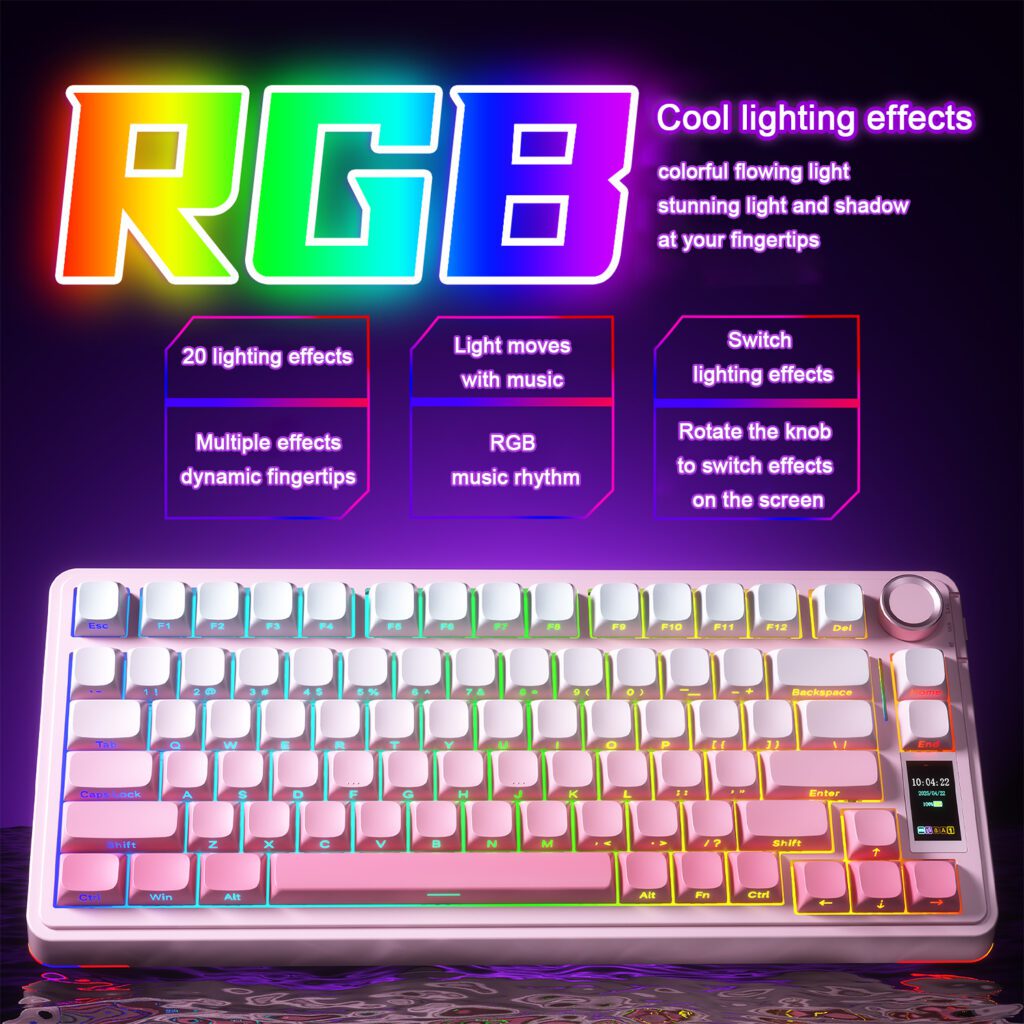
| RGB Lighting | Per-key customizable RGB lighting | Customizable RGB with 16.8 million colors |
| Display Feature | No display included | Integrated TIF smart display for real-time info |
| Build and Materials | ABS plastic case, PBT keycaps, gasket mount | ABS plastic case, PBT keycaps, gasket mount |
| Sound Dampening | Five-layer sound dampening structure | Multi-layer sound dampening materials |
| Special Controls | Built-in aluminum multifunction control knob | Control knob plus smart display functions |
You will find that both the AULA F75 and Aula S75 Pro offer standout features for different needs. Gamers and keyboard enthusiasts often choose the AULA F75 for its compact layout, smooth switches, and vibrant RGB lighting. If you value a smart display and refined aesthetics, the Aula S75 Pro stands out. Each aula keyboard gives you tri-mode connectivity, hot-swappable switches, and advanced sound dampening. The S75 Pro adds a unique TIF smart display for real-time updates, making it ideal for users who want more interactivity.
Quick Verdict
Best for Gaming
If you want a keyboard that delivers fast response and smooth keystrokes, the AULA F75 stands out. You get a compact 75% layout that saves desk space and keeps all essential keys within reach. The tri-mode connectivity lets you switch between devices quickly. The pre-installed LEOBOG linear switches provide a quiet and responsive feel, which is ideal for gaming sessions. The five-layer sound dampening structure reduces noise, so you can focus on your game. The vibrant RGB lighting adds a dynamic look to your setup.
Tip: Gamers who value low latency and customizable lighting effects will appreciate the AULA F75.
Best for Typing
You may prefer the Aula S75 Pro if you spend long hours typing. This model features factory-lubricated Caramel Latte or Seiya switches, which offer a soft and stable typing experience. The gasket-mounted structure and multi-layer sound dampening make every keystroke feel comfortable and quiet. The PBT double-shot keycaps resist wear, so your aula keyboard stays looking new. The TIF smart display gives you real-time updates, such as time and battery status, right on your keyboard.
Best for Versatility
Both models offer tri-mode connectivity, hot-swappable switches, and strong battery life. If you want a keyboard that adapts to different tasks, either option works well. The AULA F75 excels in gaming and portability, while the Aula S75 Pro shines with its smart display and premium typing feel. You can choose based on your need for a display or your preference for switch types.
Aula Keyboard Comparison Table

When you compare the AULA F75 and Aula S75 Pro, you see two advanced keyboards designed for different preferences. Both models use a 75% ANSI layout, which gives you a compact form without losing essential keys. You can connect either aula keyboard through Bluetooth, 2.4 GHz wireless, or a wired USB-C connection. This flexibility lets you switch between devices with ease.
The table below highlights the main features side by side:
| Specification | AULA F75 | Aula S75 Pro |
|---|---|---|
| Layout | 75% ANSI | 75% ANSI |
| Switch Options | Linear, Hot Swappable | Linear, Hot Swappable |
| Connectivity | Bluetooth, 2.4 GHz, Wired | Bluetooth, 2.4 GHz, Wired |
| Polling Rate | 1000 Hz | 4000 Hz |
| Battery | 4000 mAh | 4000 mAh |
| RGB Lighting | Per-key, South-facing | Customizable, 16.8M colors |
| Display | None | TIF Smart Display |
| Knob Support | Yes | Yes |
| Build Material | ABS Case, PBT Keycaps | ABS Case, PBT Keycaps |
| Mount Style | Gasket Mount | Gasket Mount |
| Sound Dampening | Five-layer structure | Multi-layer structure |
| Dimensions (mm) | 322.7 x 143.2 x 43.1 | 333 x 147 x 43 |
| Weight | ~1000g | ~1000g |
Note: The Aula S75 Pro stands out with its TIF smart display, which shows real-time information like time and battery status. The F75 focuses on classic performance and a streamlined design.
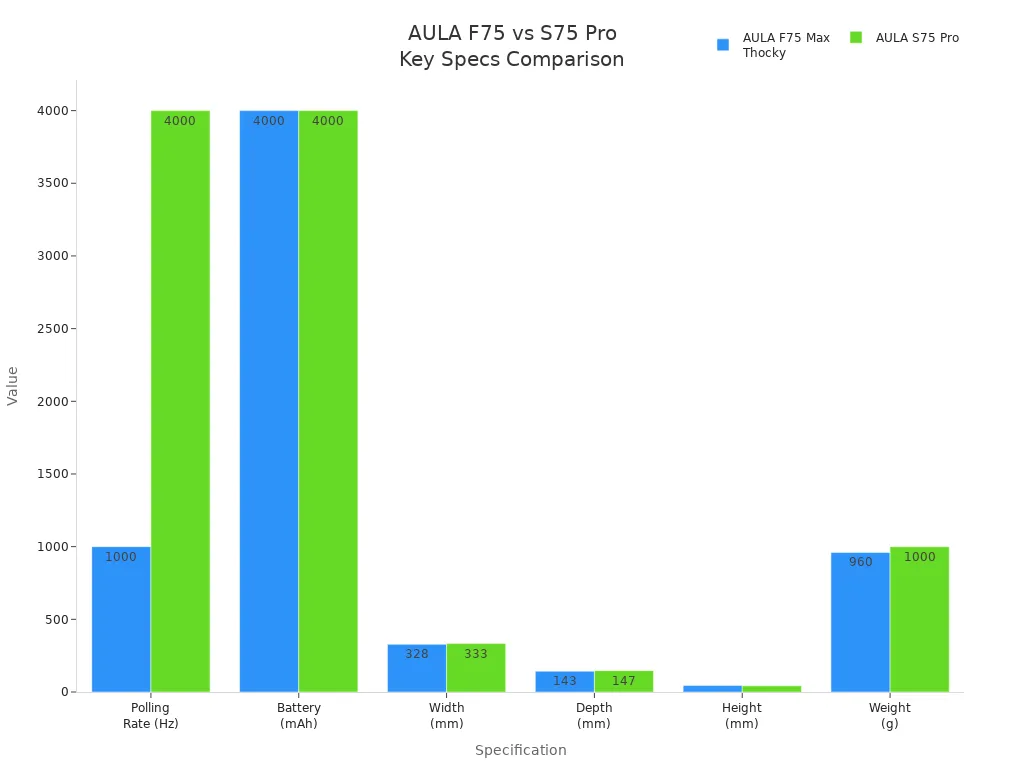
You can see that both models offer strong battery life, sound dampening, and customizable RGB lighting. The S75 Pro’s display adds a modern touch, while the F75 remains a favorite for those who want a straightforward, high-performing aula keyboard.
Key Differences
Layout & Size
You will notice both the AULA F75 and Aula S75 Pro use a compact 75% layout. This design keeps your desk tidy while giving you all the essential keys for gaming or work. The F75 measures 322.7 x 143.2 x 43.1 mm, while the S75 Pro is slightly larger at 333 x 147 x 43 mm. Both keyboards weigh about 1000 grams, so you get a sturdy feel without losing portability. If you want a keyboard that fits easily into a backpack or small workspace, either model works well. The S75 Pro’s slightly larger footprint gives you a bit more space between keys, which some users find more comfortable for long typing sessions.
Switches & Typing Feel
Switches make a big difference in how an aula keyboard feels. The AULA F75 comes with LEOBOG linear switches. These switches feel smooth and quiet, making them great for gaming and fast typing. You can swap out the switches easily because both models support hot-swappable sockets. The Aula S75 Pro offers factory-lubricated Caramel Latte or Seiya switches. These switches give you a soft, stable, and ultra-responsive typing experience. The gasket-mounted structure in both keyboards softens each keystroke and reduces noise. If you want a keyboard that feels gentle and quiet, the S75 Pro stands out with its premium switch options.
Connectivity Options
You get flexible connection choices with both models. Each keyboard supports tri-mode connectivity: Bluetooth 5.0, 2.4GHz wireless, and USB-C wired. This means you can connect to your laptop, tablet, or desktop without hassle. Bluetooth lets you pair with up to three devices and switch between them quickly. The 2.4GHz wireless mode gives you low latency, which is important for gaming. Wired mode ensures a stable connection during long work or play sessions. You can choose the connection that fits your needs at any moment.
Build & Sound Dampening
Both the AULA F75 and Aula S75 Pro use a durable ABS plastic case and PBT keycaps. These materials resist wear and keep your keyboard looking new. The gasket-mounted structure and multi-layer sound dampening in both models help reduce noise and create a soft typing feel. The F75 uses a five-layer sound dampening system, while the S75 Pro features a multi-layer approach. You will notice less hollow sound and quieter keystrokes, which is perfect for shared spaces or late-night work. The solid build quality ensures your keyboard lasts through heavy use.
Unique Features
The Aula S75 Pro introduces a TIF smart display, which sets it apart from the F75. This display shows real-time information like time and battery status, so you can check important details at a glance. Both keyboards offer customizable RGB lighting with millions of color options, letting you personalize your setup. The built-in control knob on each model gives you quick access to volume, media, and lighting controls.
Here is a quick overview of standout features:
| Feature | Description | User Experience Enhancement |
|---|---|---|
| TIF Smart Display | Integrated smart screen showing real-time info like time and battery status | Provides at-a-glance access to important information, improving convenience and usability |
| Tri-mode Connectivity | Supports Bluetooth 5.0, 2.4GHz wireless, and wired connections | Offers versatile and seamless switching between connection modes for different use cases |
| Gasket-mounted Structure | Keyboard case with multi-layer sound dampening | Enhances typing feel by softening keystrokes and reducing noise, improving comfort |
| Long-lasting Battery | Built-in 4000mAh battery | Enables extended usage without frequent recharging, enhancing portability and convenience |
| RGB Lighting | Customizable 16.8 million color options | Allows personalization and aesthetic appeal, enhancing user satisfaction |
| Switches | Equipped with factory-lubricated Caramel Latte and Seiya switches (S75 Pro) | Provides smooth, stable, and responsive keypresses, improving typing and gaming experience |
Note: If you want a classic aula keyboard with a streamlined design, the F75 is a strong choice. If you prefer a modern look with a smart display, the S75 Pro is perfect for you.
User Experience
Noise & Office Use
You will notice both the AULA F75 and Aula S75 Pro keep noise levels low. Each model uses a gasket-mounted structure and multiple sound-dampening layers. This design reduces keystroke noise, making either keyboard a good fit for shared offices or quiet environments. The F75 features a five-layer sound dampening system, while the S75 Pro uses a multi-layer approach. You can type or game without disturbing others. Many users rate the typing experience as excellent, especially for long work sessions.
Customization & Software
Both models offer strong customization options. You can swap switches easily thanks to hot-swappable PCBs. Each aula keyboard supports per-key RGB lighting, letting you create your own lighting effects. The F75 includes a volume knob for quick adjustments. The S75 Pro adds a smart display, which you can personalize with DIY functions for more interactivity.
| Feature | AULA F75 | Aula S75 Pro |
|---|---|---|
| Switch Customization | Hot-swappable | Hot-swappable |
| RGB Lighting | Per-key, customizable | Per-key, customizable |
| Special Features | Volume knob | Smart display |
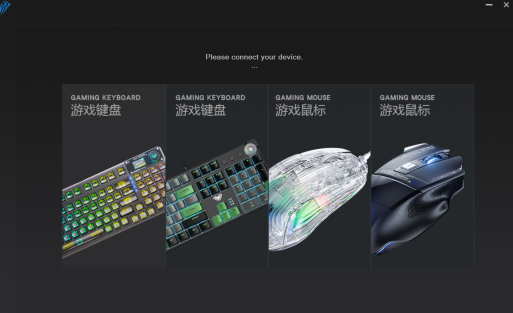
| Software | Windows-only, less intuitive | Supports smart display functions |
Note: Users find the typing feel excellent, but some describe the software as less user-friendly. You may need time to learn the software for advanced features.
Portability
You can carry either keyboard with ease. Both models use a compact 75% layout and weigh about 1000 grams. The Aula S75 Pro stands out for travelers. It offers a lightweight build, strong battery life, and tri-mode connectivity. You get up to 30 hours of use with RGB lighting on, and up to 80 hours with the lights off. The sturdy build ensures your keyboard stays protected during travel.




Add comment
You must be logged in to post a comment.