


Have you ever imagined controlling your keyboard with just a tap? The Aula L99 brings a 3.98-inch IPS touchscreen right to your fingertips. You gain instant access to controls and shortcuts, making every task faster. Experience a keyboard that adapts to your needs and redefines your expectations.
Look and Build
You want a keyboard that stands out on your desk. The Aula L99 delivers a bold, modern look that grabs attention. Its sturdy aluminum frame feels premium and resists daily wear. The keycaps use high-quality PBT material, so you get a smooth touch and long-lasting legends. You will notice the RGB lighting right away. It shines through each key, creating a vibrant effect that you can customize to match your mood or setup.
Tip: A solid build means your keyboard lasts longer and feels better every time you type.
You also get a compact layout that saves space but still gives you all the keys you need. The design balances style and function, making it perfect for both gaming and work.
Touchscreen Placement
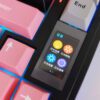
The real surprise sits at the top right of the keyboard. The 3.98-inch IPS touchscreen is easy to reach with your left or right hand. You can tap, swipe, or drag without moving your hands far from the main keys. This smart placement lets you control media, launch apps, or check system stats in seconds.
- Quick access means you stay focused on your game or project.
- You never need to fumble for extra buttons or reach for your mouse.
The touchscreen blends into the design, so it looks sleek and futuristic. You get a seamless experience that feels natural from the first use. The Aula L99 proves that a keyboard can be both beautiful and practical.
Touchscreen Features

Core Functions
You want a keyboard that does more than just type. The Aula L99 touchscreen gives you instant access to powerful features. You can control your music, adjust the volume, or skip tracks with a single tap. No need to reach for your mouse or search for tiny function keys. The screen also lets you launch apps, open folders, or run macros. You can set up shortcuts for your favorite games or work tools.
Imagine checking your system stats right on your keyboard. The touchscreen displays CPU usage, memory, and even network speed. You stay informed without leaving your game or workflow.
You can also use the dynamic display options. The screen changes based on what you need. It shows different controls for gaming, work, or media. You get the right tools at the right time.
Customization
You control how your touchscreen looks and works. The Aula L99 lets you drag and drop widgets onto the screen. You can choose what you want to see—weather, calendar, or even a custom logo. You decide which shortcuts matter most.
- Set up profiles for different tasks.
- Change the layout with a few taps.
- Save your favorite setups for quick access.
You can even assign macros to the touchscreen. One tap can launch a complex command or a series of actions. You save time and boost your productivity. The customization options make the keyboard feel truly yours.
Usability
You want a touchscreen that feels natural. The Aula L99 delivers smooth, responsive touch controls. You tap, swipe, and drag with zero lag. The IPS display stays bright and clear from any angle. You never miss a detail, even in low light.
Tip: The touchscreen works with both Windows and Mac, so you can use it with almost any setup.
You do not need to learn complicated software. The interface stays simple and intuitive. You get clear icons and easy navigation. You spend less time setting up and more time doing what you love.
The touchscreen enhances your interaction with your computer. You work faster, play smarter, and enjoy a new level of control. Once you try it, you will not want to go back.
Keyboard Performance
Switch Types
You want a keyboard that feels just right every time you type. This model gives you a choice of mechanical switches, so you can pick the one that matches your style. Do you love a soft, quiet press? Choose linear switches for smooth, silent typing. Prefer a tactile bump with every key? Go for tactile switches that give you feedback with each press. If you crave a clicky sound, select clicky switches for that satisfying snap.
Tip: Try different switch types to find your perfect match. The right switch can boost your speed and comfort.
A table can help you compare your options:
| Switch Type | Feel | Sound Level | Best For |
|---|---|---|---|
| Linear | Smooth | Quiet | Gaming, Typing |
| Tactile | Bumpy | Moderate | Productivity |
| Clicky | Clicky Snap | Loud | Typing, Feedback |
Layout and Comfort
You spend hours at your keyboard, so comfort matters. The compact layout saves desk space but keeps all the keys you need within reach. You never have to stretch your fingers or hunt for important keys. The keycaps feel smooth and sturdy, giving you a premium touch with every press.
You get an ergonomic angle that supports your wrists. This design helps you type longer without strain. The keyboard stays stable, even during intense gaming sessions. You stay focused and comfortable, no matter what you do.
Note: A comfortable keyboard can make your work and play more enjoyable. Choose wisely for your health and productivity.
Aula L99 Connectivity
Bluetooth and USB
You want a keyboard that keeps up with your fast-paced life. The Aula L99 gives you both Bluetooth and USB connectivity, so you get the best of both worlds. Switch between wireless and wired modes in seconds. Bluetooth lets you cut the cord and enjoy a clean, clutter-free desk. You can move around, change your setup, or even type from across the room. USB mode delivers zero lag and maximum reliability. Plug in for gaming marathons or when you need the fastest response.
Tip: Use Bluetooth for daily tasks and USB for intense gaming or work sessions. You always get the performance you need.
Pairing is simple. Press a button, and your keyboard connects instantly. You never waste time with complicated settings. The Aula L99 remembers your devices, so you switch back and forth without hassle.
Device Compatibility
You use more than one device every day. The Aula L99 adapts to your lifestyle. Connect to your laptop, desktop, tablet, or even your phone. The keyboard works with Windows, Mac, Android, and iOS. You can switch between devices with a single tap. No need to reconnect or set up each time.
- Work on your computer, then reply to a text on your phone.
- Play games on your tablet, then jump back to your desktop.
You stay productive and flexible. The Aula L99 makes sure you never miss a beat, no matter what device you use.
Who Should Choose Aula L99
Gamers and Pros
You want every advantage when you play or work. The Aula L99 gives you tools that help you win and stay ahead. Gamers will love the fast response and the ability to set up macros for quick actions. You can control your music, check your system stats, and switch profiles without leaving your game. The touchscreen puts everything you need right at your fingertips.
If you work with design, code, or video, you need shortcuts and fast access to your favorite apps. The Aula L99 lets you customize the touchscreen for your workflow. You can launch programs, control media, and monitor your system with a single tap. This keyboard helps you save time and stay focused.
Pro Tip: Use the touchscreen to create custom profiles for each game or project. You will work smarter and play better.
Value
You want a keyboard that offers more than just typing. The Aula L99 gives you premium features at a price that makes sense. You get a sturdy build, a bright touchscreen, and flexible connectivity. This keyboard adapts to your needs, whether you game, work, or create.
- Save time with shortcuts and macros.
- Enjoy a clean desk with wireless options.
- Boost your productivity with custom controls.
You invest in a tool that grows with you. The Aula L99 stands out as a smart choice for anyone who wants more from their keyboard.
Pros and Cons
Advantages
You want a keyboard that gives you more than just typing. The Aula L99 stands out with its 3.98-inch touchscreen. You get instant access to shortcuts, media controls, and system stats. You can customize the screen for your favorite apps and tasks. The sturdy build and premium materials make it last longer. You enjoy both Bluetooth and USB connections, so you can switch between devices with ease.
- Quick access to controls boosts your productivity.
- Custom profiles help you work and play smarter.
- The compact design saves space on your desk.
- The touchscreen feels smooth and responsive.
The Aula L99 surprises you with features you never knew you needed. You get a keyboard that adapts to your lifestyle.
Drawbacks
You should consider a few limitations before you decide. The touchscreen adds value, but it may take time to set up your favorite widgets and shortcuts. You might find the price higher than standard keyboards. Some users may prefer a traditional layout without extra screens. The software for customization could feel basic if you want advanced options.
| Drawback | Impact on You |
|---|---|
| Learning curve | Setup takes extra time |
| Higher price | Bigger investment |
| Software limitations | Fewer advanced features |
| Non-traditional layout | May not suit everyone |
You need to weigh these points against the unique benefits. If you want innovation and flexibility, the Aula L99 delivers.
You experience a new level of control with a touchscreen keyboard. You gain speed, flexibility, and customization. Gamers and professionals benefit most from these features.
“Hybrid mechanical keyboards with touchscreens drive innovation, supporting real-time data and user-centric design.”
Expect keyboards to keep evolving, blending touch and mechanical precision.


Add comment
You must be logged in to post a comment.