


Aula F87 Pro V2 vs Keychron K1
Comparing Features of Two Keyboards
Explore the differences between Aula F87 Pro V2 and Keychron K1.
| Features | Aula F87 Pro V2 | Keychron K1 (V5) |
|---|---|---|
| Polling Rate | Up to 8000Hz (Supremacy) | 1000Hz (wired) |
| Latency | 0.125ms (Supremacy) | ~1ms (wired) |
| Battery | 10,000mAh / 12,000mAh | 2000mAh |
| Switch Options | Hot-swappable, multiple types | Low-profile Gateron, hot-swappable |
| Mount/Build | Gasket mount, sound dampening | Ultra-slim aluminum body |
| Connectivity | Tri-mode (Type-C, 2.4G, BT) | Bluetooth (3 devices), Type-C |
| RGB Lighting | 223 lights, dot-matrix, music sync | 18 effects, adjustable |
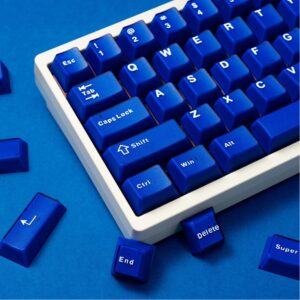
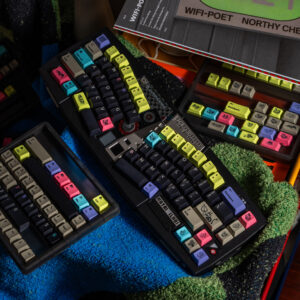
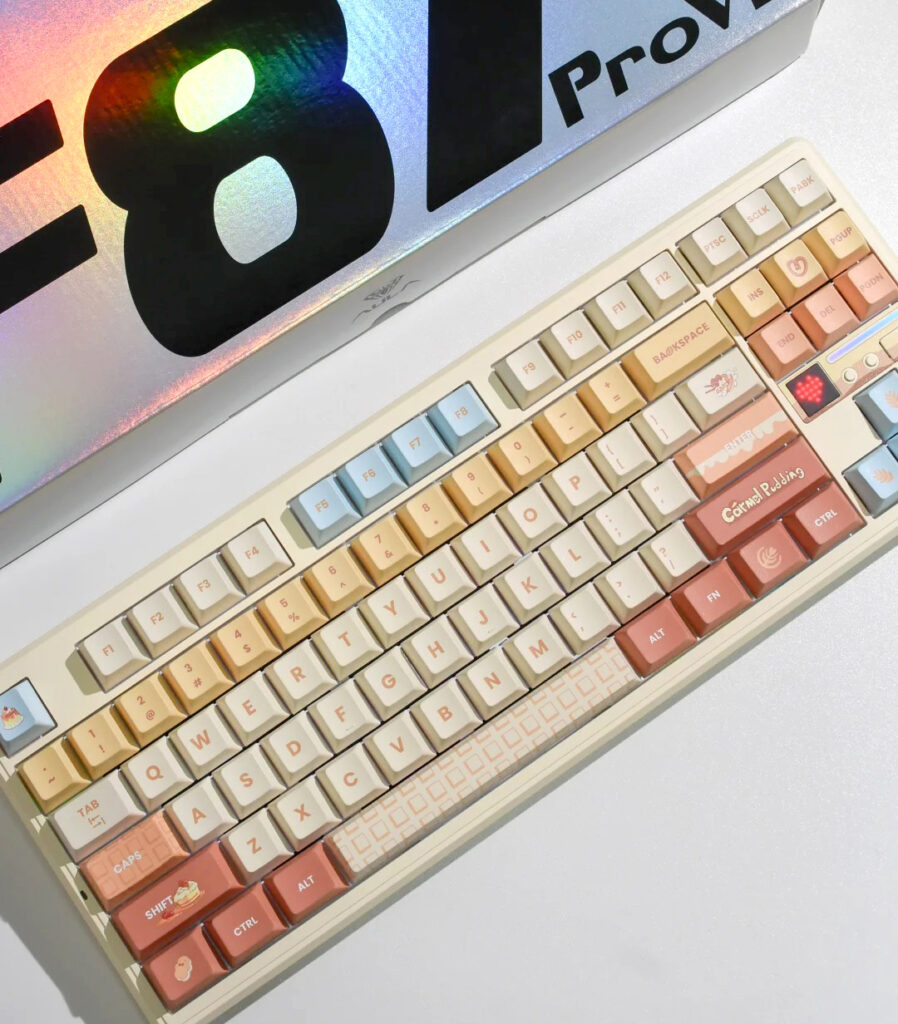
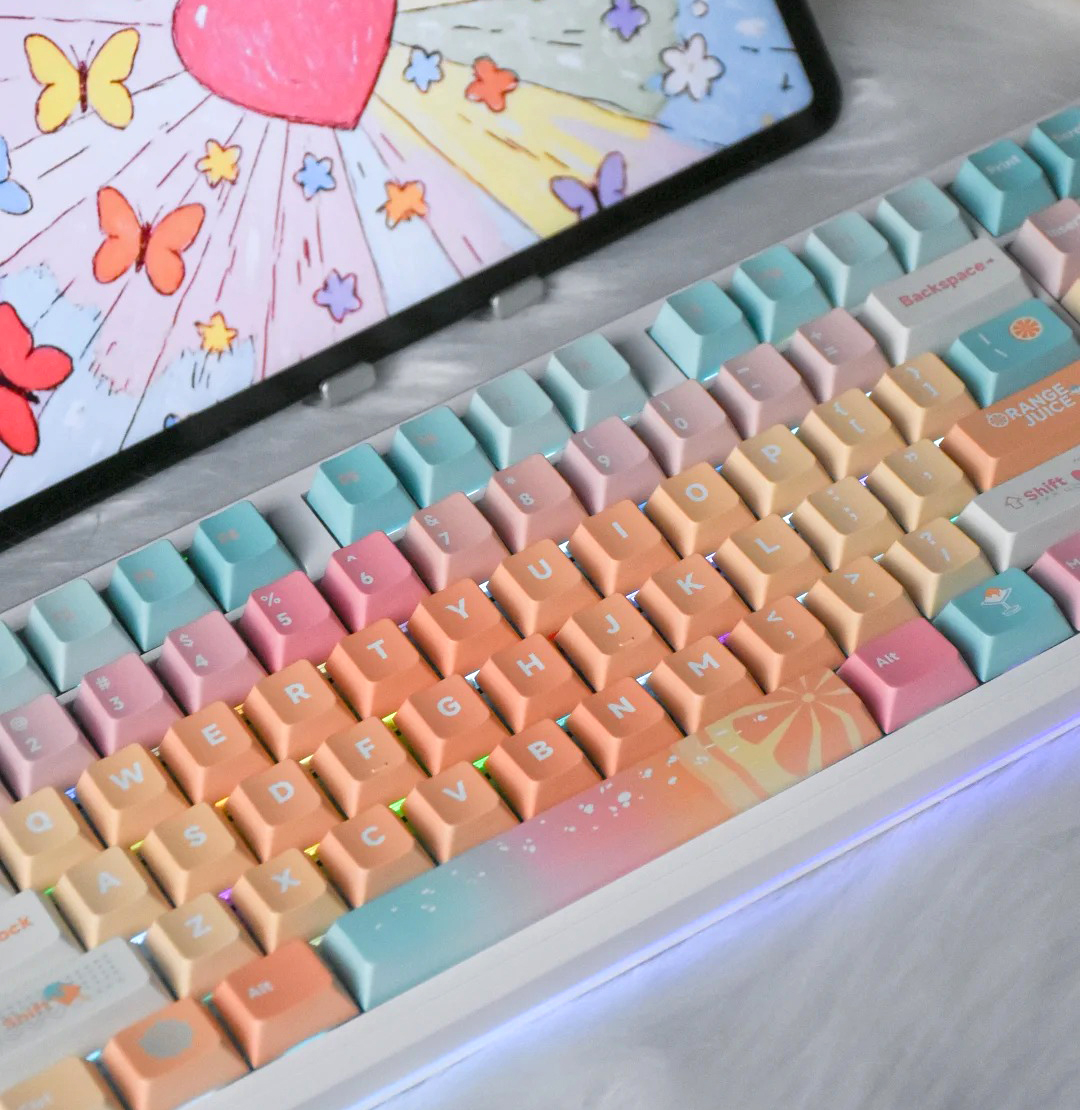
| Keycap Themes | Multiple colors/styles | Mac/Win keycaps included |
| Software/Customization | AI chipset, advanced gaming keys | Basic programmability |
| OS Support | Mac, Windows, iOS, Android | Mac, Windows, iOS, Android |
You want a keyboard that feels great, packs cool features, and gives you serious bang for your buck. The Aula Keyboard stands out if you love customization, fast response, and eye-catching lights. Check the table below to see how both keyboards stack up on specs and differences.
Key Takeaways
- Choose the Aula F87 Pro V2 for advanced features, customization, and a premium typing experience at a budget-friendly price.
- Opt for the Keychron K1 if you prefer a slim design and easy Bluetooth switching for everyday use.
- Both keyboards support multiple operating systems, but the Aula F87 Pro V2 offers more connection options and deeper customization.
Verdict & Specs
Quick Answer
If you want a keyboard that delivers top-notch typing, advanced features, and great value, you’ll probably lean toward the Aula Keyboard. You get a premium build, ultra-fast response, and a dazzling RGB system that stands out in any setup. The Aula F87 Pro V2 scores a 9.5 from IGN for build quality, typing experience, and value for money. You can choose from three editions, each packed with upgrades like a massive battery, ultra-low latency, and a customizable lighting system.
The Keychron K1 is a solid choice if you prefer a slim, minimalist design and need easy multi-device Bluetooth switching. It offers a comfortable low-profile typing experience and works well for both Mac and Windows users.
You should pick the Aula Keyboard if you want more customization, longer battery life, and a feature-rich experience at a budget-friendly price. If you want a sleek, portable keyboard for everyday use, the Keychron K1 might suit you better.
Tip: If you care about fast gaming response and vibrant lighting, the Aula F87 Pro V2 is hard to beat.
Add Your Heading Text Here
| Feature | Aula F87 Pro V2 | Keychron K1 (V5) |
|---|---|---|
| Software/Customization | AI chipset, advanced gaming keys | Basic programmability |
| OS Support | Mac, Windows, iOS, Android | Mac, Windows, iOS, Android |
| Price Range | Budget-friendly, multiple editions | Mid-range |
| User Rating | 9.5 (IGN) | Not rated |
- Aula Keyboard gives you more battery, higher polling rate, and deeper customization.
- Keychron K1 offers a slim profile and easy Bluetooth switching.
You can see that the Aula F87 Pro V2 packs more features for gamers and enthusiasts, while the Keychron K1 focuses on portability and simplicity.
Design
Build Quality
When you pick up the Aula Keyboard, you notice its solid feel right away. The plastic body might surprise you, but it doesn’t feel cheap. Instead, it feels sturdy and well put together. The gasket mount design adds a bit of flex, which makes typing softer and more comfortable. You also get several layers of sound dampening, so every keystroke sounds crisp and quiet. This is great if you want a keyboard that feels premium without breaking the bank.
The Keychron K1 takes a different approach. It uses an ultra-slim aluminum body, which looks sleek and modern on any desk. The low-profile design makes it easy to carry around or slip into a backpack. However, some users have raised questions about its long-term durability. If you want a keyboard that feels light and portable, the K1 stands out, but you might want to handle it with care.
Tip: If you care about a softer typing feel and quieter sound, the Aula Keyboard’s gasket mount and sound dampening layers make a big difference.
Layout & Style
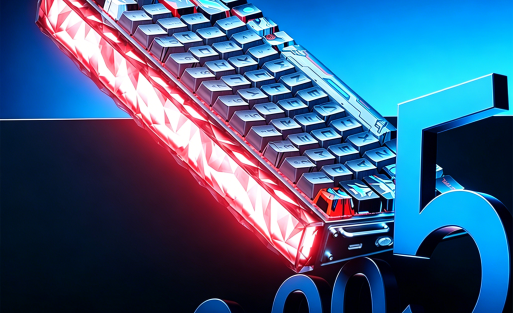
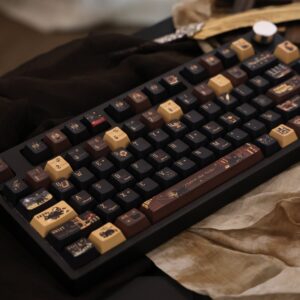
The Aula Keyboard gives you lots of choices. You can pick from several keycap themes, like classic white, smoky black, or even blackberry pink. The RGB lighting system is next-level, with 223 lights and a dot-matrix display that can sync with your music. This keyboard really lets you show off your style.
The Keychron K1 keeps things simple. Its ultra-slim profile and minimalist look fit well in a modern office or home setup. You get keycaps for both Mac and Windows, so switching between systems feels seamless. The RGB lighting offers 18 effects, which is enough for most users, but not as customizable as the Aula Keyboard.
Aula Keyboard Typing
Switches
When you try the Aula Keyboard, you notice the difference right away. The F87 Pro V2 gives you hot-swappable switches, so you can pick the exact feel you want. You might like a soft linear switch for smooth typing, or maybe you want a tactile bump for more feedback. Swapping switches is easy—no soldering needed. This means you can experiment and find your perfect match.
The Keychron K1 uses low-profile Gateron switches. These switches feel lighter and sit closer to the desk. If you like a laptop-style typing experience, you might enjoy the K1. Still, the Aula Keyboard offers more options and lets you customize your setup as much as you want.
Tip: If you want to try different switch types or build a unique typing feel, the Aula Keyboard makes it simple.
Sound & Comfort
Typing on the Aula Keyboard feels soft and satisfying. The gasket mount design adds a gentle bounce to each keystroke. You get 5 to 7 layers of sound dampening, so your typing stays quiet and crisp. This is perfect if you work in a shared space or just want a more peaceful environment.
The Keychron K1 sounds a bit sharper because of its slim build and low-profile switches. It feels fast, but you might miss the cushioned sound and comfort that the Aula Keyboard provides. If you care about both comfort and sound, the F87 Pro V2 stands out with its advanced dampening and premium structure.
Connectivity
Wired & Wireless
When you look at how these keyboards connect, you’ll notice some big differences. The Aula F87 Pro V2 gives you a true tri-mode experience. You can use it wired with a USB Type-C cable, go wireless with 2.4 GHz for gaming, or switch to Bluetooth for everyday use. This flexibility means you can move from your gaming PC to your tablet or phone without missing a beat. The Keychron K1 focuses on Bluetooth and wired connections. You can pair it with up to three devices over Bluetooth, which is handy if you bounce between your laptop, tablet, and phone. However, it doesn’t offer the 2.4 GHz wireless mode that gamers love for its low latency.
Here’s a quick look at their connectivity options:
| Feature | Aula F87 Pro V2 | Keychron K1 (V5) |
|---|---|---|
| Bluetooth | ✅ | ✅ |
| 2.4 GHz | ✅ | ❌ |
| Wired (USB) | ✅ | ✅ |
| Wireless | ✅ | ✅ |
Tip: If you want the lowest latency for gaming, the Aula’s 2.4 GHz mode gives you a real edge.
OS Support
Both keyboards work with all the major operating systems. You can use them with Mac, Windows, iOS, and Android. Switching between devices feels smooth, especially with the Aula’s tri-mode setup. The Keychron K1 also supports these platforms, but some users have noticed that VIA software doesn’t always detect the K1 when connected by USB, which can make custom key mapping tricky.
- Mac
- Windows
- iOS
- Android
You get broad compatibility with both keyboards, so you don’t have to worry about which device you use. The Aula F87 Pro V2 stands out if you want more connection options and a seamless experience across all your tech.
Features
RGB & Lighting
If you love a keyboard that lights up your desk, you’ll want to check out the Aula F87 Pro V2. This keyboard packs 223 individual RGB lights. You get a dot-matrix display and music rhythm sync, so your keyboard pulses along with your favorite songs. You can pick from tons of lighting effects and even customize each key’s color. The lighting feels bright and smooth, making your setup look amazing.
The Keychron K1 offers 18 RGB effects. You can adjust brightness and switch between patterns, but you won’t get the same level of control or the dot-matrix display. The K1’s lighting works well for a clean, modern look, but it doesn’t match the Aula’s wow factor.
Tip: If you want your keyboard to be the centerpiece of your gaming station, Aula’s lighting system stands out.
Customization
You get hot-swappable switches with both keyboards, but the Aula F87 Pro V2 takes it further. You can swap out switches without tools, pick from multiple keycap themes, and adjust sound dampening layers. The AI-powered chipset lets you tweak gaming keys and lighting effects for a truly custom experience.
Keychron K1 gives you hot-swappable optical switches and basic programmability. You can change switches and remap keys, but the options feel limited compared to Aula.
Here’s a quick look at recent updates that improve your experience:
| Product | Update Type | Date Added | Link |
|---|---|---|---|
| Aula F87 Pro V2 | Driver | Mar 31, 2025 | Aula F87 Pro V2 Software (Windows) |
| Keychron K1 | Firmware | — | Keychron K1 Firmware Updates |
You can see both brands keep their keyboards up to date, but Aula’s software unlocks deeper customization for gamers and enthusiasts.
Price & Value
Cost
When you look at the price tags, you’ll notice a big difference. The Aula F87 Pro V2 comes in at a budget-friendly price, especially when you consider all the features packed inside. You get three editions to choose from—Master, Grandmaster, and Supremacy—so you can pick the one that fits your wallet and your needs. The entry-level Master edition already gives you premium features without costing a fortune. If you want the top-tier Supremacy edition, you still pay less than many high-end gaming keyboards.
The Keychron K1 sits in the mid-range bracket. You pay a bit more for the ultra-slim design and the brand’s reputation. If you want a minimalist look and easy Bluetooth switching, the price makes sense. However, you don’t get as many customization options or extras as you do with the Aula F87 Pro V2.
💡 Tip: If you want maximum features for your money, the Aula F87 Pro V2 is tough to beat.
Performance
You want your keyboard to deliver, no matter the price. The Aula F87 Pro V2 gives you ultra-fast response times, a massive battery, and deep customization. You get a high polling rate, low latency, and a lighting system that makes your setup pop. These features usually come with a much higher price tag.
The Keychron K1 performs well for everyday typing and multitasking. You get reliable Bluetooth, a slim profile, and solid build quality. If you value portability and a clean look, it’s a strong choice.
| Keyboard | Price Range | Key Features for Value |
|---|---|---|
| Aula F87 Pro V2 | Budget-friendly | Ultra-low latency, huge battery, advanced RGB, hot-swappable switches |
| Keychron K1 | Mid-range | Slim design, multi-device Bluetooth, low-profile switches |
You get more for your money with the Aula F87 Pro V2, especially if you want performance and customization.
Use Cases
Gaming
If you love gaming, you want a keyboard that responds instantly and keeps up with your fast moves. The Aula F87 Pro V2 gives you ultra-low latency, up to 8000Hz polling rate, and a massive battery. You get a tri-mode connection, so you can switch between wired, 2.4 GHz wireless, and Bluetooth. The advanced RGB system with music sync turns your setup into a light show. You can customize switches and keycaps for your perfect feel. The Keychron K1 works well for casual gaming, but it focuses more on portability and slim design.
🎮 Tip: For competitive gaming, the Aula F87 Pro V2’s speed and customization make it the top pick.
Office
You spend hours typing at work, so comfort and quiet matter. The Aula F87 Pro V2 uses a gasket mount and sound dampening layers for a soft, silent typing experience. You can swap switches to match your preference. The battery lasts for weeks, so you don’t need to worry about charging. The Keychron K1 fits well in a modern office with its slim profile and minimalist look. It’s easy to carry and switch between devices.
- Aula F87 Pro V2: Comfortable, quiet, long battery life
- Keychron K1: Slim, portable, easy Bluetooth switching
Mac/Win
Switching between Mac and Windows? Both keyboards support multiple operating systems. The Aula F87 Pro V2 offers seamless tri-mode connectivity and customizable keycaps. You can use it with Mac, Windows, iOS, or Android. The Keychron K1 also supports these platforms and includes keycaps for both systems.
| Keyboard | OS Support | Key Strengths |
|---|---|---|
| Aula F87 Pro V2 | Mac/Win/iOS/Android | Tri-mode, customization, battery |
| Keychron K1 | Mac/Win/iOS/Android | Slim, multi-device Bluetooth |
💡 Note: If you want flexibility and deep customization, the Aula F87 Pro V2 stands out for both Mac and Windows users.
You want the best value and features? Aula F87 Pro V2 wins for gamers and enthusiasts with its huge battery, ultra-fast response, and deep customization. Keychron K1 suits you if you prefer a slim, portable keyboard.
- Gamers: Aula F87 Pro V2
- Office: Aula F87 Pro V2
- Mac/Win: Both work well
Ready to upgrade? Check out the Aula F87 Pro V2 and experience next-level typing!
FAQ
Which keyboard offers better battery life for gaming?
You get a massive battery with the Aula F87 Pro V2, lasting weeks. Keychron K1 gives you decent battery life, but it can’t match Aula’s endurance.
Tip: Aula’s battery keeps you playing longer!
Can I customize switches and keycaps on both keyboards?
You can swap switches and choose keycap themes with the Aula F87 Pro V2. Keychron K1 lets you change switches, but you get fewer keycap options.
| Feature | Aula F87 Pro V2 | Keychron K1 |
|---|---|---|
| Hot-swappable | ✅ | ✅ |
| Keycap themes | Multiple | Limited |
Which keyboard is better for office and school use?
You get a quiet, comfortable typing experience with the Aula F87 Pro V2. Keychron K1 feels slim and portable. Both work well, but Aula’s sound dampening stands out.

Add comment
You must be logged in to post a comment.