Top Features of the AULA Custom Mechanical Keyboard You’ll Love
When you look for the best custom keyboard, you want more than just a tool—you want something that fits your style and boosts your performance. Custom keyboards give you options to pick your favorite colors, layouts, and even add images for a personal touch. You can choose keys that feel just right, switch layouts for different languages, and enjoy features like hot-swappable switches. Here’s a quick look at what custom keyboards offer:
| Benefit | Why It Matters |
|---|---|
| Improved Durability | Lasts for years, even with heavy use |
| Typing Comfort | Feels great during long sessions |
| Customization Options | Make it truly yours, inside and out |
| Enhanced Writing Efficiency | Helps you type faster and smarter |
| Reduced Physical Strain | Supports your wrists and hands |
Best Custom Keyboard
How to design your own keyboard?
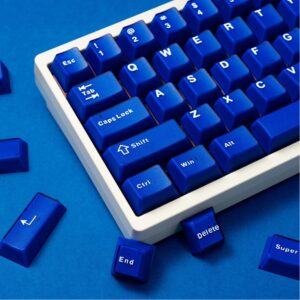
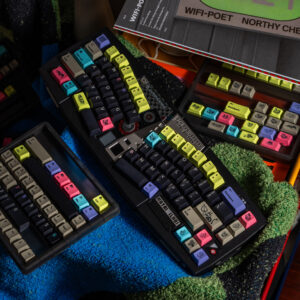
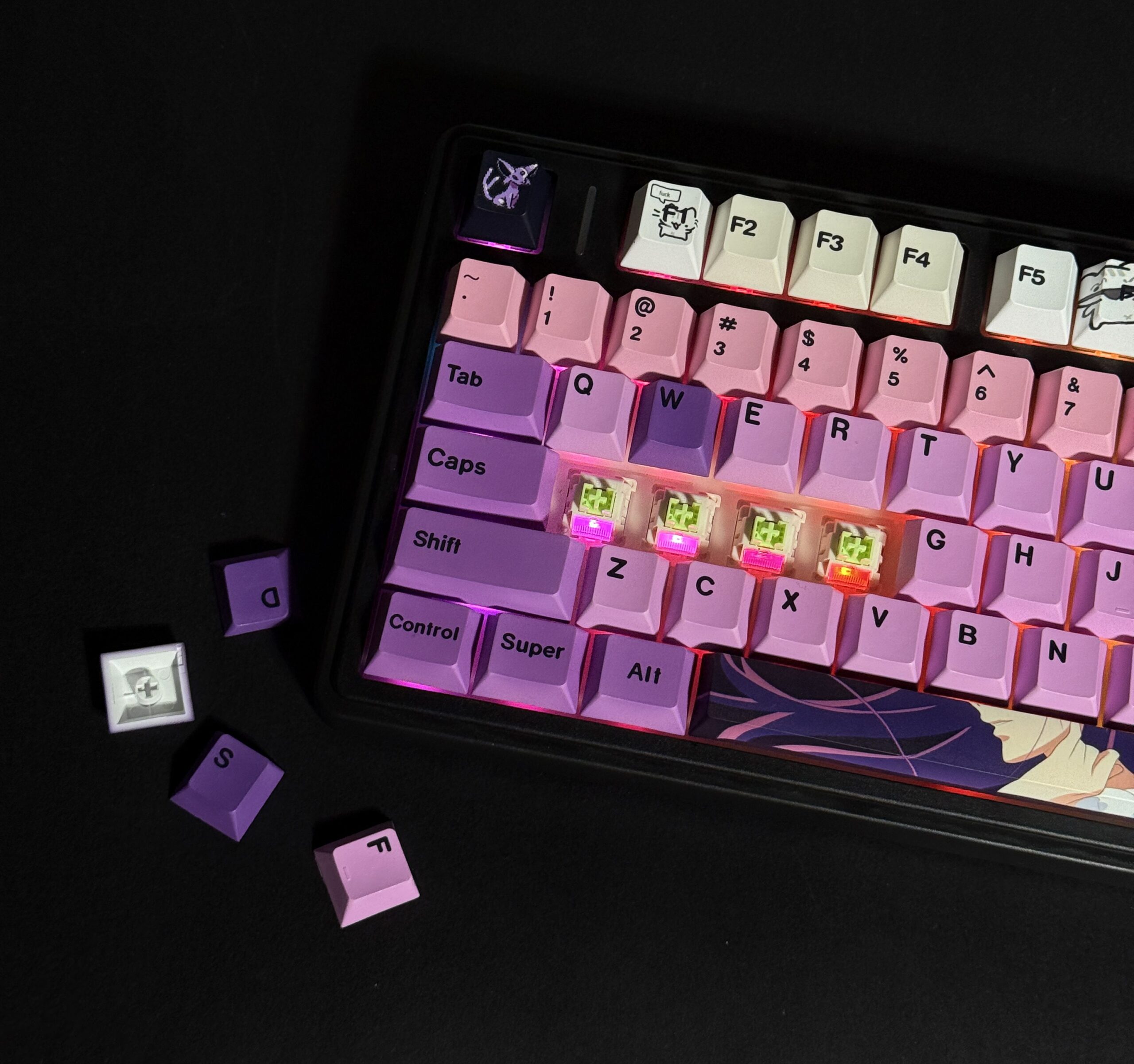
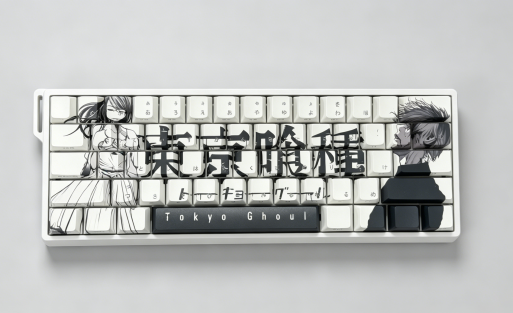
Designing your own keyboard feels exciting. You get to pick every detail, from the look to the feel. Start by choosing a chassis color that matches your style. With the Aula F75, you can select switches that suit your typing or gaming needs. You also decide on the keycap font and layout. Want QWERTZ, AZERTY, or something unique like Japanese or Arabic? You have all those options. You can place the font on the front, side, or even go for blank keycaps. Pick any font color you like—there’s no extra charge. If you want to go further, upload your favorite images and put them right on the keys. Your keyboard becomes a true reflection of your personality. Every font layout comes at the same price, so you get flexibility and value.
Tip: Customizing your keyboard lets you create a setup that feels comfortable and looks amazing. You control every aspect, making it perfect for your needs.
Key Factors for Enthusiasts
High degree of freedom
When you build your own keyboard, you get a high degree of freedom. You can choose every part, from the switches to the keycaps. You decide how your keyboard looks and feels. Want a compact layout or a full-size board? You pick what works best for you. Many enthusiasts love the ability to swap switches, change keycap colors, and even add custom images. This freedom lets you create a keyboard that matches your style and needs.
Tip: The more options you have, the easier it is to make your keyboard truly unique.
Price
Build difficulty
Playability
Unique design
Maintenance skills
Customization
Customization is the heart of the best custom keyboard experience. You can change switches, keycaps, and lighting. Some keyboards, like the Aula F75, let you select global layouts such as QWERTZ, AZERTY, or even Japanese and Korean. You can pick font placement—front, side, or blank—and choose any font color. You can even upload your own images for a DIY effect. All font layouts come at the same price, so you get flexibility without extra cost.
| Customization Option | Description |
|---|---|
| Change Switches | Hot-swappable switches let you experiment with different feels. |
| Change Keycaps | Custom keycaps give your keyboard a personal look and feel. |
| Customize Lighting | RGB lighting lets you adjust colors and effects. |
| Build Quality | A sturdy frame makes your keyboard last longer. |
| Community Support | Online groups offer tips and inspiration for new ideas. |
Price
Price matters when you shop for a custom keyboard. You want value for your money. Some models offer full customization at a single price, so you don’t pay extra for different layouts or font colors. Look for keyboards that balance quality and cost. You can find options for every budget, from entry-level to premium builds.
Font layout
Font layout gives you another way to personalize your keyboard. You can choose from many national layouts, like QWERTZ or AZERTY. You decide where the font appears—on the front, side, or not at all. You pick the color, too. This flexibility helps you create a keyboard that fits your typing habits and looks great on your desk.
Note: A custom font layout makes your keyboard easier to use and more fun to show off.
The difference between standard keyboards and custom keyboards
Traditional keyboard layout
When you use a standard keyboard, you get a fixed layout. Most mass-produced keyboards stick to the classic QWERTY arrangement. You see the same font style and keycap shape on almost every model. Manufacturers design these keyboards for general use, so you rarely find options for different languages or custom fonts. The keys often feel similar, and the build quality varies from basic plastic to slightly better materials.
| Feature | Standard Keyboard | Custom Keyboard |
|---|---|---|
| Layout | Fixed (QWERTY, etc.) | Multiple layouts, global |
| Font Style | Standard, limited | Customizable, any font |
| Keycap Material | Basic plastic | Premium PBT, artisan |
| Switch Type | Non-customizable | Hot-swappable, user choice |
You get what you see with a standard keyboard. If you want something different, you need to look at custom options.
The customizability of keyboard freedom
Custom keyboards open up a world of possibilities. You can change almost every part to match your style and needs. Want a different switch feel? Swap them out. Prefer a unique keycap color or font? Pick your favorite. You can even upload images to create a keyboard that shows off your personality. Custom keyboards let you choose layouts for different languages, like Japanese, Korean, or Arabic. You decide where the font goes—front, side, or nowhere at all. You can select any font color, and you don’t pay extra for these choices.
Custom keyboards offer a much higher degree of personalization compared to standard keyboards. You can modify keycaps, switches, and layouts to meet your specific preferences, which is not an option with standard keyboards that have fixed configurations. This customization enhances not only the look but also the comfort and typing experience. You get to select switches that provide distinct tactile feedback and sound, and you can choose layouts that fit your typing habits.
Custom keyboard space exists for customizability. You build a keyboard tailored to your preferences.
You can achieve a smooth, creamy typing experience with custom keyboards.
Mechanical keyboards are more durable and have superior build quality than standard keyboards.
High-quality stabilizers and switches in custom keyboards lead to better key stability, eliminating wobble and rattle.
Custom mechanical keyboards offer extensive options for typing feel, sound, layout, and size.
Tip: If you want the best custom keyboard, look for one that lets you personalize every detail. You’ll enjoy a typing experience that feels just right.
A unique gift
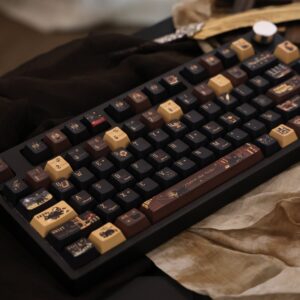
A custom keyboard makes a memorable gift. You can design every part, from the shell to the keycaps, to match the recipient’s style. Custom keycaps are artisanal, with intricate designs and materials that stand out. Mass-produced keyboards use standard profiles and layouts, so they lack that personal touch.
Custom keyboards allow for a unique assembly process. You select each component to fit specific needs.
Mass-produced keyboards lack this level of customization, making them less suitable as unique gifts.
Custom keycaps are designed for enthusiasts, allowing for creative and detailed designs.
Customized keyboards, often called DIY keyboards, enable you to tailor every aspect. You can adjust and assemble each component, resulting in a truly unique setup. This makes a custom keyboard not just a tool, but a reflection of personality and creativity. When you give someone a custom keyboard, you’re offering a one-of-a-kind experience that they won’t find anywhere else.
🎁 Looking for a gift that stands out? A custom keyboard shows you care about the details and the person’s individuality.
Customization
If you love tweaking every detail, custom keyboards shine. The Aula F75 lets you change chassis color, switch types, keycap fonts, and even add images. You can pick any global layout, font placement, and color—all at the same price.
Gaming
You want fast response and smooth action for gaming. The Aula F75’s hot-swappable switches let you pick the feel that suits your play style.
Typing
Typing comfort matters for work and play. With its ergonomic design, the Aula F75’s cherry profile and textured PBT keycaps make long sessions easy on your fingers.
Choosing Your Best Custom Keyboard
Match Features
Finding the best custom keyboard starts with matching features to your needs. You want a keyboard that feels right every time you type or game. Start by thinking about what matters most to you. Do you care about the look, the feel, or the sound? Maybe you want a keyboard that supports your favorite language layout or lets you add your own images.
User Scenarios
Everyone uses their keyboard differently. Let’s look at a few common scenarios to help you decide what features to focus on:
Gaming: You want fast response and stable keys. Hot-swappable switches let you try different feels until you find the perfect match. RGB lighting adds style to your setup.
Programming: Comfort and layout matter most. Look for a keyboard with a layout that matches your workflow, like split or compact designs. Custom key mapping can boost your productivity.
Aesthetics: If you love design, choose a keyboard that lets you pick colors, fonts, and even upload your own images. The Aula F75 gives you full creative control, so your keyboard stands out.
Budget: You don’t have to spend a fortune. Many keyboards offer great features at a fair price. Focus on what matters most to you and skip extras you won’t use.
When you match features to your needs, you get a keyboard that feels like it was made just for you. That’s what makes the best custom keyboard experience so rewarding.
You have so many ways to make your keyboard your own. The Aula F75 stands out with full personalization, global layouts, and image options.
You might wonder if you need to spend a lot or which switch is best—there’s no single answer. Try different setups to find your best custom keyboard. Have questions or want to share your experience? Drop a comment below!
Users often mention:
Mixed feelings about RGB and price
New enthusiasts often ask:
Do I need to spend a lot? But it does not exceed 100 USD.
Which switch is best?
What is the best custom keyboard?
FAQ
What makes a custom keyboard better than a standard one?
You get full control over the look and feel. Pick your favorite switches, colors, and layouts. Custom keyboards like the Aula F75 let you add images and choose fonts, so your setup matches your style.
Can I use different language layouts on a custom keyboard?
Yes! You can switch between QWERTY, AZERTY, QWERTZ, Swedish, Japanese, Korean, or Arabic layouts. Just select the one you need when customizing your keyboard.
How do I personalize my keycaps?
You choose fonts, colors, and even upload your own images. Want front-printed, side-printed, or blank keycaps? Go for it. Every option comes at the same price, so you don’t have to worry about extra fees.
Is it hard to build a custom keyboard?
No, you can start with hot-swappable switches and easy-to-follow guides. Many brands, including Aula, make the process simple. You just pick your parts and assemble them—no soldering required.
Why should I consider the Aula F75 for my custom keyboard?
The Aula F75 gives you total freedom. You can customize the chassis, switches, keycap fonts, layouts, and even add images. It’s a great way to create a keyboard that feels and looks unique.

Add comment
You must be logged in to post a comment.