

What Makes ANSI and ISO Keyboards Different
You can see the difference between ANSI vs ISO keyboards by looking at their key shapes and sizes. They also have a different number of keys. Each layout supports different functions. Studies say ANSI keyboards help you type faster. You also make fewer mistakes if you already know this layout. ISO keyboards, like the Aula F75 ISO mechanical keyboard, are more comfortable for your hands. They have extra keys that assist if you type in more than one language. If you want to control your typing experience, you can pick a customizable keyboard. The Aula F75 ISO mechanical keyboard lets you choose features you like. Picking between ANSI vs ISO depends on what feels good for your hands and what you need every day.
ANSI vs ISO Keyboard
Key Layout
When you look at ANSI and ISO keyboards, you see they are not the same. They have different numbers of keys. ANSI keyboards have 80 keys if they are F75-sized. ISO keyboards add one more key. F75-sized ISO keyboards have 81 keys. The extra key helps you type special symbols. This is useful if you use more than one language.
Here is a table that shows the main layout differences:
Feature Comparison: ANSI vs ISO Keyboards (F75 Layout)
| Feature | ANSI Keyboard | ISO Keyboard |
|---|---|---|
| Key Count | 81 keys | 81 keys |
| Enter Key Shape | Rectangular | L-shaped |
| Left Shift Key Size | Larger, right-aligned | Smaller, left-aligned |
| Euro Key Presence | Not present | Present (AltGr key) |
The F75-sized ISO keyboard includes an additional key, making it useful for typing special symbols and supporting multiple languages.
If you want a keyboard for your language, the Aula F75 ISO mechanical keyboard is a good choice. You can pick your keycap colors. You can change the font or add pictures. This lets you make a keyboard that fits your style and how you type.
Enter Key
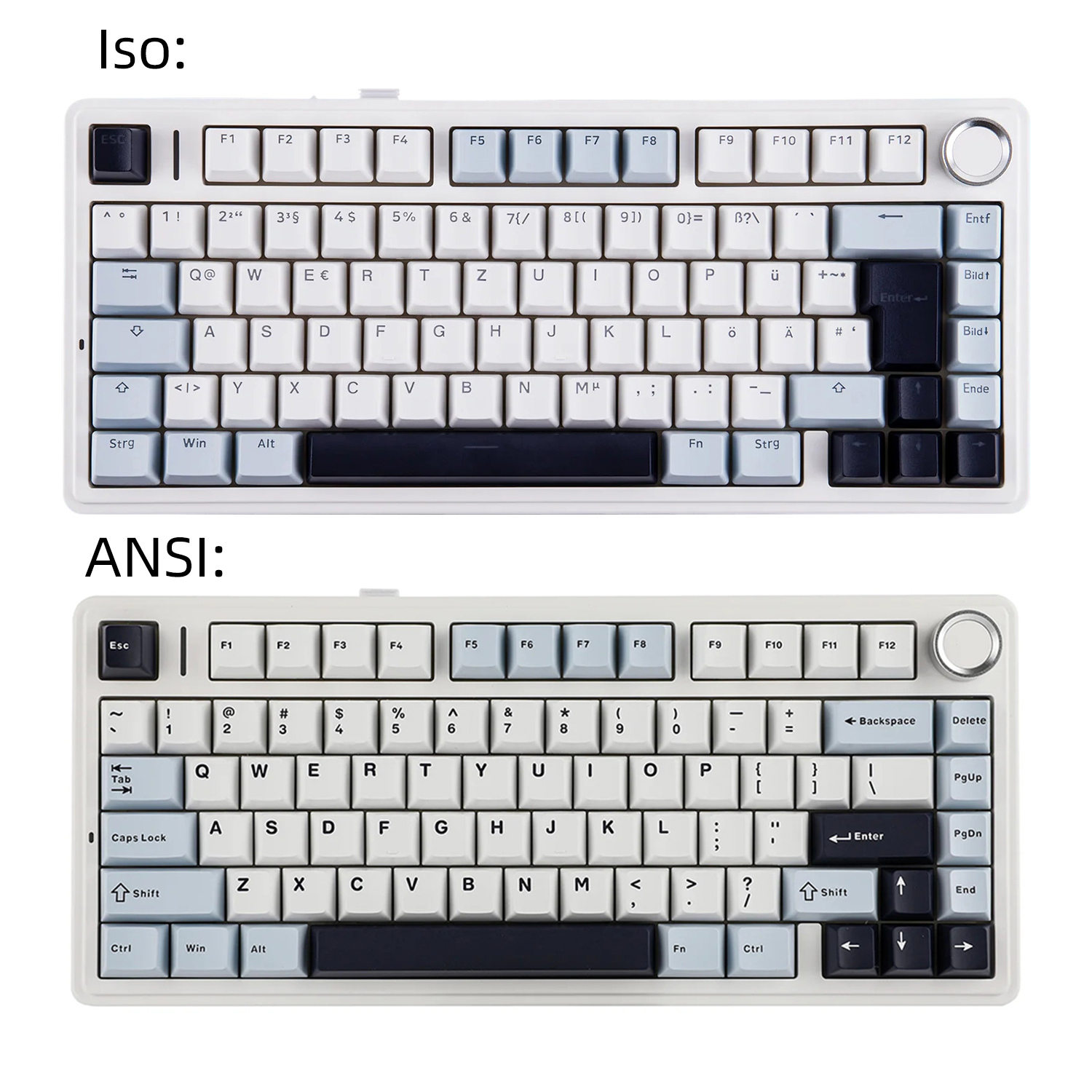
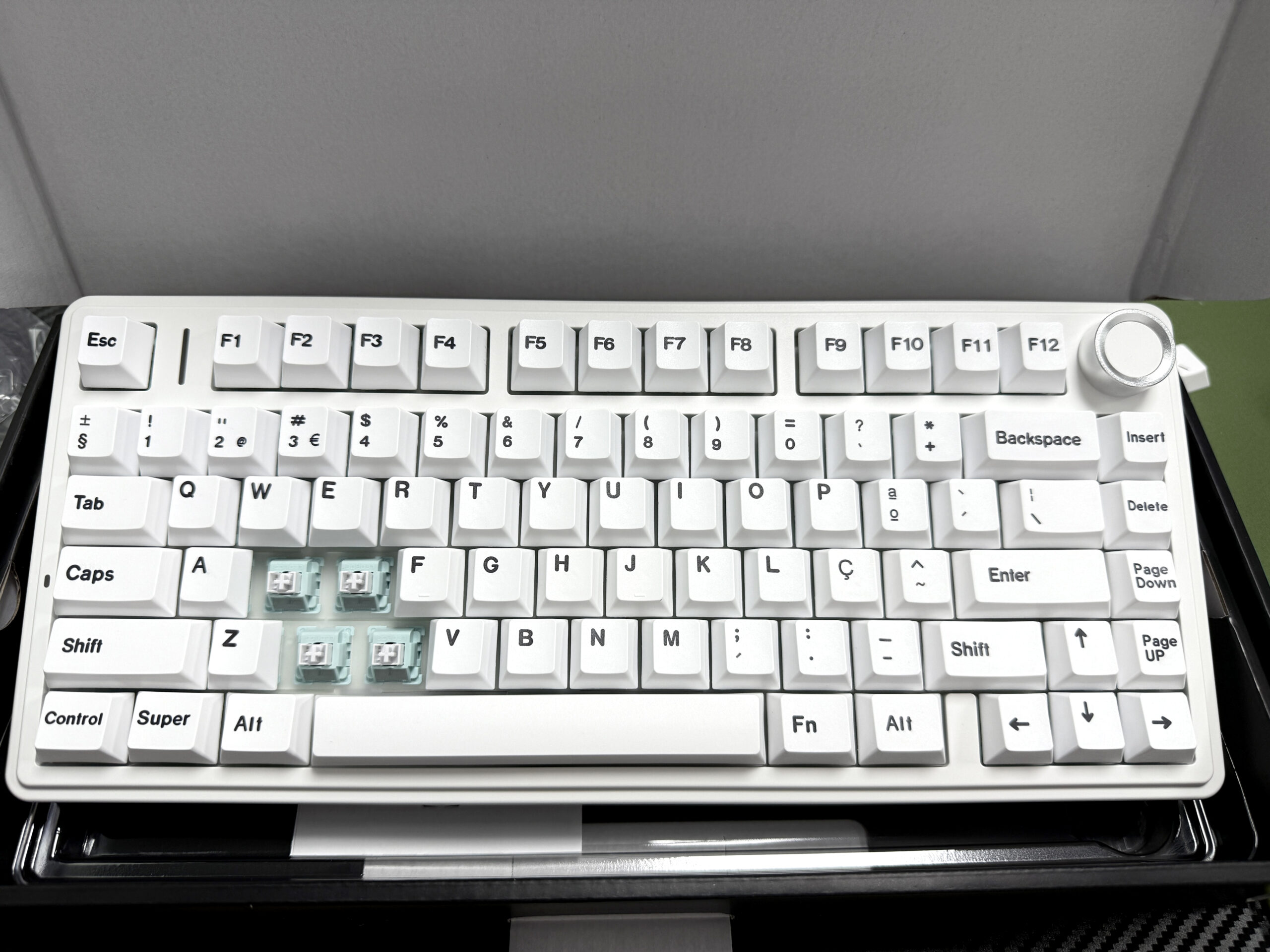
The Enter key is a big difference between ANSI and ISO keyboards. On ANSI keyboards, the Enter key is a wide rectangle. On ISO keyboards, it looks like an upside-down L. This changes how you type.
ANSI keyboards have a small Enter key. You need to be careful to press it. You might make mistakes if you type fast.
ISO keyboards have a bigger Enter key. It is easier to press. This helps if you use more than one language or hit Enter a lot.
Keyboard Layout Comparison: ANSI vs ISO
| Feature | ANSI | ISO |
|---|---|---|
| Enter Key Shape | Wide, rectangular | Taller, L-shaped |
| Impact on Typing Accuracy | Requires more precision, may lead to mistakes. | Easier to hit accurately, potentially fewer errors. |
The difference in Enter key shapes can significantly influence typing accuracy, especially for users accustomed to a specific layout.
If you want to make fewer typing mistakes, ISO might be better for you. The Aula F75 ISO mechanical keyboard has the L-shaped Enter key. It is comfy for people who want to type accurately.
Shift Key
The Shift key is also different on ANSI and ISO keyboards. On ANSI keyboards, the left Shift key is bigger. It sits close to your pinky finger. On ISO keyboards, the left Shift key is smaller. It moves a little to the left. This can change how comfortable you feel.
The left Shift key on ANSI keyboards is twice as wide as on ISO keyboards. You get more space. This feels nice if you use Shift a lot.
The smaller left Shift key on ISO keyboards can feel tight. You might need to stretch your finger more. This can slow you down or make your hand hurt.
The right Shift key is the same size on both keyboards.
Keyboard Layout Comparison: Shift Key Sizes
| Feature | ANSI | ISO |
|---|---|---|
| Left Shift Size | 2u | 1.25u |
| Right Shift Size | 1.75u | 1.75u |
The ANSI and ISO keyboard layouts differ in the size of the Left Shift key, while the Right Shift key size remains the same at 2.75u.
If you type a lot or use shortcuts, you might like the bigger Shift key on ANSI keyboards. If you want to try different key sizes, the Aula F75 ISO mechanical keyboard lets you change your keycaps and switches. You can pick what feels best for your hands.
Euro Key
The Euro key, called the AltGr key, is only on ISO keyboards. You use this key to type special symbols, like the euro sign (€) or letters with accents. ANSI keyboards do not have this key. It can be harder to type some symbols if you use more than one language.
ISO keyboards have the AltGr key next to the spacebar. You press it with other keys to get extra symbols.
ANSI keyboards have a regular right Alt key. It does not do the same thing.
If you need to type in different languages or use special symbols, ISO keyboards give you more choices. The Aula F75 ISO mechanical keyboard works with many languages. It is a good pick for people around the world.
- Tip: If you want a keyboard that fits how you type and your language, look at the key layout and special keys before you buy. Custom keyboards like the Aula F75 ISO mechanical keyboard let you change things for comfort and speed.
Typing Experience
Ergonomics
When you use a keyboard every day, comfort matters. The way keys are spaced and shaped can change how your hands feel after long typing sessions. Both ANSI and ISO layouts have similar key spacing, but the shape and position of certain keys, like the Enter and Shift keys, can affect your hand movement.
Researchers studied how different key spacing affects typing. They found that when the horizontal spacing is 16 mm and the vertical spacing is 19 mm, people type slower and make more mistakes. When the spacing is 17 mm, 18 mm, or 19 mm horizontally, there is no big difference in speed or errors. You do not get more tired or make more mistakes with these sizes. Even small changes in key size or position can matter if you type for many hours.
Here is a table that shows what the researchers found:
Key Spacing Configuration and Its Impact
| Key Spacing Configuration | Typing Speed | Error Rate | Observations |
|---|---|---|---|
| 16 mm x 19 mm | Slower | Higher | Harder to type, more mistakes |
| 17/18/19 mm horizontal | No big difference | No big difference | Feels normal, no extra fatigue |
| General findings | Minimal effect | Not applicable | Small changes matter for long typing tasks |
Key spacing configurations can influence typing comfort and accuracy, especially during extended typing sessions. Small differences may not be noticeable in short-term use but can impact long-term ergonomics.
If you want a keyboard that feels good, look for one with standard key spacing and a layout that matches your hand size. The Aula F75 ISO mechanical keyboard gives you options to adjust your typing setup for better comfort.
Speed and Comfort
Your typing speed and comfort depend on how easily your fingers reach each key. The ANSI vs ISO keyboard debate often comes down to which layout feels more natural for you. Some people type faster on ANSI because the left Shift key is bigger and easier to hit. Others prefer ISO because the L-shaped Enter key is easier to find without looking.
You might notice that your hands feel less tired if you use a keyboard that fits your typing style. If you switch between layouts, you may need time to adjust. The Aula F75 ISO mechanical keyboard lets you try different keycap shapes and switch types. This helps you find the best setup for your hands and typing habits.
- Tip: Try both layouts if you can. Notice which one feels better after a long day of typing. Your comfort and speed will improve when you use the right keyboard for you.
Language Adaptability
Alt Gr Key
SO keyboards have a special key called Alt Gr. This key helps you type letters with accents, like é or ü. You can also use it for symbols, such as €, £, or §. If you use more than one language, this key is very helpful.
The Alt Gr key lets you type accented letters easily. You do not need to remember hard key combos.
You can get language symbols fast. This saves time when you switch languages.
Many people who use more than one language like ISO keyboards. The Alt Gr key gives them more choices.
If you want to type in French, Spanish, or German, the ISO layout helps you more. The Aula F75 ISO mechanical keyboard has the Alt Gr key. You can type accents and symbols without trouble.
- Tip: If you write in languages with accents or special symbols, pick a keyboard with an Alt Gr key. You will type faster and make fewer mistakes.
Regional Layouts
Keyboard layouts are different in each country. ANSI is common in the United States. ISO is popular in Europe and South America. Each layout has features for local languages.
Keyboard Layout Comparison: ANSI vs ISO
| Layout Type | Common Regions | Characteristics |
|---|---|---|
| ANSI | United States | Wide Enter key, long Left Shift key, same Left and Right Alt keys |
| ISO | Europe, parts of South America | Odd-shaped Enter key, short Left Shift key, AltGr key for extra characters |
The ANSI layout is predominantly used in the United States, while the ISO layout is more common in Europe and certain regions of South America. Key differences include the shape of the Enter key, the size of the Left Shift key, and the presence of the AltGr key in ISO layouts.
People in the United States use ANSI keyboards for English.
People in Europe and other places use ISO keyboards for languages with accents and symbols.
If you travel or work with people from other countries, you may see both layouts. The Aula F75 ISO mechanical keyboard works with many layouts. You can pick the one that fits your language.
- Note: Always check the keyboard layout before you buy. Pick the one that matches your language and how you type.
Compatibility
Keycap Sets
When you choose a keyboard, you need to think about keycap sets. Not all keycaps fit every keyboard. ANSI and ISO layouts use different shapes and sizes for some keys. For example, the Enter key and the left Shift key have different sizes on each layout. You can see the differences in this table:
Keyboard Layout Comparison: Key Features and Keycap Compatibility
| Layout Type | Key Features | Keycap Compatibility |
|---|---|---|
| ANSI | Horizontal Enter key, shorter Left Shift | Needs specific keycap sizes for these keys |
| ISO | Vertical Enter key, longer Left Shift | Needs different keycap sizes for these keys |
ANSI and ISO layouts differ in key shapes and sizes, which affects keycap compatibility. Ensure you select the correct keycap set for your keyboard layout to avoid mismatched sizes.
Software Support
You also need to think about software support. Most operating systems, like Windows, macOS, and Linux, work with both ANSI and ISO layouts. You can change your keyboard settings in the system menu. This helps you type in your language, no matter which layout you use.
Some keyboards let you switch layouts with special software. You can remap keys or set up shortcuts. The Aula F75 ISO mechanical keyboard supports many global layouts, such as QWERTY, AZERTY, and Dvorak. You can pick the one that works best for you. The ANSI vs ISO keyboard choice does not limit your software options. You can always find a layout that matches your needs.
Customization
Hot-Swappable Switches
You can change the way your keyboard feels and sounds with hot-swappable switches. The Aula F75 ISO mechanical keyboard lets you swap out switches without any tools or soldering. You just pull out the old switch and push in a new one. This feature helps you try different switch types, like tactile, linear, or clicky. You can find the switch that matches your typing style. If you want a softer press or a louder click, you can make that change in minutes. Hot-swappable switches make your keyboard last longer because you can replace worn-out switches easily.
- Tip: Try different switches to see which one feels best for your fingers. You might type faster or more comfortably with a new switch type.
Keycap Design
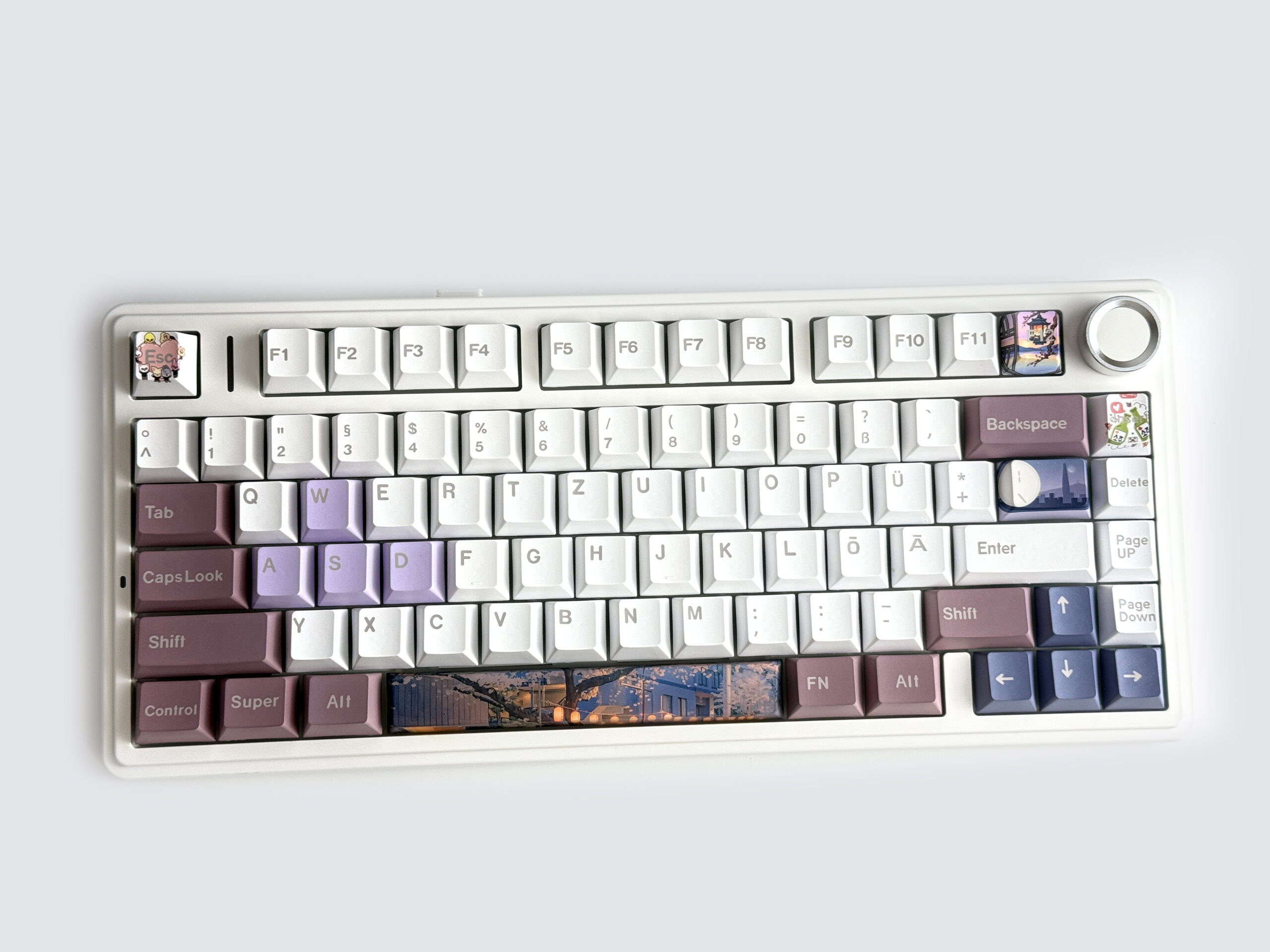
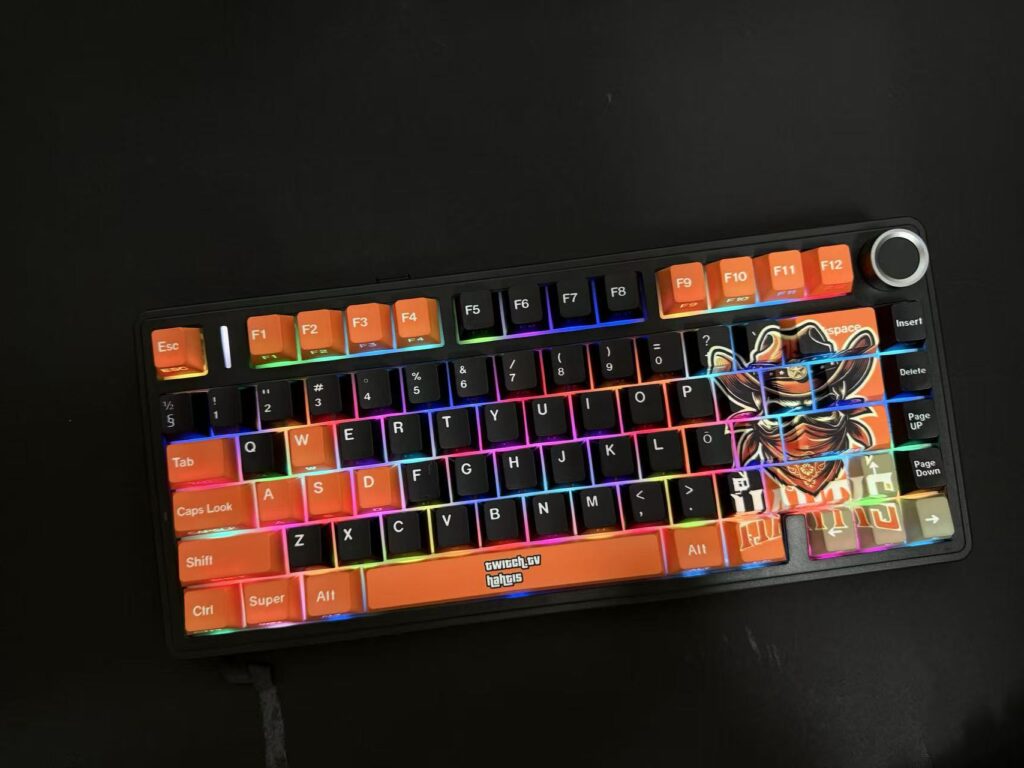
Keycap design lets you show your style and improve your typing experience. The Aula F75 ISO gives you many ways to customize your keycaps. You can pick colors for each zone, upload your favorite images, and choose from different fonts. Each keycap set is made-to-order, so your keyboard looks unique.
Keycap profiles also change how your keyboard feels. Here is a table that shows two popular profiles:
Keycap Profile Comparison: Sculpted vs Uniform
| Keycap Profile | Description |
|---|---|
| Sculpted | Each row has a different shape, which changes the feel and look. |
| Uniform | All rows have the same shape, so you can move keycaps around. |
Personalizing your keyboard helps you type better and makes your setup stand out. You can match your keyboard to your favorite colors, add fun images, or pick a font that is easy to read. Customization gives you control over both the look and feel of your keyboard, whether you use ANSI or ISO layouts.
Choosing Your Layout
User Needs
When you pick a keyboard, you should think about how you type and what you need for your daily tasks. Your language, typing habits, and how much you want to customize your keyboard all play a big part in your decision.
If you feel comfortable with a certain layout, stick with it. Familiarity helps you type faster and make fewer mistakes.
The position and shape of the Enter key can change how easy it feels to type. Some people like the wide Enter key on ANSI keyboards. Others prefer the L-shaped Enter key on ISO keyboards.
If you write in languages that use accents or special letters, ISO keyboards help you more. The Alt Gr key lets you type symbols and accents quickly.
If you use only English, both layouts work well. ANSI keyboards give you more choices for custom keycaps and accessories.
ANSI vs ISO Layout Feature Comparison
| Feature | ANSI Layout | ISO Layout |
|---|---|---|
| Language Adaptability | Less versatile for accents and special letters | More adaptable with Alt Gr key for diacritics |
| Typing Comfort | Wider left Shift key for touch typists | Larger L-shaped Enter key for ergonomic comfort |
| Customization Options | More custom keycaps and accessories available | Fewer custom options, but still customizable |
The ANSI layout is popular in the United States and offers more customization options, while the ISO layout is preferred in Europe for its adaptability to various languages and ergonomic Enter key design.
- Tip: Choose ANSI if you want more keycap choices and type mostly in English. Pick ISO if you need to type in many languages or use accents often.
Layout Identification
You can spot the difference between ANSI and ISO keyboards by looking at the Enter key. An ANSI keyboard has a wide, rectangular Enter key that sits on one row. An ISO keyboard has an Enter key shaped like an upside-down L. This key covers two rows. You can also check the left Shift key. ANSI keyboards have a longer left Shift key, while ISO keyboards have a shorter one.
Look at the Enter key shape first.
Check the size of the left Shift key.
Notice if there is an Alt Gr key next to the spacebar. ISO keyboards have this key.
If you remember these tips, you can quickly tell which layout you have. This helps you pick the right keycap sets and makes sure your keyboard fits your needs.
Cost and Availability
Market Trends
You will see lots of ANSI keyboards in stores and online. These keyboards are very popular in the United States and other places where people speak English. There are many kinds to pick from, like cheap ones or fancy mechanical ones. Because there are so many, prices stay lower and you get more to choose from.
ISO keyboards are not as easy to find, especially outside Europe. Not many companies make them, so they can cost more and you do not get as many choices. People who type in different languages or need special symbols often pick ISO keyboards. The AltGr key and the L-shaped Enter key make ISO keyboards feel better for some people.
Here are some things happening in the market:
ANSI keyboards give you more options and better prices.
ISO keyboards are better for typing languages with accents and special symbols.
The bigger Enter key on ISO keyboards makes them more comfortable for some people.
FAQ
What is the main difference between ANSI and ISO keyboards?
You will see the biggest difference in the Enter key shape. ANSI uses a wide, flat Enter key. ISO uses an L-shaped Enter key. ISO also has an extra key for special symbols.
Can I use ANSI keycaps on an ISO keyboard?
You cannot use all ANSI keycaps on an ISO keyboard. The Enter and left Shift keys have different shapes and sizes. Always check your layout before buying new keycaps.
Which layout is better for typing in multiple languages?
You will find ISO keyboards better for typing in many languages. The AltGr key lets you type accents and special symbols easily. This helps if you use more than one language.
Are ISO keyboards compatible with my computer?
Yes, ISO keyboards work with most computers. You can change the keyboard layout in your operating system settings. Windows, macOS, and Linux all support ISO layouts.

Add comment
You must be logged in to post a comment.