
Aula Nova75-Best Mechanical Keyboard
You deserve the best. The Aula Nova75 mechanical keyboard transforms your setup with its smart display, premium craftsmanship, and limitless customization. Gamers, creators, and professionals like you unlock unmatched performance and style. Upgrade your experience and see why this keyboard stands above the rest.
Aula Nova75 Features
Design and Build
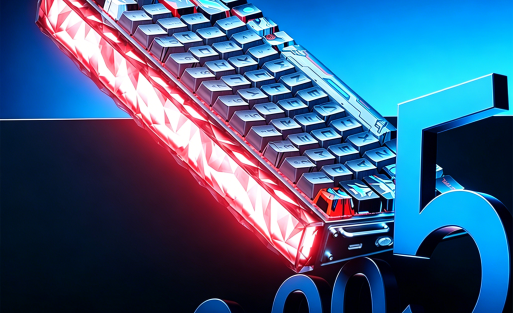
You want a keyboard that feels solid and looks stunning on your desk. The Aula Nova75 delivers with a premium construction that stands out from the crowd. The case uses a blend of aluminum and brass, giving you a tough and long-lasting frame. This keyboard can handle years of heavy use, so you never have to worry about durability. Each key switch is built to last for millions of keystrokes, making it a smart investment for your setup.
| Feature | Description |
|---|---|
| Material | Aluminum and brass cases make the keyboard tough and long-lasting. |
| Durability | Custom keyboards can last for many years thanks to their strong build. |
| Switch Longevity | Each key switch can handle millions of keystrokes before wearing out. |
The thick rubberized case and detachable battery compartment add to the robust feel. You get a gasket-mounted structure and a six-layer acoustic filling system. This design reduces noise and delivers a balanced, silent typing experience. The Aula Nova75 looks and feels like a high-end device, perfect for both work and play.
Smart Display and Controls
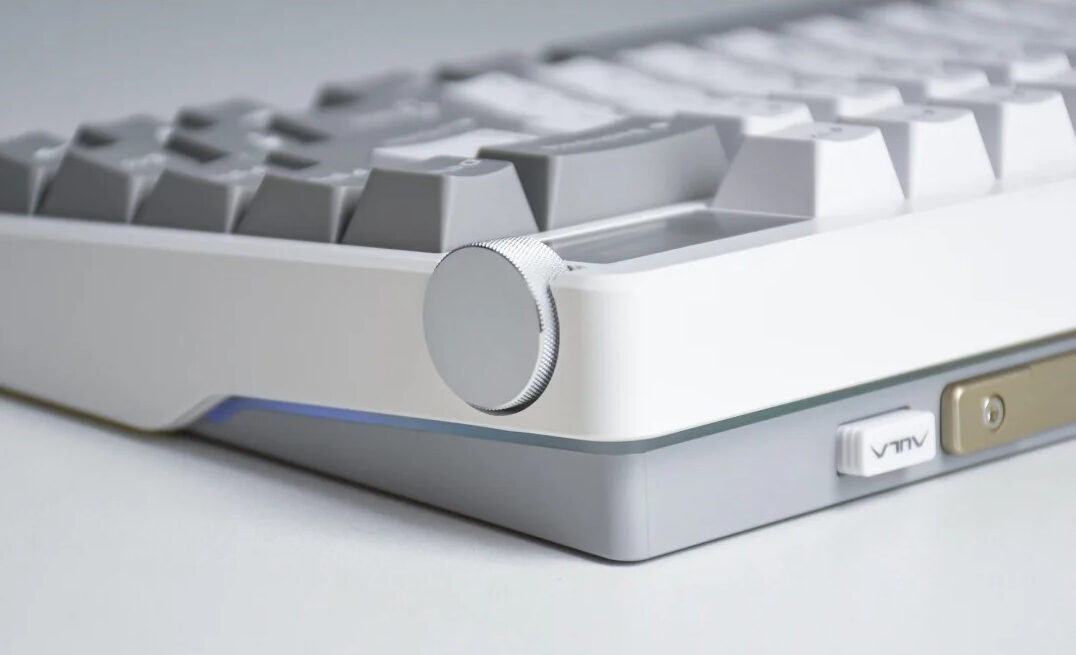
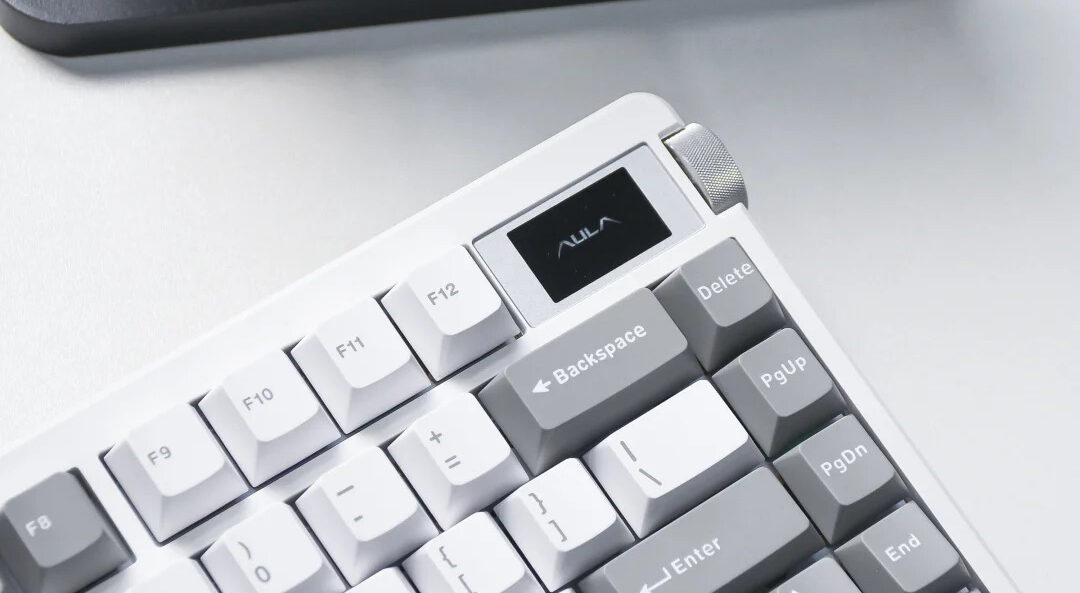
Imagine a keyboard that does more than just type. The Aula Nova75 features a 1.14-inch high-definition smart display. You can showcase custom GIFs, dynamic effects, or real-time system information right on your keyboard. This display personalizes your workspace and keeps you informed at a glance.
You also get a CNC-style metal control knob. This knob lets you adjust volume and lighting with smooth, precise movements. It combines style with function, giving you quick access to essential controls. The smart display and knob make your daily tasks easier and more enjoyable.
- Tip: Use the smart display to show your favorite animations or monitor your PC stats in real time.
Switches and Typing
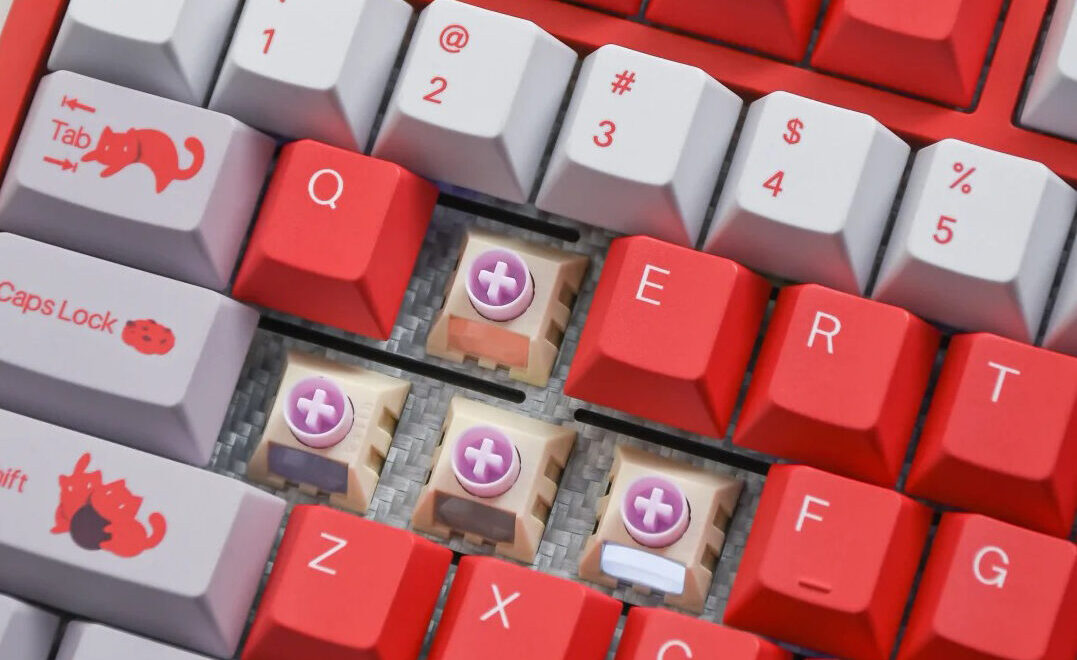
Your typing experience matters. The Aula Nova75 offers a choice of high-quality switches, including the Meteor Ice Cream Switch for smooth actuation and the Jade Switch for tactile feedback. You can pick the switch that matches your typing style, whether you prefer a soft touch or a crisp response.
Hot-swappable sockets let you change switches without soldering. You can experiment with different switch types and find your perfect match. The gasket-mount and acoustic padding work together to dampen sound and reduce vibration. You get a quiet, comfortable typing experience every time you sit down at your desk
Customization
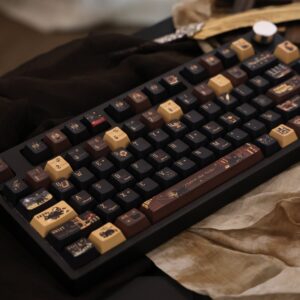
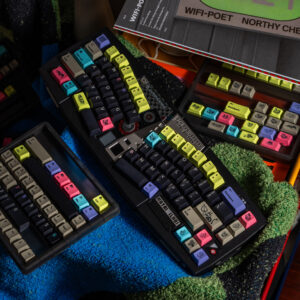
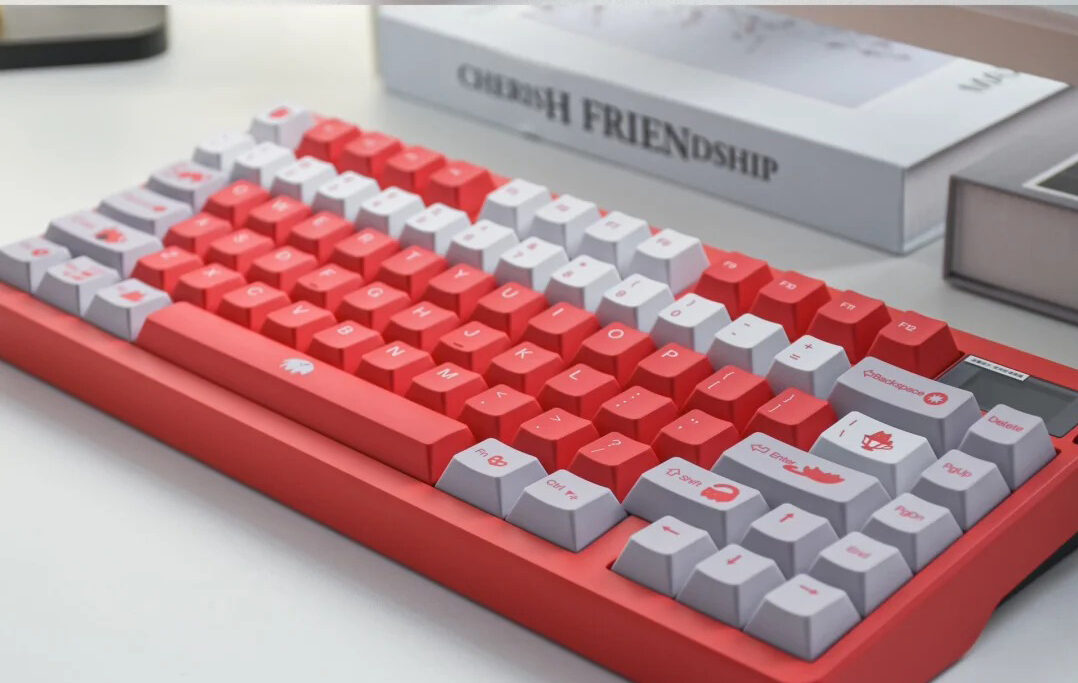
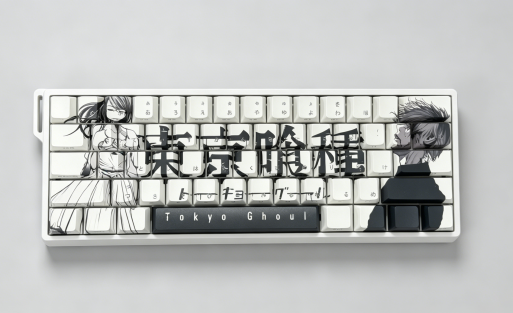
You want your keyboard to reflect your personality. The Aula Nova75 gives you endless customization options. Choose from a variety of decorative finishes and keycap styles, including PBT double-shot and dye-sublimation keycaps. The SOFTLIGHT RGB system offers up to 16.8 million colors, so you can create a light show that matches your mood or setup.
Connectivity is another area where this keyboard shines. The Aula Nova75 supports tri-mode connectivity: Type-C wired, 2.4G wireless, and Bluetooth. You can switch between devices with ease, whether you are at your desk or on the go. The battery is customizable, with options from 4000mAh to 10,000mAh, and includes smart overcharge protection for safety.
| Feature | Aula Nova75 | Other Mechanical Keyboards |
|---|---|---|
| Wired Connectivity | Type-C wired | Varies (often USB-A) |
| Wireless Connectivity | 2.4G wireless | May include Bluetooth or 2.4G |
| Bluetooth Connectivity | Yes | Varies (some may not have) |
| Additional Features | Customizable battery, smart overcharge protection | Often limited features |
You get a keyboard that adapts to your needs and style. The Aula Nova75 stands out as the centerpiece of any setup, offering both beauty and brains.
Performance
Typing Experience
You want a keyboard that feels comfortable, even during long hours at your desk. The Aula Nova75 delivers with an ergonomic layout that keeps your hands and wrists in a natural position. You will notice less strain, even after extended typing sessions. The key spacing lets your fingers glide smoothly, so you reach every key with minimal effort. The slightly angled design encourages better posture and helps prevent fatigue.
- Ergonomic layout supports natural hand and wrist position
- Key spacing allows easy finger movement
- Angled design promotes healthy posture
You also get a quiet typing experience. The six-layer acoustic padding absorbs sound and reduces vibration. You hear a satisfying, muted sound with every keystroke. This feature stands out compared to other mechanical keyboards, especially in the budget range, where you often need to modify the keyboard for better sound.
Gaming
You demand fast, responsive performance when gaming. The Aula Nova75 gives you instant feedback with every press. Hot-swappable switches let you choose the feel you want, whether you prefer smooth or tactile action. The smart display and control knob keep you in command, letting you adjust settings on the fly. You stay focused and react quickly, giving you an edge in every match.
- Pro Tip: Customize your RGB lighting for each game to boost your focus and mood.
Battery and Connectivity
You need a keyboard that keeps up with your busy life. The Aula Nova75 offers tri-mode connectivity, so you switch between wired, 2.4G wireless, and Bluetooth with ease. The robust battery options, ranging from 4000mAh to 10,000mAh, mean you spend less time charging and more time working or playing. Built-in overcharge protection keeps your device safe and reliable.
Comparison
Feature Comparison
You want a keyboard that gives you more for your money. The Aula Nova75 stands out with its smart display, CNC metal knob, and tri-mode connectivity. Many keyboards in this price range offer only basic features. You get hot-swappable switches, per-key RGB lighting, and a six-layer acoustic system for a quiet typing experience. Other brands like Corsair and Redragon may offer wireless options, but they often lack the combination of a smart display and advanced customization.
Here’s how Aula models compare:
| Feature | Aula Nova75 | Aula F75 | Aula S75 Pro |
|---|---|---|---|
| Smart Display | Yes | No | Yes (DIY functions) |
| Control Knob | CNC metal | Volume knob | Volume knob |
| Sound Dampening | Six-layer acoustic system | Five-layer system | Multi-layer system |
| Switches | Hot-swappable | Hot-swappable | Hot-swappable |
| Connectivity | Tri-mode | Tri-mode | Tri-mode |
| Customization | Extensive (RGB, keycaps) | RGB, keycaps | RGB, smart display |
- Note: You get a compact 75% layout, easy device switching, and instant control with the Nova75.
Value
You deserve the best value for your investment. The Aula Nova75 delivers premium features at a price that beats many competitors. Keychron keyboards may offer wireless connectivity, but you often pay more for similar features. Corsair and Redragon provide solid builds, but they usually lack hot-swappable switches and a smart display at this price point.
You get a keyboard that adapts to your needs, whether you game, create, or work. The Nova75 gives you advanced technology, premium build, and endless customization without breaking your budget. Choose the keyboard that gives you more—choose the one that puts you in control.
User Reviews
Highlights
You want to know what real users think before you make a decision. Many users praise the Aula Nova75 for its premium feel and smart features. You see comments about the vibrant RGB lighting and the unique smart display. People love how the keyboard lets them show off custom GIFs and system stats right on their desk. The CNC metal knob gets a lot of attention for its smooth control and stylish look.
- This keyboard changed my setup. The smart display is a game-changer, and the typing feels amazing!” – Verified Buyer
Users also highlight the comfort of the gasket-mount design. You find that the quiet, cushioned typing experience stands out, especially for those who work or game for hours. The tri-mode connectivity wins praise for making it easy to switch between devices. Many users say the battery lasts longer than expected, even with heavy use.
Top user highlights:
- Stunning smart display and RGB effects
- Comfortable, silent typing
- Easy device switching with tri-mode connectivity
- Long-lasting battery and solid build
Concerns
You want a keyboard that meets your needs without hassle. Some users mention a learning curve with the advanced features, but they quickly adapt and enjoy the customization options. You see that most concerns focus on getting used to the new controls, not on the keyboard’s performance. Once you explore the settings, you unlock the full potential of the Aula Nova75 and make it your own.
- Tip: Spend a few minutes with the manual or online guides to master all the features and shortcuts.
Is Aula Nova75 Worth It
Who Should Buy
You want a keyboard that does more than just type. You want a centerpiece for your desk that shows off your personality and boosts your productivity. The Aula Nova75 fits your needs if you value smart features, premium build, and endless customization.
- Gamers: You need fast response, smooth switches, and easy control. The smart display and CNC knob give you instant access to settings. You stay ahead in every match.
- Creators: You want a keyboard that inspires you. The vibrant RGB, custom keycaps, and smart display let you create a workspace that matches your style. You can show off your favorite GIFs or system stats while you work.
- Professionals: You spend hours typing. The gasket-mount design and acoustic padding keep your typing quiet and comfortable. Tri-mode connectivity lets you switch between devices without missing a beat.
- Tech Enthusiasts: You love to customize. Hot-swappable switches, multiple battery options, and a range of finishes let you build the perfect keyboard for your setup.
- If you want a keyboard that adapts to your workflow and stands out from the crowd, you will love what the Aula Nova75 offers.
Verdict
You deserve a keyboard that matches your ambition. The Aula Nova75 gives you smart technology, a premium feel, and unmatched customization. You get a silent, comfortable typing experience and a device that looks as good as it performs.
You want value for your money. This keyboard delivers advanced features—like the smart display, CNC knob, and tri-mode connectivity—at a price that beats many competitors. You do not settle for ordinary. You choose a keyboard that elevates your entire setup.
- Make the switch. Upgrade your workspace with the Aula Nova75 and experience the future of mechanical keyboards today.
You get more than just a mechanical keyboard with the Aula Nova75. Enjoy hot-swappable keys, smart features, and a design that fits your style.
- Affordable for every budget
- Easy for beginners and enthusiasts
- New pink models show real customer care
Choose the Aula Nova75 for your next upgrade.
FAQ
You can easily upload custom GIFs or system stats using the included software. Personalize your mechanical keyboard and make your setup unique.
Does the Aula Nova75 mechanical keyboard support Mac and Windows?
- Yes! You can use the Aula Nova75 with both Mac and Windows. Switch between systems quickly with tri-mode connectivity.
How long does the battery last on the Aula Nova75?
You get impressive battery life. The Nova75 mechanical keyboard offers up to several weeks of use, depending on your lighting and connection settings.

Add comment
You must be logged in to post a comment.