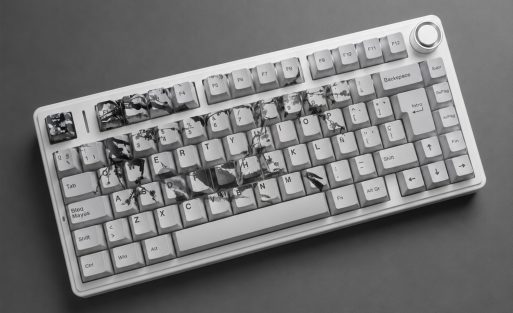
The best custom keyboards under $100
Looking for the best custom keyboard under $100? Check out these top picks that offer standout customization, solid build quality, and great value:
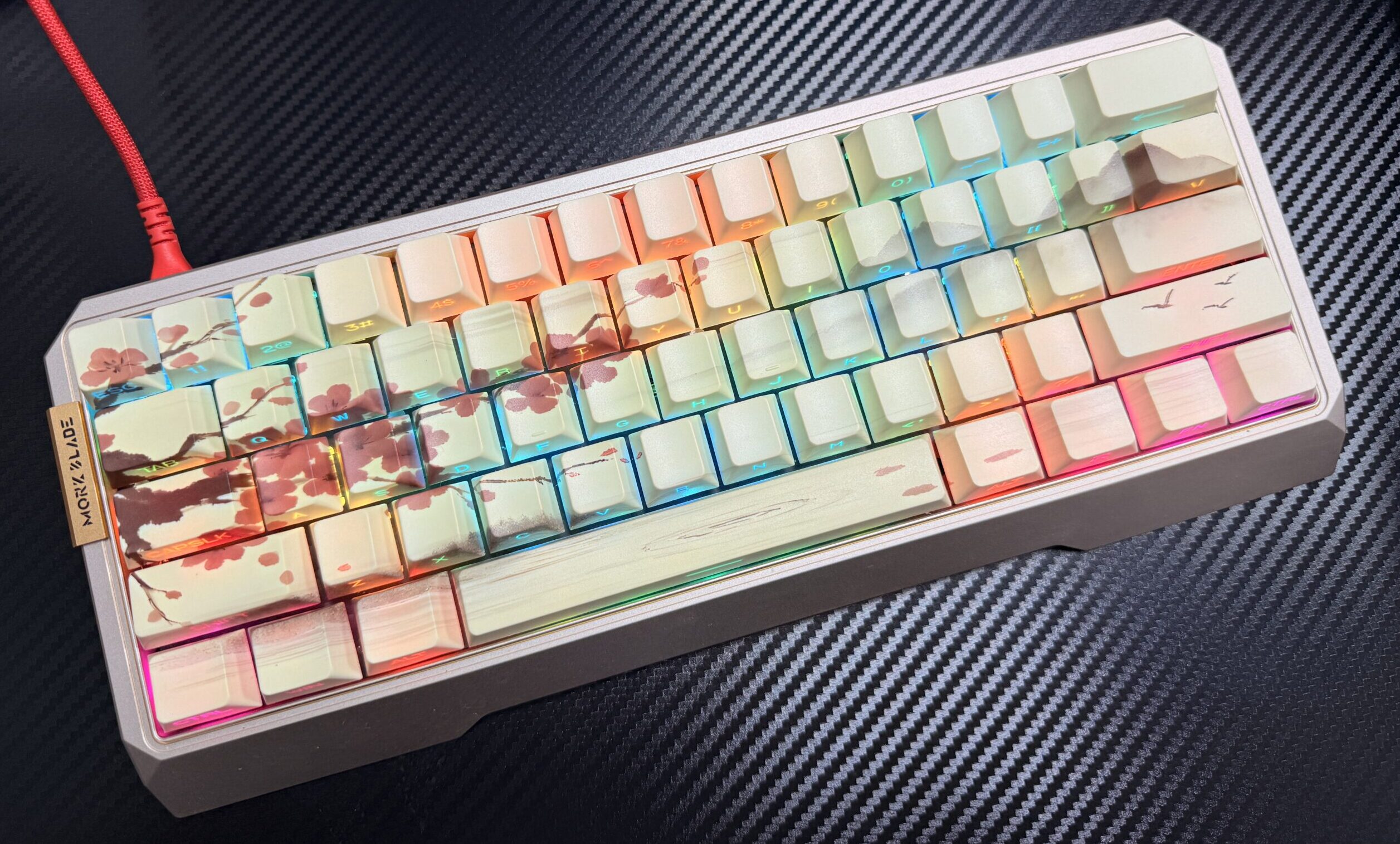
- AULA WIN60HE – Hall effect switches and endless personalization.
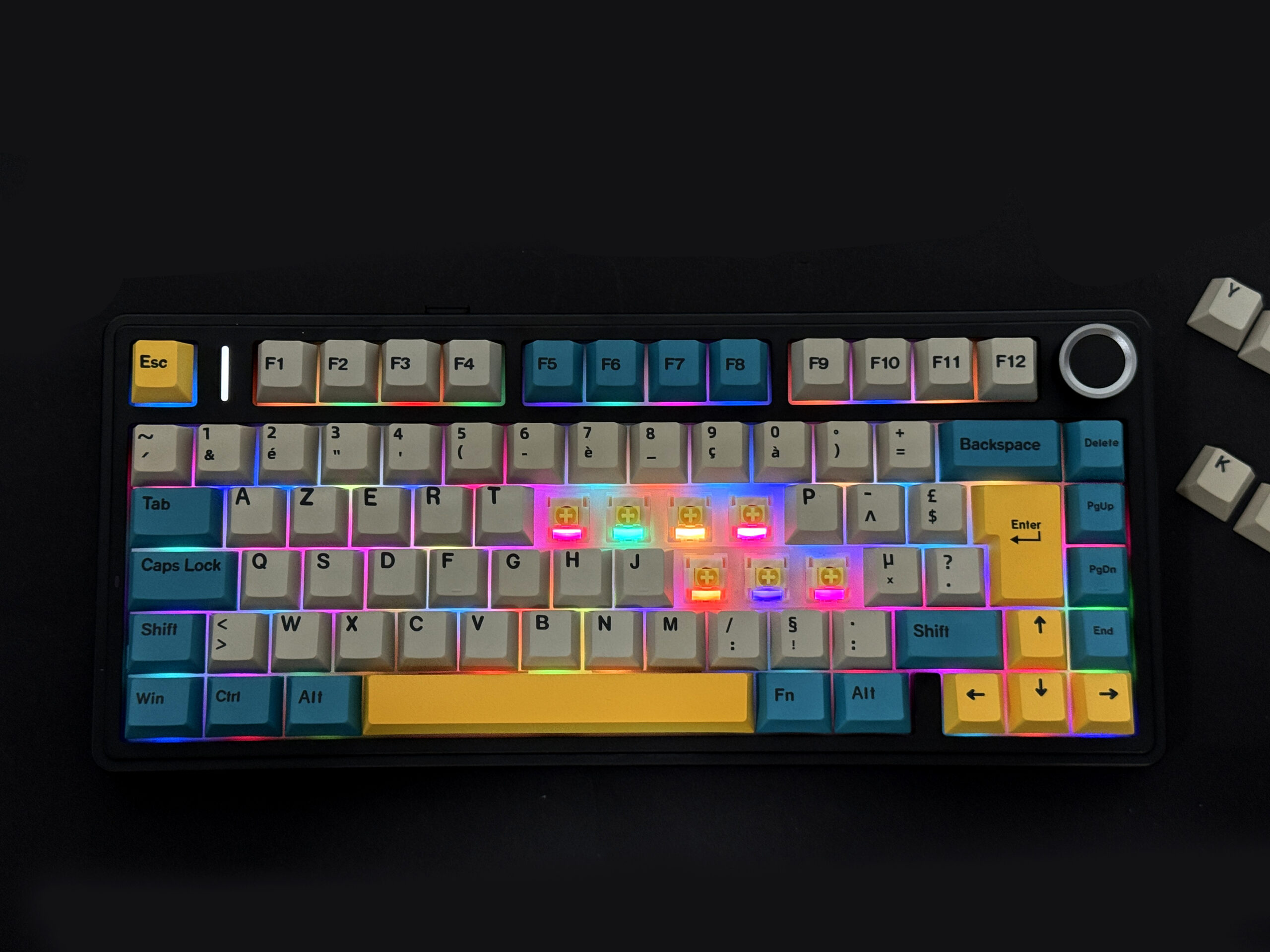
- Aula F75 ISO – Hot-swappable switches and flexible layouts.
- Aula F75 ANSI – Full custom keycaps and global layout support.
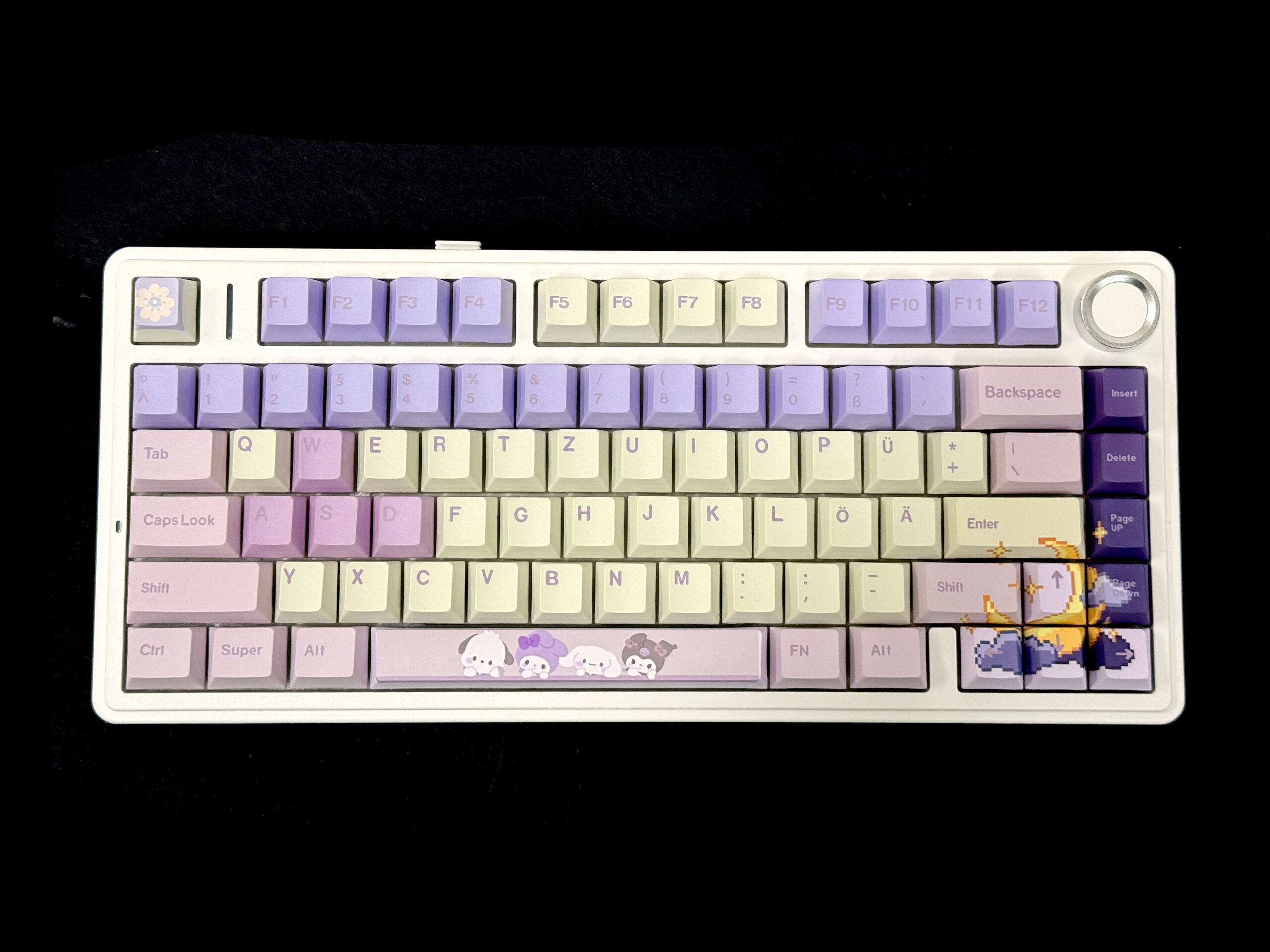
- Leobog Hi 75 – Unique image printing and versatile options.
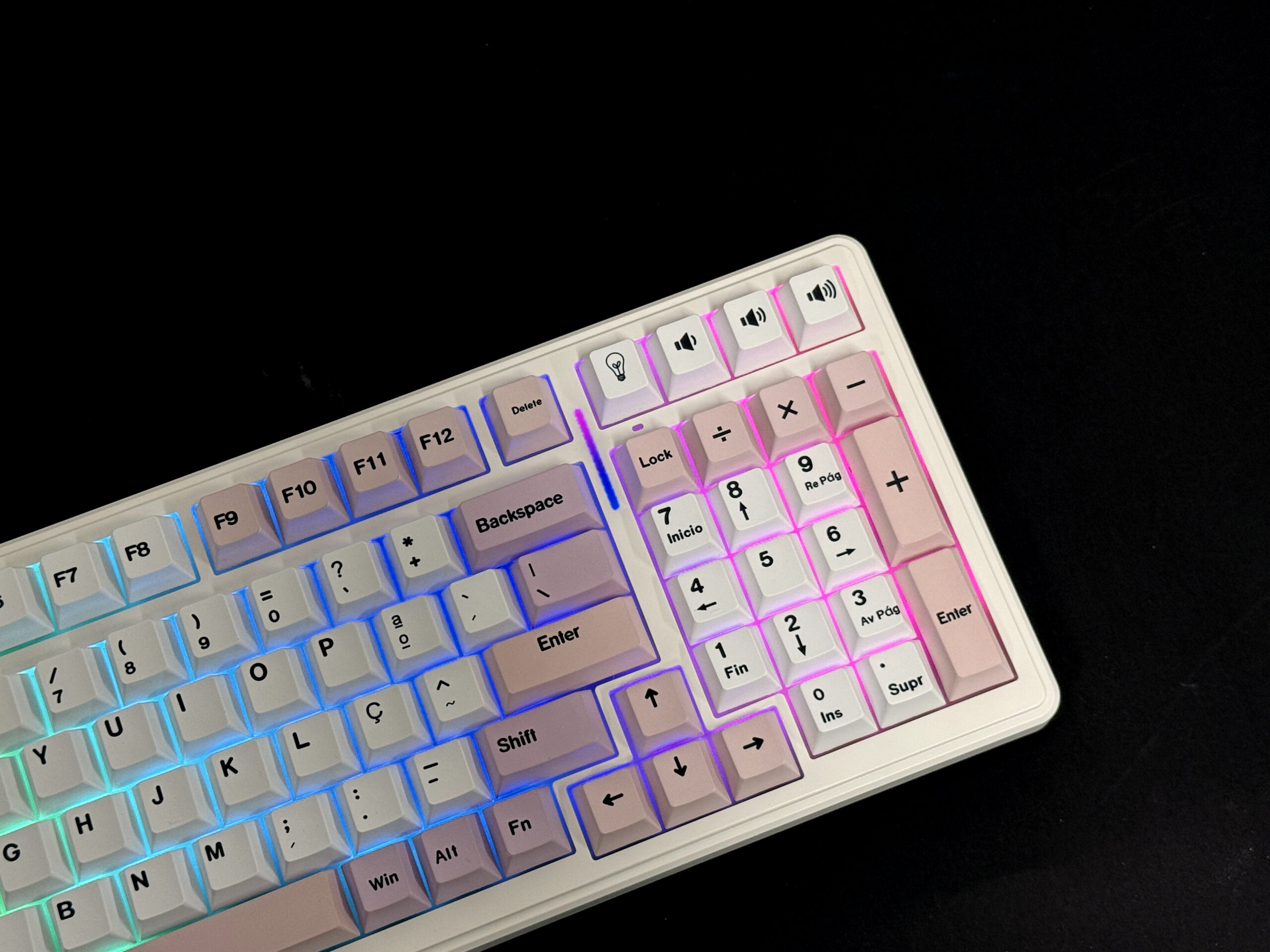
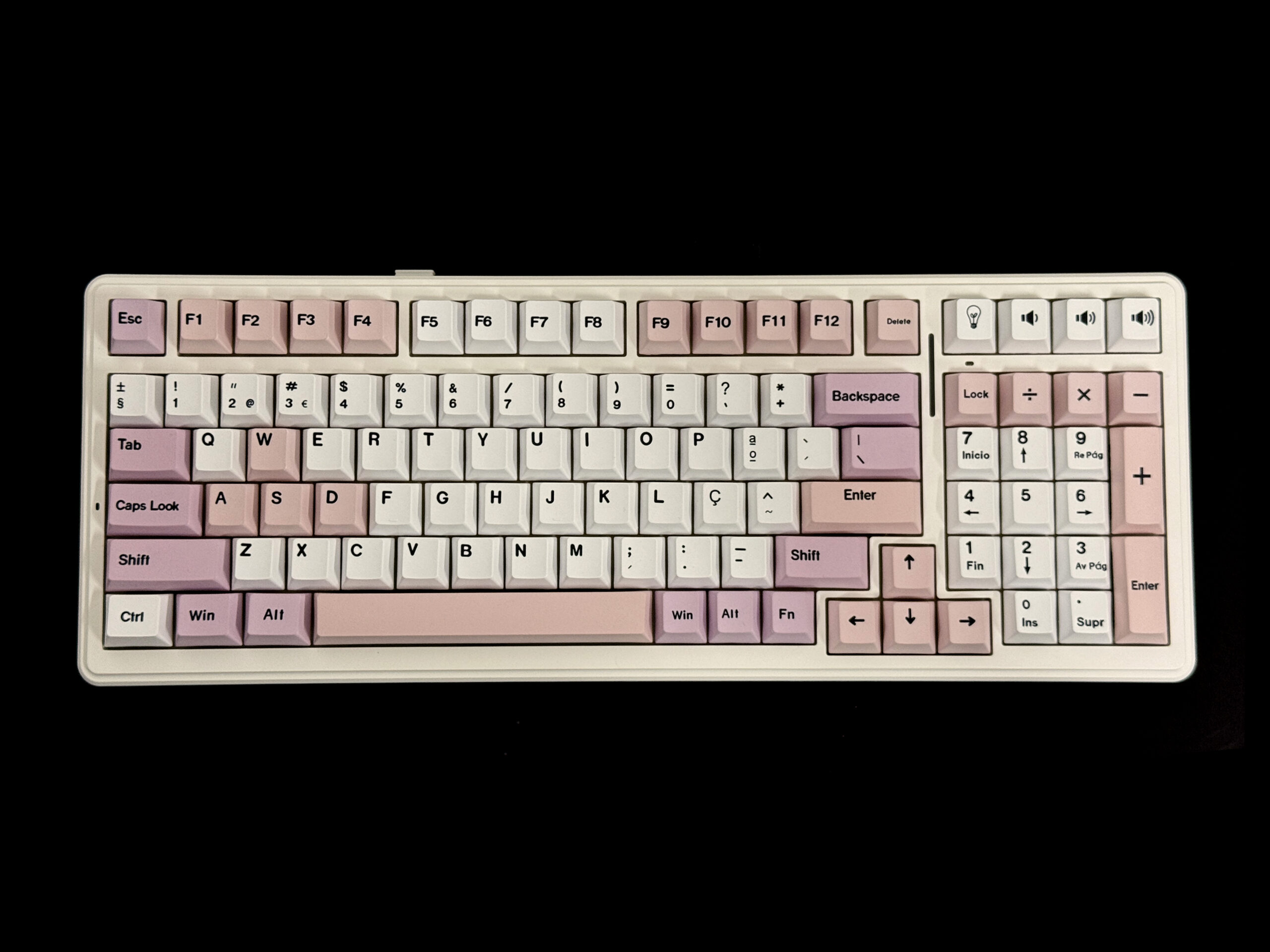
- Aula F99– Premium feel with creative design choices.
Before you decide, think about what matters most—gaming, typing, or general use. The right choice depends on your needs!
Key Features
When you shop for a custom keyboard under $100, you want to get the most value for your money. Here are the top features you should look for:
Build Quality
You want a keyboard that feels solid and lasts a long time. Look for keyboards with sturdy chassis and premium keycap materials like PBT. Many models, including those from Aula, use textured PBT keycaps. These resist shine and wear, so your keyboard keeps looking fresh even after months of use.
Switch Types
Switches change how your keyboard feels and sounds. Some keyboards offer hot-swappable switches, so you can try different types without soldering. Hall effect switches, like those in the WIN60HE, give you a smooth and fast response—great for gaming or fast typing. If you like to experiment, hot-swappable boards let you swap out switches until you find your favorite.
custom
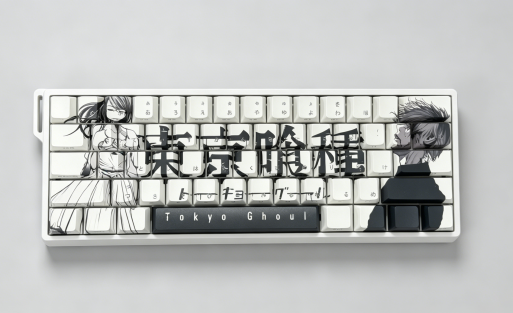
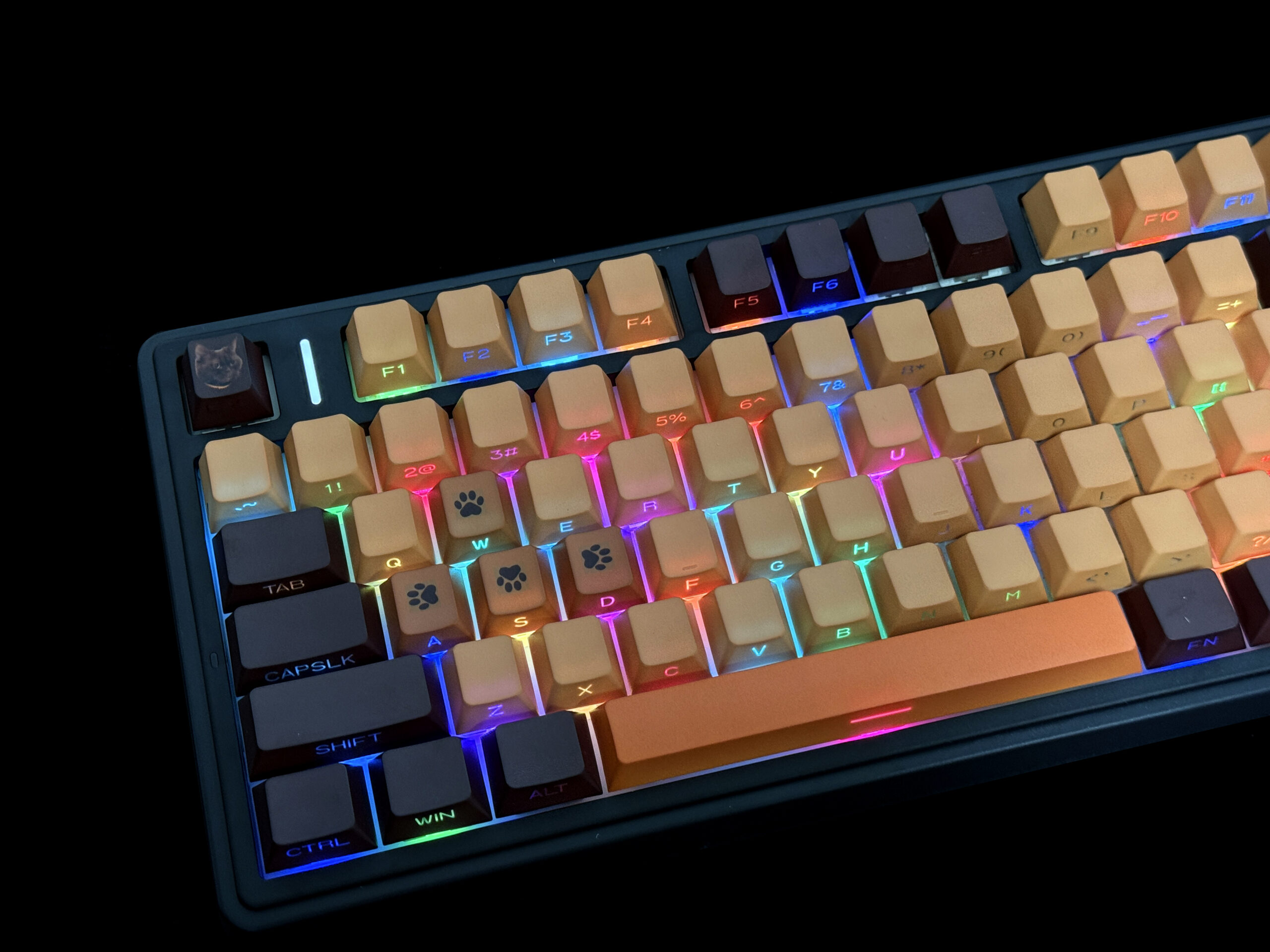
customis where these keyboards really shine. You can pick your chassis color, choose custom keycaps, and even print your own images or artwork on the keys. Want your favorite anime character or a meme on your keyboard? No problem! Many boards let you adjust font styles, colors, and even the layout. This makes your custom keyboard truly unique.
- Tip: Upload your own images for a one-of-a-kind look. Custom keycaps make your setup stand out!
Connectivity
Most custom keyboards in this price range use wired connections for reliability. Some models may offer wireless options, but wired is usually best for gaming and fast response times.
Layouts
Layout flexibility matters, especially if you type in different languages or want a compact design. Many keyboards support global layouts like QWERTY,QWERTZ, AZERTY, or even Dvorak. The popular 75 layout gives you a compact size with all the keys you need. If you want something specific, look for boards that let you customize the layout to fit your needs.
1. AULA WIN60HE
Overview
If you want a custom keyboard that feels premium and lets you show off your style, the AULA WIN60HE is a top pick. This model stands out with Hall Effect switches, which give you lightning-fast response and smooth keystrokes. You get a solid build with a gasket structure and PO sandwich cotton, so typing feels comfortable even during long sessions. The Type-C wired connection keeps your inputs fast and stable, which is perfect for gaming or work.
Here’s a quick look at what sets the AULA WIN60HE apart:
| Feature | Description |
|---|---|
| Hall Effect Switches | Super responsive and accurate for gaming and typing. |
| Gasket Structure | Soft, premium feel with less fatigue. |
| RGB Lighting | Customizable colors to match your setup. |
| 60 Pluggable Magnetic Switches | Swap switches easily—no soldering needed. |
Custom
You get endless options to make this keyboard your own. Pick your favorite chassis color, choose custom keycaps, and even upload images to print on the keys. Want your favorite meme or anime character on your keyboard? You can do that! The web-based tool lets you fine-tune actuation points and lighting, so you control every detail. You can also select different font styles and layouts, making it easy to match your preferences.
2. Aula F75 ISO
Overview
You want a custom keyboard that feels just right every time you type. The Aula F75 ISO delivers that with its advanced acoustic and shock-absorbing structure. This model uses a 75 layout, which means you get a compact design without losing important keys. The full-key hot-swap feature lets you change switches whenever you want, so you can always find your perfect feel. The durable Cherry-profile PBT keycaps not only look great but also stand up to heavy use.
- Advanced acoustic and shock-absorbing structure for a smooth typing experience
- 75 layout for a compact yet functional design
- Full-key hot-swappable switches for easy customization
- Durable Cherry-profile PBT keycaps
Custom
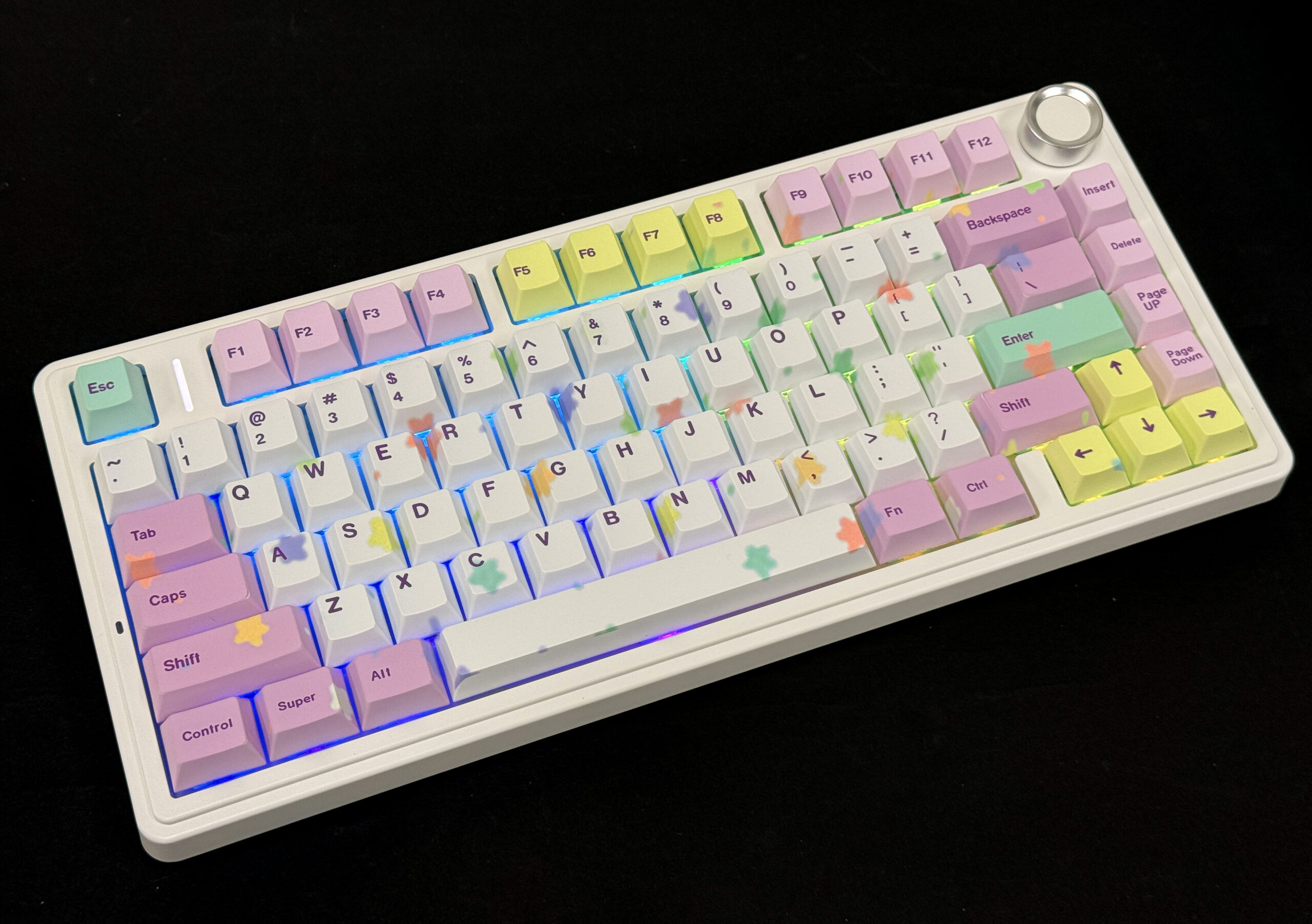
You get to make this keyboard truly yours. The Aula F75 ISO lets you pick your chassis color and create color-zoned keycaps, so you can match your setup or show off your style. Want to go further? Upload your favorite images—memes, anime, or artwork—and print them right on your custom keycaps. You can also choose from different font styles and global layouts, including QWERTY, AZERTY, and Dvorak. This level of customization means your keyboard will always feel unique.
- Tip: Try mixing bold colors with your favorite image for a keyboard that stands out on any desk!
Pros & Cons
| Pros | Cons |
|---|---|
| Hot-swappable switches for easy switch changes | Custom orders are non-refundable |
| Color-zoned and image-printed keycaps | Slight color variation may occur |
| Multiple global layout options | |
| Durable Cherry-profile PBT keycaps |
Use Cases
The Aula F75 ISO fits a lot of different users. If you love gaming, you’ll enjoy the fast switch swapping and compact 75 layout. Typists get a comfortable, quiet experience thanks to the shock-absorbing build and custom keycaps. Creative users can design a keyboard that matches their personality or workspace. This custom keyboard works well for students, professionals, and anyone who wants a reliable, stylish tool for daily use.
3. Aula F75 ANSI
Overview
You want a custom keyboard that adapts to your needs and style. The Aula F75 ANSI gives you that flexibility. This model uses the popular 75 layout, so you get a compact design with all the keys you need. You can enjoy a premium typing experience thanks to its sturdy build and textured PBT keycaps. The hot-swappable switches let you change the feel of your keyboard anytime. If you like to experiment or just want a keyboard that grows with you, this one fits the bill.
Custom
The Aula F75 ANSI stands out for its deep customization. You can pick your chassis color, design custom keycaps, and even upload your own artwork for printing. Want a keyboard with your favorite meme or a unique color scheme? You can make it happen. The keyboard supports over ten global layouts, including QWERTY, AZERTY, Colemak, and Dvorak. You also get to choose where the legends appear—top, side, or even no legends at all. The hot-swappable switches mean you can try different switch types without any hassle.
Here’s a quick comparison between a standard keyboard and the Aula F75:
| Feature | Standard Keyboard | Aula F75 ANSI |
|---|---|---|
| Keycap Customization | Limited | Full zones, legend, and layout |
| Switch Swappability | Fixed | Hot-swappable |
| Layout Support | QWERTY only | 10+ layouts (Colemak, Dvorak, etc.) |
| Keycap Material | ABS or basic PBT | Premium textured PBT |
| Artwork Integration | Not supported | Upload your own designs |
| Legend Styles | Basic only | Top, side, or no legends |
| Connection Options | USB only | Wired, Bluetooth, 2.4G wireless |
- Tip: Try uploading your own design for the keycaps. Your custom keyboard will stand out on any desk!
4. Leobog Hi 75
Overview
Looking for a custom keyboard that lets you show off your personality? The Leobog Hi 75 might be just what you need. This keyboard uses the popular 75 layout, so you get a compact design with all the keys you use every day. The Hi 75 stands out because it gives you tons of ways to make your setup unique. You can pick your favorite chassis color, choose from different switch types, and even select your preferred global layout. Whether you want a keyboard for gaming, typing, or just want something that looks cool on your desk, the Hi 75 delivers.
Custom
The Leobog Hi 75 takes customization to the next level. You can design your own custom keycaps by uploading images—think memes, anime, or your own artwork. The online tool lets you resize, move, and layer images, so your keyboard becomes a true reflection of your style. Want to mix and match keycap colors? You can do that, too. The Hi 75 supports multiple font styles and international layouts, so you can type in the way that feels most natural to you. The premium PBT keycaps feel great and last a long time.
- Tip: Try adding a favorite image or bold color combo to your custom keycaps. Your desk will never look boring again!
Use Cases
The Leobog Hi 75 works well for both gamers and typists. If you love gaming, you’ll enjoy the fast response and the ability to swap switches for your favorite feel. Typists get a comfortable experience with the Cherry profile keycaps and solid build. Creative users can design a keyboard that matches their personality or workspace. The 75 layout keeps things compact but functional, making it a great fit for students, professionals, or anyone who wants a custom keyboard that stands out.
5. Aula F99
Overview
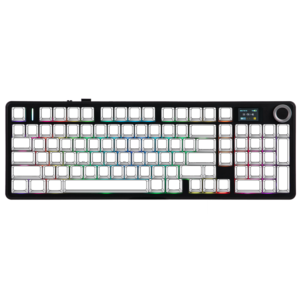
You want a custom keyboard that feels premium and looks unique. The Aula F99 gives you just that. This model uses a 95% layout, so you get almost all the keys of a full-size board in a compact design. The gasket-mounted structure makes every keystroke feel soft and flexible. You’ll notice the solid plastic construction right away—it feels sturdy and gives you a satisfying typing experience. If you want a keyboard that stands out and performs well, this one checks all the boxes.
Custom
With the Aula F99, you get to create a keyboard that matches your personality. You can pick your favorite chassis color, choose from a wide range of keycap styles, and even upload your own images for custom keycap printing. Want your favorite meme, anime character, or logo on your keyboard? You can make it happen. The hot-swappable design lets you change switches easily, so you can try different feels without any hassle. You can also select from multiple font styles and global layouts, making this keyboard perfect for any setup.
5. Aula F108
Overview
If you want a custom keyboard that covers all your needs, the Aula F108 stands out as a top choice. This full-size keyboard gives you every key you need for work, gaming, and creative projects. You get a solid build with a premium feel, thanks to the textured PBT keycaps and sturdy chassis. The F108 uses a hot-swappable design, so you can change switches whenever you want. You also get a volume knob, which makes it easy to control your music or videos without leaving your game or workflow.
Custom
The Aula F108 lets you create a keyboard that matches your personality. You can pick your favorite chassis color and design custom keycaps with your own images, artwork, or memes. The online tool makes it easy to resize and position your designs. Want a bold look or a subtle style? You decide. The F108 supports multiple font styles and global layouts, so you can type in QWERTY, AZERTY, Dvorak, or even a fully custom layout. You can also choose front-printed or side-printed legends for a unique touch.
Comparison Table
Specs Overview
You want to see how these custom keyboards stack up, right? Here’s a quick table that lets you compare the most important specs at a glance. You’ll spot the differences in layout, switch type, customization, and price. This makes it easy to pick the best custom keyboard for your setup.
| Keyboard Model | Layout | Switch Type | Customization | Price |
|---|---|---|---|---|
| AULA WIN60HE | 60% | Hall Effect | Full (images, fonts) | ~$69.96 |
| Aula F75 ISO | 75% | Hot-swappable | Full (images, fonts) | ~$89.98 |
| Aula F75 ANSI | 75% | Hot-swappable | Full (images, fonts) | ~$89.98 |
| Leobog Hi 75 | 75% | Hot-swappable | Full (images, fonts) | ~$90.96 |
| Aula F99 Pro | 95% | Hot-swappable | Full (images, fonts) | ~$99.98 |
| Aula F108 | Full-size | Hot-swappable | Full (images, fonts) | ~$99.98 |
Feature Comparison
Let’s break down what makes each custom keyboard unique. You’ll see which models offer the best value for your needs.
- AULA WIN60HE: Hall Effect switches, full image printing, and advanced customization. Great for gamers and creative users.
- Aula F75 ISO & ANSI: Both use the popular 75 layout. You get hot-swappable switches and deep custom keycap options. Perfect for anyone who wants a compact custom keyboard.
- Leobog Hi 75: Stands out with image-based keycap printing and versatile layout support. Ideal for those who want their setup to pop.
- Aula F99 Pro: Offers a nearly full-size layout with premium build and full customization. Great for productivity and gaming.
- Aula F108: Full-size with every key you need, plus a volume knob. You get hot-swappable switches and custom keycaps for a personalized touch.
If you want a custom keyboard that matches your style and workflow, focus on models with full customization and hot-swappable switches. The aula lineup and the f75 series give you the most flexibility, especially if you love the 75 layout. You’ll find it easy to create a setup that feels truly yours.
Choosing Your Keyboard
Matching Needs
Picking the right custom keyboard can feel overwhelming, but you can break it down by focusing on what matters most to you. Here’s a simple checklist to help you match features to your needs:
- Layout: Do you want a compact 75 layout like the f75, or do you need a full-size board? Make sure you don’t miss out on keys you use every day.
- Switches: Try different switch types. Mechanical switches give you tactile feedback, while magnetic switches, like those in the AULA WIN60HE, offer a faster response.
- Build Quality: Look for sturdy materials and premium keycaps. Custom keycaps made from PBT last longer and feel better.
- Backlighting: RGB lighting can make your setup pop, especially if you like to game or work in low light.
- Programmability: Want to remap keys or set up macros? Check if your custom keyboard supports these features.
- Connectivity: Decide if you want wired for speed or wireless for a cleaner desk.
- Price: Set your budget. You can find great options under $100, especially in the aula lineup.
- Tip: If you love to personalize, choose a model that lets you upload images for custom keycaps!
Gaming vs Typing
| Use Case | Best Features |
|---|---|
| Gaming | Fast switches, RGB, compact layout |
| Typing | Tactile feedback, sturdy build |
| General Use | Programmability, layout flexibility |
If you want a keyboard that does both, the aula f75 series offers a sweet spot with its 75 layout and deep customization.
Brand Reliability
You want a brand you can trust. Aula has built a strong reputation for reliable custom keyboards that balance performance and creativity. Their models, like the f75 and WIN60HE, give you tons of options for custom keycaps and layouts. You get quality materials, responsive support, and a community of users who love to share their setups.
- Remember: A reliable brand means you get a keyboard that lasts and a better experience every day.
You’ve seen how each custom keyboard shines. The aula lineup, especially the f75 and WIN60HE, offers deep customization and reliable build quality. If you want a 75 layout with custom keycaps, these models stand out. Here’s a quick guide:
| Keyboard Model | Best For |
|---|---|
| AULA WIN60HE | Gamers, creatives |
| Aula F75 ISO/ANSI | Typists, global users |
| Leobog Hi 75 | Style lovers, gamers |
| Aula F99 /F108 | Productivity, general |
Before you buy, follow these steps:
- Pick your layout and switches.
- Choose custom keycaps and test compatibility.
- Check user reviews and finalize your design.

Add comment
You must be logged in to post a comment.