


Best AULA Keyboards in 2026: Complete Buying Guide
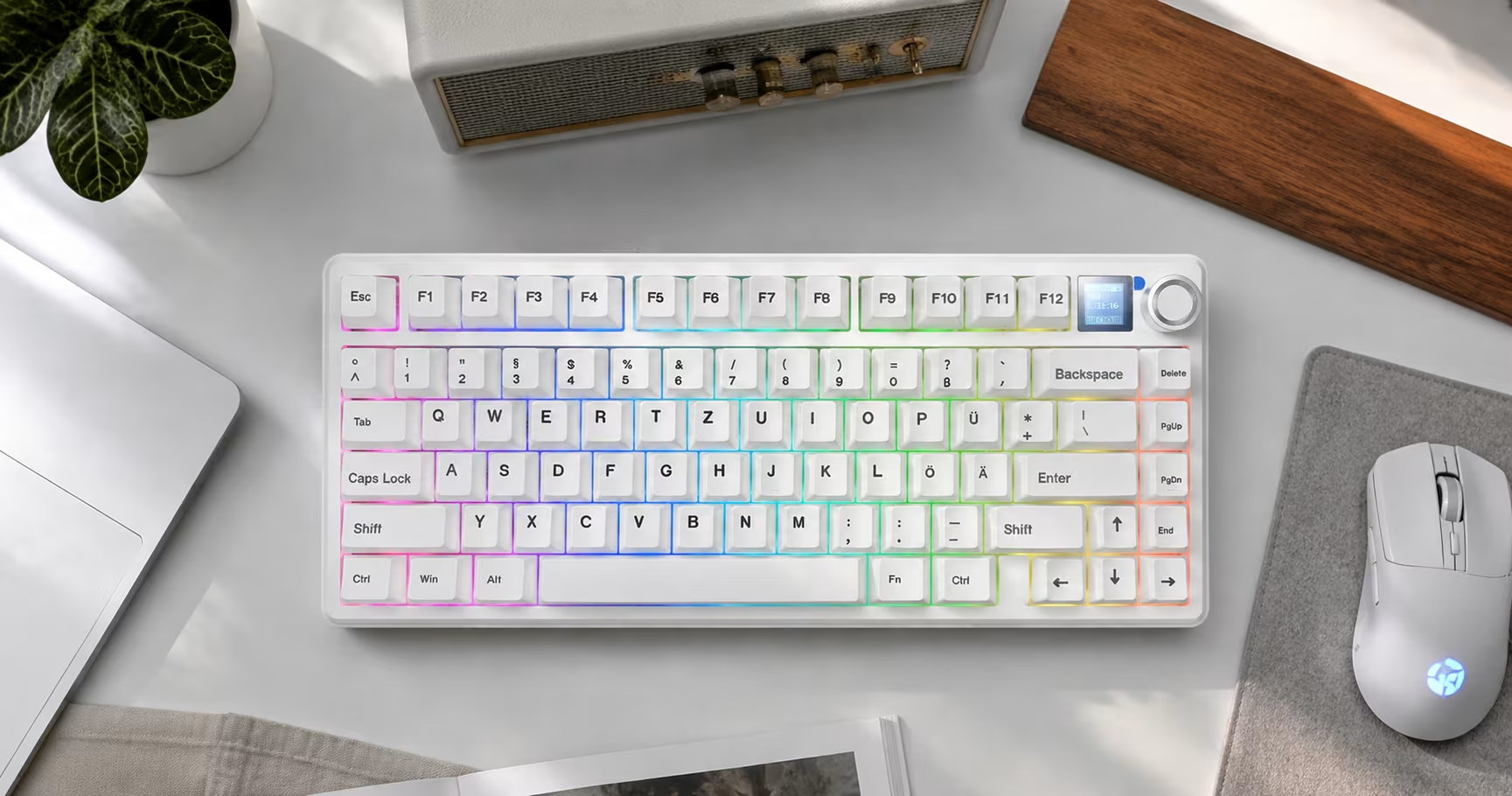
Choosing the right keyboard from a growing lineup is harder than it looks. AULA now offers best AULA keyboards across two fundamentally different technologies — traditional mechanical switches and Hall Effect magnetic sensors — in layouts ranging from compact 65% boards to full-size 108-key models. This guide cuts through the noise. It explains what each technology actually does, which layout suits which workflow, and which specific models are worth your attention in 2026, based on the current product pages on AULAKeyboard.com.
This article is for gamers who want low latency and precise control, office workers who type for hours and need comfort, programmers who prefer a compact footprint, and anyone who wants to personalise their setup with custom switches or keycaps. If you already know what you want, jump to the Quick Picks below. If you want to understand the differences before spending money, start with the buying guide section.
Best AULA Keyboards at a Glance
The table below gives a fast overview of the recommended picks across different use cases. Each recommendation is based on confirmed product specifications from the official product pages.
| Category | Pick | Why |
|---|---|---|
| Best overall | AULA F75 | 75% layout, gasket mount, tri-mode, hot-swap, 4000mAh battery, wide colour range |
| Best for competitive FPS | AULA AG63 | 32K polling rate, 256KHz scan rate, 0.001mm Rapid Trigger, 0.03ms latency |
| Best for work and gaming | AULA F87 Pro V2 | TKL layout, dual 8000Hz polling (Supremacy ), 10–12K mAh battery, gasket mount |
| Best compact option | AULA HERO68 Air | 68-key Hall Effect, tri-mode wireless at 8K polling, 0.005mm RT, 3000/6000mAh |
| Best with a number pad | AULA F99 Pro | 108-key full layout, gasket mount, 8000mAh, hot-swap, Bluetooth 5.1 + 2.4G |
| Best for customization | AULA AG75 | Tool-free ball-catch quick-release, 8K polling, 0.001mm RT, full aluminum, 6-layer acoustics |
Not sure which direction to go? Browse the full Mechanical Keyboard and Hall Effect Switches Keyboard categories to compare all current models side by side.
AULA Keyboard Comparison Chart
The chart below covers the models reviewed in detail in this article. All data comes directly from the official product pages. Where a specification was not stated on the product page, the cell reads “Not specified.”
| Model | Keyboard Type | Layout | Connectivity | Main Strength | Best For | Product Link |
|---|---|---|---|---|---|---|
| AULA F75 | Mechanical | 75% (80 keys ) | BT 5.0 / 2.4G / USB-C | Gasket mount, 4000mAh, hot-swap, wide colour range | Gaming & work balance | Check current price |
| AULA F65 | Mechanical | 65% (67 keys ) | BT 5.0 / 2.4G / USB-C | Compact, 1000Hz wired, 4000mAh, 804g | Small desks, travel | Check current price |
| AULA F87 Pro | Mechanical | TKL 80% (87 keys ) | BT 5.0 / 2.4G / USB-C | TKL layout, NKRO, multi-OS | Gaming + productivity | Check current price |
| AULA F87 Pro V2 | Mechanical | TKL 80% (87 keys ) | BT / 2.4G (1ms) / USB-C | Dual 8000Hz (Supremacy), 10–12K mAh, 223 RGB zones | High-performance gaming | Check current price |
| AULA F99 | Mechanical | 96% (99 keys ) | BT 5.0 / 2.4G / USB-C | 8000mAh (53h RGB on / 400h off), hot-swap, ANSI + ISO | Productivity with numpad | Check current price |
| AULA F99 Pro | Mechanical | 100% (108 keys ) | BT 5.1 / 2.4G / USB-C | Full layout, 8000mAh, gasket mount, hot-swap, multimedia knob | Full-size productivity | Check current price |
| AULA F108 | Mechanical | 100% (108 keys ) | BT 5.0 / 2.4G / USB-C | Full layout, gasket mount, 4000mAh, semi-silent switch options | Office full-size | Check current price |
| AULA F98 Pro V3 | Mechanical | Not specified | BT / 2.4G / USB-C | 1000Hz polling, 10000mAh, 5-layer acoustics, smart screen | Endurance + acoustics | Check current price |
| AULA AG63 | Hall Effect | Not specified (compact ) | Wired (USB 3.0 required) | 32K polling, 256KHz scan, 0.001mm RT, 0.03ms latency | Competitive FPS | Check current price |
| AULA AG75 | Hall Effect | 75% wired | Wired only | 8K polling, 0.001mm RT, full aluminum, tool-free quick-release | Competitive + customization | Check current price |
| AULA HERO68 Air | Hall Effect | 68-key | BT 5.4 / 2.4G / USB-C | 8K wireless polling, 0.005mm RT, 3000/6000mAh, tri-mode | Wireless Hall Effect gaming | Check current price |
| AULA HERO 84 HE | Hall Effect | 84-key | Wired (USB-C ) | 8K polling, swappable magnetic switches, 128KHz scan, multi-plate options | Competitive + customization | Check current price |
| AULA Hero68 Mini | Hall Effect (low-profile ) | 68-key low-profile | Wired only | 8K polling, 0.01mm RT, CNC aluminum, exclusive low-profile magnetic switches | Low-profile gaming | Check current price |
| AULA HERO 75 HE | Hall Effect | 75% | Tri-mode | Hall Effect, tri-mode, 75% layout, seasonal colour editions | Wireless Hall Effect 75% | Check current price |
How to Choose the Best AULA Keyboard
Aula Keyboard
Before looking at individual models, it helps to understand the decisions that actually matter. The following sections cover each factor in plain terms.
Mechanical vs Hall Effect
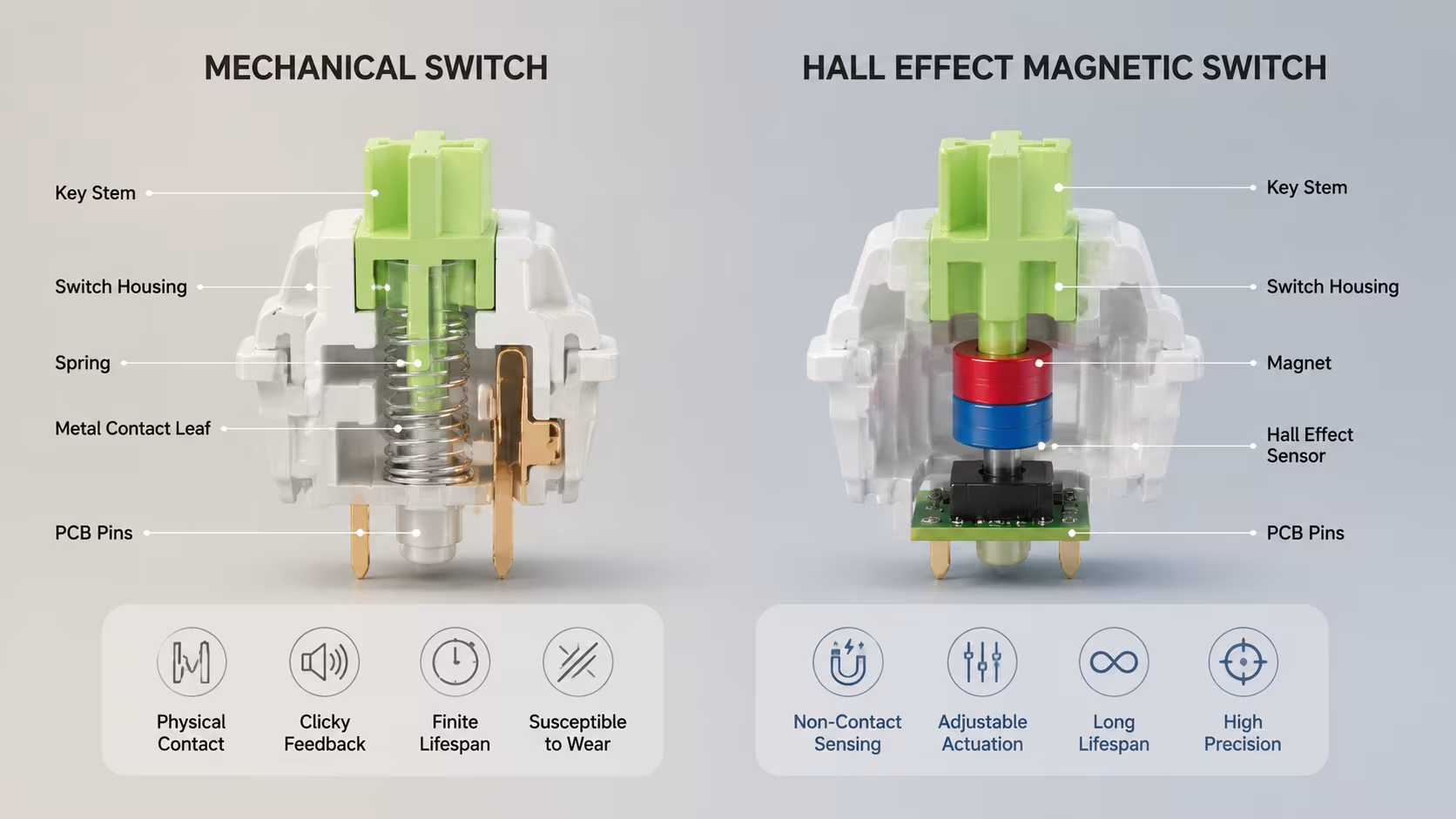
AULA sells two fundamentally different types of keyboards, and the difference is not just marketing. Mechanical keyboards use physical contact switches — a spring-loaded stem presses down onto metal contacts to register a keypress. The feel, sound, and actuation force depend on the switch type. These switches use the standard MX footprint, which means they are compatible with a wide range of third-party switches and keycap sets.
Hall Effect keyboards use magnetic sensors instead of physical contacts. A magnet inside the switch stem moves past a sensor, which detects the position of the key at every moment. Because there is no contact wear, the sensor can read the exact position of the stem continuously. This enables two features that physical switches cannot match: adjustable actuation point (you choose how far down the key must travel before it registers ) and Rapid Trigger (the key resets as soon as it starts moving back up, rather than waiting for it to return to a fixed reset point).
These are not the same compatibility system. Hall Effect magnetic switches on AULA keyboards use a proprietary magnetic switch footprint, not the standard MX footprint. You cannot install a standard MX mechanical switch into a Hall Effect keyboard, and you cannot install a Hall Effect magnetic switch into a standard mechanical keyboard. The AULA Hero68 Mini goes further, using an exclusive low-profile magnetic switch that is not interchangeable with full-height Hall Effect switches from other models. Always check the product page before purchasing replacement switches.
Keyboard Layout
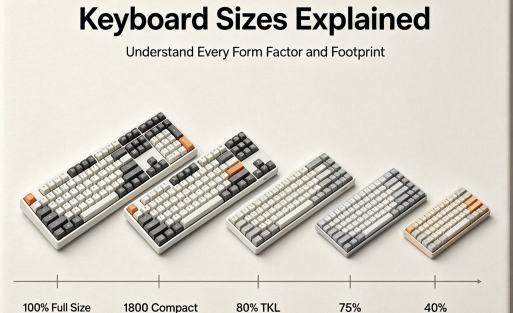
Layout refers to how many keys the keyboard has and how they are arranged. AULA currently offers keyboards in the following layouts:
- 65% (67 keys): No function row, no navigation cluster. Maximum desk space saving. The F65 is the current AULA option in this category.
- 75% (80–81 keys): Retains the function row and arrow keys in a compact footprint. The F75, F81, HERO 75 HE, and AG75 all use this layout.
- TKL / 80% (87 keys): Full function row and navigation keys, but no number pad. The F87 Pro and F87 Pro V2 use this layout.
- 68-key: A compact layout used by the HERO68 Air, F68 RX, and Hero68 Mini. Slightly different from a standard 65% arrangement.
- 84-key: Used by the HERO 84 HE. Sits between TKL and 75% in key count.
- 96% / 98-key: Includes a number pad in a compressed layout. The F99 (99 keys) and F99 Max (97 keys) use this approach.
- 100% / Full-size (108 keys): Complete keyboard with full number pad, function row, and navigation cluster. The F99 Pro and F108 use this layout.
For gaming, layouts from 65% to TKL are generally preferred because they leave more desk space for mouse movement. For office work or data entry, a number pad is often essential. The 75% layout is a popular compromise that keeps the function row and arrow keys while remaining noticeably smaller than a TKL.
Wired vs 2.4GHz vs Bluetooth
Most AULA mechanical keyboards support all three connection modes (tri-mode). Hall Effect keyboards are more varied: some are wired only (AG63, AG75, F68 RX, HERO 84 HE, Hero68 Mini), while the HERO68 Air and HERO 75 HE support tri-mode including wireless.
For competitive gaming, wired or 2.4GHz wireless is recommended. Bluetooth polling rates are typically lower (125Hz on most AULA mechanical models), which adds latency. The HERO68 Air is notable for achieving 8000Hz polling in both wired and 2.4G wireless modes, making it one of the few Hall Effect keyboards that does not require a cable for competitive play.
Switch Feel
AULA mechanical keyboards come with linear switches as standard on most models. Linear switches have a smooth, consistent feel from top to bottom with no tactile bump or audible click. They are popular for gaming because there is no resistance at the actuation point. Some models offer tactile or silent options — check the individual product page for available switch variants before ordering.
Hall Effect switches also come in linear and tactile variants. The HERO 84 HE, for example, offers Black Emperor (linear), Sea Emperor (clicky), and Jade Emperor (tactile) options. The AULA AG63 offers Ice Dragon (smooth linear), Ice Sound (quiet linear), Ice Xuan (balanced tactile), and Eight Treasures (crisp sound profile).
Hot-Swappable Design
Hot-swap sockets allow you to remove and replace switches without soldering. Most AULA mechanical keyboards confirm hot-swap support with 3-pin and 5-pin MX-compatible sockets. The HERO 84 HE supports swappable magnetic switches. The AG75 uses a tool-free ball-catch quick-release structure for component swapping rather than traditional per-key hot-swap. Feature availability varies by model — always verify on the product page.
Polling Rate, Scan Rate, and Latency
The polling rate is how many times per second the keyboard reports its state to the computer. A 1000Hz polling rate means the keyboard reports 1,000 times per second (every 1ms). Higher polling rates reduce the maximum possible input delay.
AULA’s Hall Effect keyboards push significantly higher than standard. The AG63 reaches 32,000Hz (32K) with a 256KHz scan rate and 0.03ms latency. The AG75, HERO68 Air, and HERO 84 HE reach 8,000Hz (8K). The F87 Pro V2 Supremacy edition reaches dual 8000Hz with 0.125ms latency on the mechanical side. Standard AULA mechanical keyboards typically operate at 1000Hz in wired and 2.4G modes.
Note that the AG63’s 32K polling rate requires a USB 3.0 port. Using a USB 2.0 port will limit performance.
Rapid Trigger and Adjustable Actuation
Rapid Trigger is a Hall Effect-exclusive feature. On a standard keyboard, a key must return above a fixed reset point before it can register again. With Rapid Trigger, the key resets as soon as it begins moving upward, regardless of position. This allows much faster repeated keypresses and more precise strafing in FPS games.
The AG63 offers 0.001mm Rapid Trigger precision. The AG75 also offers 0.001mm RT with a range of 0.001–3.4mm. The HERO68 Air offers 0.005mm RT with a 0.1–3.4mm range. The Hero68 Mini offers 0.01mm RT with a 0.01–3.1mm range.
Rapid Trigger is not available on mechanical keyboards. If this feature is important to you, you need a Hall Effect keyboard.
Keycap and Switch Compatibility
AULA mechanical keyboards use standard MX-compatible hot-swap sockets. This means they accept most third-party MX-footprint switches, and their keycaps are compatible with standard MX-stem keycap sets. AULA’s Keycap Set category offers over 100 options, and the Custom Keyboard program allows you to order personalised keycaps in Cherry or KCA profiles.
Hall Effect keyboards use magnetic switches with a different footprint. Standard MX switches are not compatible. The Hero68 Mini uses an exclusive low-profile magnetic switch that is not interchangeable with standard Hall Effect switches. If you plan to swap switches on a Hall Effect keyboard, confirm which switch type the specific model uses and whether compatible replacements are available.
Software Support
Most AULA keyboards have dedicated drivers available from the Software Driver download page. The AG75 and some other Hall Effect models use AULA Web HUB 3.0, a browser-based driver that requires no installation. The Hero68 Mini uses AULA HUB 2.0. For a complete setup guide, the blog post How to Use AULA Software covers the full configuration process.
Work, Gaming, and Mixed Use
For pure gaming, Hall Effect keyboards with Rapid Trigger and high polling rates offer a measurable advantage in competitive play. For office work, a full-size or 96% layout with a number pad, quiet switches, and good battery life matters more. For mixed use, a 75% or TKL mechanical keyboard with tri-mode connectivity and a gasket mount structure covers both scenarios well without being optimised for either extreme.
Best AULA Keyboards Reviewed
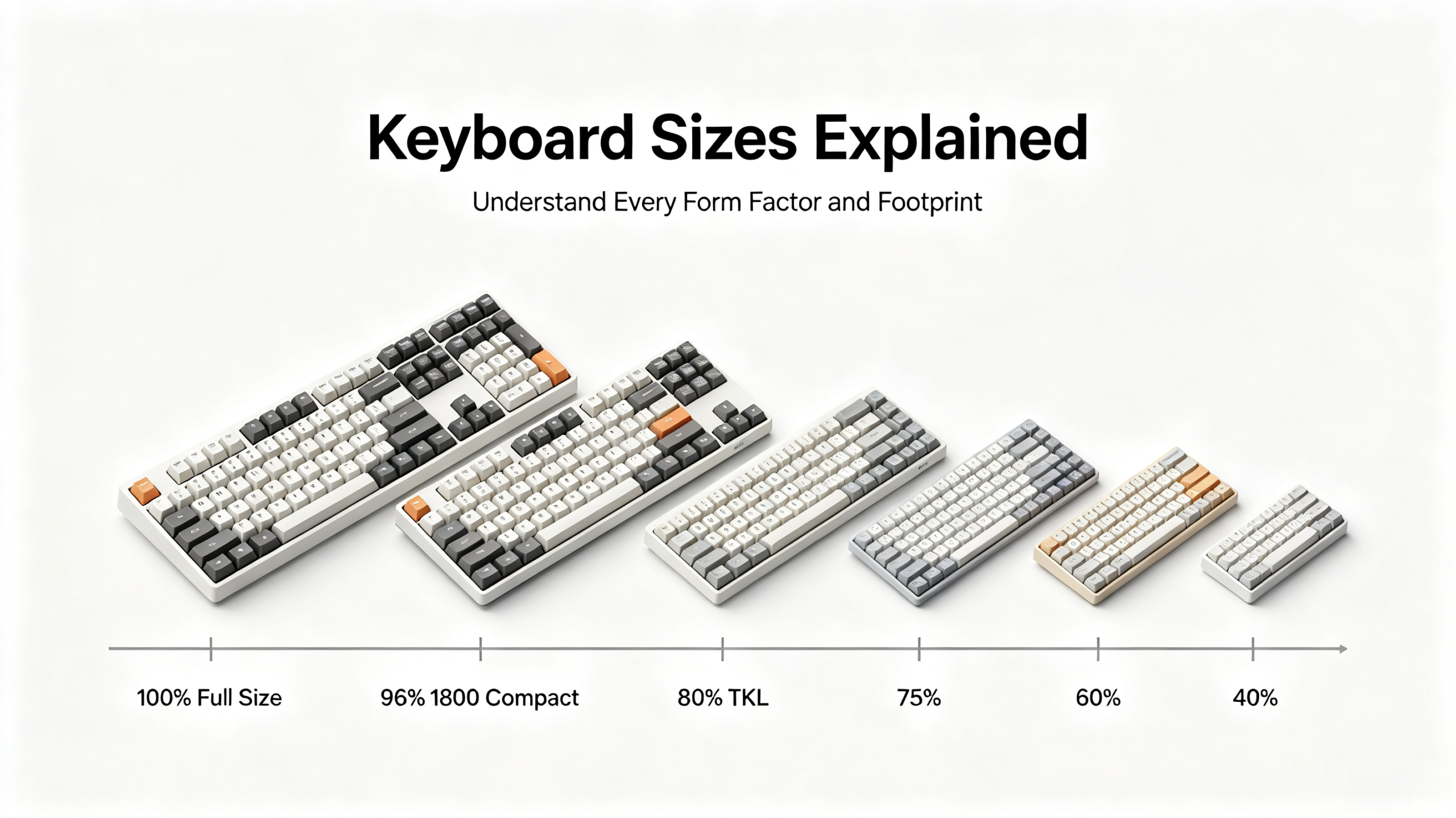
Keyboard sizes explained: full size, TKL, 75%, 65%, 60% and 40% form factors compared
AULA F75 — Best Overall Mechanical Keyboard
Best for: Gamers and office workers who want one keyboard for everything
The F75 is the most versatile keyboard in AULA’s current mechanical lineup. Its 75% layout keeps the function row and arrow keys while taking up noticeably less desk space than a TKL. The gasket mount structure uses five layers of noise reduction material, which softens the typing sound and gives the keys a slightly cushioned feel compared to a tray-mount design.
Connectivity covers Bluetooth 5.0 (up to three paired devices ), 2.4GHz wireless, and USB-C wired. The 4000mAh battery supports weeks of use with the backlight off. Hot-swap sockets accept 3-pin and 5-pin MX-style switches, so you can replace the pre-installed LEOBOG linear switches with any compatible third-party option. An aluminium control knob handles volume, media, and lighting without requiring software.
The F75 is available in ANSI and ISO layouts, with ISO variants for German and Spanish layouts. This makes it one of the more accessible AULA keyboards for European buyers who need a localised layout. The main trade-off compared to the F87 Pro is the smaller layout — if you regularly use the Delete, Home, End, Page Up, and Page Down keys as standalone keys rather than Fn combinations, the TKL format may suit you better.
Polling rate is not specified on the product page. Rapid Trigger is not available on this mechanical model.
View the AULA F75 on AULAKeyboard.com
AULA F65 — Best Compact Mechanical Keyboard
Best for: Small desks, travel setups, and minimalist builds
At 67 keys and 804g, the F65 is the most portable mechanical keyboard in AULA’s current range. The 65% layout removes the function row and navigation cluster entirely, which takes some adjustment if you are used to a larger board. In return, you get a keyboard that fits comfortably on the smallest desks and leaves maximum space for mouse movement.
The F65 supports 1000Hz polling in wired and 2.4GHz modes, dropping to 125Hz over Bluetooth. The 4000mAh battery and tri-mode connectivity match the F75. Switch options include Reaper, Volcano, and Wind Spirit variants. Hot-swap support is confirmed.
Compared to the F75, the F65 gives up the function row and arrow keys in a dedicated position. If you frequently use F-keys for shortcuts or gaming macros, the F75’s layout is more practical. The F65 is the better choice when desk space is genuinely limited or when portability is a priority.
View the AULA F65 on AULAKeyboard.com
AULA F87 Pro — Best TKL Mechanical Keyboard
Best for: Gamers who want a full function row without a number pad
The F87 Pro uses an 87-key TKL layout that retains the function row, arrow keys, and a navigation cluster while removing the number pad. This is the most popular layout among PC gamers because it keeps all the keys used in most games and applications while freeing up desk space to the right of the keyboard.
Tri-mode connectivity covers Bluetooth 5.0, 2.4GHz, and USB-C. Polling rate is 1000Hz in wired and 2.4G modes. Full NKRO anti-ghosting ensures every simultaneous keypress registers correctly. The keyboard is listed as compatible with Windows, macOS, iOS, and Android.
Switch options include Agile, Begonia/Ice Feather/Meteor, and Gray Wood variants. Hot-swap is confirmed. The F87 Pro is the entry point for AULA’s TKL range; the F87 Pro V2 is the upgraded version with significantly higher polling rates and battery capacity at a higher price.
View the AULA F87 Pro on AULAKeyboard.com
AULA F87 Pro V2 — Best High-Performance Mechanical Keyboard
Best for: Competitive gamers who want mechanical switches with the highest possible polling rate
The F87 Pro V2 is available in three editions — Master, Grandmaster, and Supremacy — with the Supremacy edition reaching dual 8000Hz polling and 0.125ms latency. This puts it in the same polling rate territory as AULA’s Hall Effect keyboards, though without Rapid Trigger capability.
Battery capacity is 12000mAh on most colour variants and 10000mAh on the White Contour Line / Reaper Switch option. The gasket mount structure uses 5–7 layers of sound dampening depending on the edition. The Supremacy edition’s dot-matrix display adds 49 RGB LEDs on top of the per-key RGB, for a total of 223 lighting zones.
Switch options include Meteor Ice Cream (1.3mm actuation, fast for gaming ), Meteor (1.2mm actuation), Caramel Latte (2.0mm actuation, more deliberate feel), Feather Light (1.6mm, light linear), Begonia (1.6mm), and Reaper (1.8mm). The web-based driver (Fn + M) handles SOCD, MT, TGL, and CB modes without requiring software installation.
Compared to the F87 Pro, the V2 costs more but delivers substantially better battery life, higher polling rates, and more RGB customisation. Compared to the AG75 Hall Effect keyboard, the V2 offers more switch variety and a wireless option, but lacks Rapid Trigger.
View the AULA F87 Pro V2 on AULAKeyboard.com
AULA F99 — Best 96% Mechanical Keyboard
Best for: Users who want a number pad in a more compact footprint than a full-size keyboard
The F99 uses a 99-key layout that includes a number pad but arranges the keys more tightly than a standard 100% keyboard. The result is a board that is noticeably smaller than a full-size keyboard while retaining all the keys most productivity users need.
The 8000mAh dual-cell battery is the headline specification. With RGB lighting on, the product page states up to 53 hours of use; with lighting off, up to 400 hours. Tri-mode connectivity covers USB-C, 2.4GHz, and Bluetooth 5.0. Hot-swap is confirmed for all keys.
One important note: the ISO version of the F99 is a single-mode keyboard that supports wired USB connection only. It does not support 2.4G wireless or Bluetooth. If you need wireless connectivity, choose the ANSI version or confirm the specific variant before ordering.
Compared to the F99 Pro, the F99 uses a 99-key layout rather than a full 108-key layout, making it slightly more compact. Both share similar battery capacity and connectivity options.
View the AULA F99 on AULAKeyboard.com
AULA F99 Pro — Best Full-Size Mechanical Keyboard
Best for: Productivity users, data entry, and anyone who needs a complete keyboard with a number pad
The F99 Pro is a 108-key full-size keyboard with a gasket mount structure, 8000mAh battery, and tri-mode connectivity (Bluetooth 5.1, 2.4G, USB-C ). It includes a multimedia knob, side-printed PBT keycaps, and a 1.2mm slotted PCB. Hot-swap supports 3-pin and 5-pin switches.
Switch options include Flame Purple Switch V2 and Whale Ocean Switch. The gasket mount uses IXPE switch pad, PET foam, and a silicone base pad for a quieter typing experience than a standard tray-mount full-size keyboard.
The F99 Pro is the better choice over the F108 if you want a higher battery capacity (8000mAh vs 4000mAh) and a multimedia knob. The F108 has a slightly lower price range and offers semi-silent switch options that the F99 Pro does not.
View the AULA F99 Pro on AULAKeyboard.com
AULA F108 — Best Value Full-Size Keyboard
Best for: Office users who want a full-size keyboard with quiet switches at a lower price
The F108 covers the same 108-key full-size layout as the F99 Pro with tri-mode connectivity and a gasket mount structure. The 4000mAh battery is smaller than the F99 Pro’s 8000mAh, but the product page notes around 60 hours of use at medium RGB brightness and over 30 days with RGB off.
Switch options include Caramel Latte, Feather, and Wind Spirit variants, with a semi-silent switch option available in the Pink and Yellow colour variants. This makes the F108 one of the more office-friendly options in AULA’s mechanical range for users who prefer quieter keystrokes.
Compared to the F99 Pro, the F108 has a smaller battery and no multimedia knob. It is the more practical choice if you primarily use the keyboard at a desk with regular charging access and do not need the extended wireless endurance of the F99 Pro.
View the AULA F108 on AULAKeyboard.com
AULA AG63 — Best for Competitive FPS Gaming
Best for: Competitive FPS players who want the highest possible polling rate and Rapid Trigger precision
The AG63 is AULA’s flagship Hall Effect keyboard in terms of raw polling rate. At 32,000Hz with a 256KHz scan rate and 0.03ms latency, it is designed specifically for competitive gaming where input timing matters. The 0.001mm Rapid Trigger precision is among the finest available on any keyboard at this price point.
The keyboard uses 4th generation Hall Effect sensors and an aerospace-grade controller architecture with a dedicated MCU and nine independent ADC processors. The 4-layer PCB design reduces signal interference. Supported gaming features include SOCD, RT, DKS, MT, TGL, and MPT.
Switch options include Ice Dragon (smooth linear, 27gf ), Ice Sound (quiet linear, 29gf), Ice Xuan (balanced tactile, 28gf), and Eight Treasures (crisp sound, 40gf). The aluminum chassis is built for durability under extended gaming sessions.
The AG63 requires a USB 3.0 port for the full 32K polling rate. It is a wired-only keyboard with no wireless option. If you need wireless Hall Effect performance, the HERO68 Air is the alternative.
View the AULA AG63 on AULAKeyboard.com
AULA AG75 — Best Hall Effect Keyboard for Customization
Best for: Competitive gamers who also want to customise their build
The AG75 is a 75% wired Hall Effect keyboard with 8000Hz polling, 0.001mm Rapid Trigger precision, and a full aluminum CNC body. What sets it apart from other Hall Effect keyboards is the tool-free ball-catch quick-release structure, which allows component swapping in seconds without tools. The carbon fiber plate and 6-layer acoustic design (slow-rebound PO cotton, PET pads, IXPE switch underpads, and bottom dampening ) give it a premium sound profile.
Switch options include Eight Treasures (35gf, crisp feedback), Super God (27gf, smooth linear), Ice Silver (27gf, tactile), Mi Xue (32gf, silky linear), and Snow Honey. The Triple-MCU direct connection architecture achieves up to 2304K key scanning rate. SOCD/Snap Tap is supported via AULA Web HUB 3.0.
Compared to the AG63, the AG75 has a lower polling rate (8K vs 32K) but offers a more customisable build with the quick-release structure and a broader switch selection. It is the better choice if you want a premium Hall Effect keyboard that you can modify and tune over time.
View the AULA AG75 on AULAKeyboard.com
AULA HERO68 Air — Best Wireless Hall Effect Keyboard
Best for: Gamers who want Hall Effect performance without a cable
Most Hall Effect keyboards are wired because wireless transmission historically added latency that undermined the precision advantage of magnetic sensors. The HERO68 Air solves this by delivering 8000Hz polling in both wired and 2.4G wireless modes, with 0.125ms latency in both. Bluetooth 5.4 is also supported for multi-device use, though at lower polling rates.
The 68-key layout is compact without being as restrictive as a 60% board. Battery options are 3000mAh or 6000mAh depending on the colour variant. The 0.005mm Rapid Trigger precision with a 0.1–3.4mm adjustable range covers most competitive gaming requirements. The gasket mount with 5-layer acoustic design and aluminum panel construction gives it a build quality that matches wired Hall Effect keyboards in the same price range.
Switch options include Black Emperor (33gf, stable ), Nick (32gf, balanced), and Lingyun (28gf, light and fast). SOCD, Snap Tap, and Dynamic Keystrokes are all supported.
Compared to the HERO 75 HE, the HERO68 Air has confirmed detailed specifications on its product page. The HERO 75 HE offers a 75% layout with a tri-mode connection, which may suit users who prefer the function row in a wireless Hall Effect keyboard.
View the AULA HERO68 Air on AULAKeyboard.com
AULA Hero68 Mini — Best Low-Profile Hall Effect Keyboard
Best for: Users who prefer a lower typing angle and a slim profile
The Hero68 Mini is the only low-profile keyboard in AULA’s current Hall Effect range. The CNC aluminum body (220-grit anodized ) measures 314.20 × 118.45 × 26.35mm — significantly thinner than standard keyboards. The 8000Hz polling rate and 0.01mm Rapid Trigger precision (adjustable 0.01–3.1mm) deliver competitive-level performance in a slim form factor.
The keyboard uses exclusive low-profile magnetic switches — Powder King MINI (linear, 275gf initial force) and Tea King MINI (tactile, 53gf initial force). These are not interchangeable with standard full-height Hall Effect switches or MX mechanical switches. If you plan to replace switches, you must use the same low-profile magnetic switch format.
The Hero68 Mini is wired only with no battery. It is the most specialised keyboard in this guide — ideal for users who specifically want a low-profile typing experience with Hall Effect precision, but not the right choice for anyone who needs wireless connectivity or standard switch compatibility.
View the AULA Hero68 Mini on AULAKeyboard.com
Browse the full Hall Effect Switches Keyboard category to see all current models including the HERO 84 HE, HERO 99 HE, AG60, and F68 RX.
Best AULA Keyboard by Use Case
Competitive FPS Gaming
First choice: AULA AG63 — 32K polling, 0.001mm Rapid Trigger, 0.03ms latency. The highest-specification Hall Effect keyboard in the AULA range for pure competitive performance. Alternative: AULA AG75 — 8K polling, 0.001mm RT, full aluminum, tool-free customisation. Lower polling rate than the AG63 but better build flexibility.
Casual Gaming
First choice: AULA F75 — 75% layout, tri-mode, gasket mount, hot-swap. Covers most gaming needs without the premium cost of a Hall Effect board. Alternative: AULA F87 Pro — TKL layout for users who prefer a full function row and navigation keys in a gaming context.
Office and Remote Work
First choice: AULA F99 Pro — Full 108-key layout, 8000mAh battery, gasket mount for quiet typing, tri-mode for multi-device switching. Alternative: AULA F108 — Full-size with semi-silent switch options, lower price, suitable for shared office environments.
Programming
First choice: AULA F75 — The function row and arrow keys in a compact footprint make it practical for coding without the bulk of a TKL. Alternative: AULA F87 Pro V2 — TKL layout with higher polling rates for developers who also game.
Students
First choice: AULA F65 — Lightweight, compact, tri-mode for switching between laptop and desktop, 4000mAh battery for library use. Alternative: AULA F75 — Slightly larger but adds the function row, which is useful for spreadsheets and document editing.
Small Desks
First choice: AULA F65 — The most compact mechanical keyboard in the current AULA range at 325 × 116mm. Alternative: AULA HERO68 Air — Similar footprint with Hall Effect performance and wireless freedom.
Productivity with Number Pad
First choice: AULA F99 Pro — Full 108-key layout, best battery life in the full-size mechanical range, gasket mount for comfortable long sessions. Alternative: AULA F99 — 99-key layout that includes a number pad in a slightly smaller footprint, with the same 8000mAh battery.
Keyboard Customization
First choice: AULA AG75 — Tool-free quick-release structure, multiple Hall Effect switch options, full aluminum body, premium acoustics. Alternative: AULA F75 — Hot-swap MX-compatible sockets open up the full range of third-party switches and AULA’s 100+ keycap sets.
Looking for a fully personalised build? The Custom Keyboard Guide explains how to order a keyboard with your own colour scheme, layout, legends, and language.
Mechanical or Hall Effect: Which AULA Keyboard Is Right for You?
This question comes up often, and the honest answer is that it depends on what you actually do with your keyboard. Neither technology is universally better.
Hall Effect keyboards have clear advantages in competitive gaming. Rapid Trigger eliminates the fixed reset point of mechanical switches, which means the key can register again as soon as it starts moving back up. In fast-paced FPS games, this allows more precise strafing and faster repeated inputs. Adjustable actuation lets you set a very short travel distance for faster response or a longer one for accidental press prevention. The AG63’s 32K polling rate and 0.03ms latency are specifications that no mechanical keyboard in AULA’s range can match. If competitive gaming is your primary use case and you want every possible performance advantage, a Hall Effect keyboard is the more capable tool.
Mechanical keyboards have advantages in versatility, switch variety, and everyday use. The standard MX footprint means you can install thousands of third-party switches — from heavy tactile switches for deliberate typing to ultra-light linears for fast gaming. The keycap compatibility is universal: any MX-stem keycap set will fit. Wireless options are more common and generally offer better battery life. The AULA F87 Pro V2 Supremacy edition reaches 8000Hz polling, which is competitive-grade performance for a mechanical keyboard. For office work, programming, or any use case where typing feel and sound matter as much as input latency, mechanical keyboards offer more options.
There is one point that must be stated clearly: Hall Effect magnetic switches and standard MX mechanical switches are not interchangeable. You cannot install MX switches into a Hall Effect keyboard, and you cannot install Hall Effect switches into a standard mechanical keyboard. The Hero68 Mini’s low-profile magnetic switches add another layer of incompatibility — they are exclusive to that model and cannot be swapped with standard Hall Effect switches from other models. Before purchasing replacement switches for any AULA keyboard, confirm the switch type and footprint on the product page.
For most users who game casually and work at a desk, a well-built mechanical keyboard with tri-mode connectivity and a gasket mount structure covers both scenarios without the premium cost of a Hall Effect board. For dedicated competitive players, the Hall Effect keyboards offer features that mechanical switches fundamentally cannot replicate.
Complete Your AULA Keyboard Setup
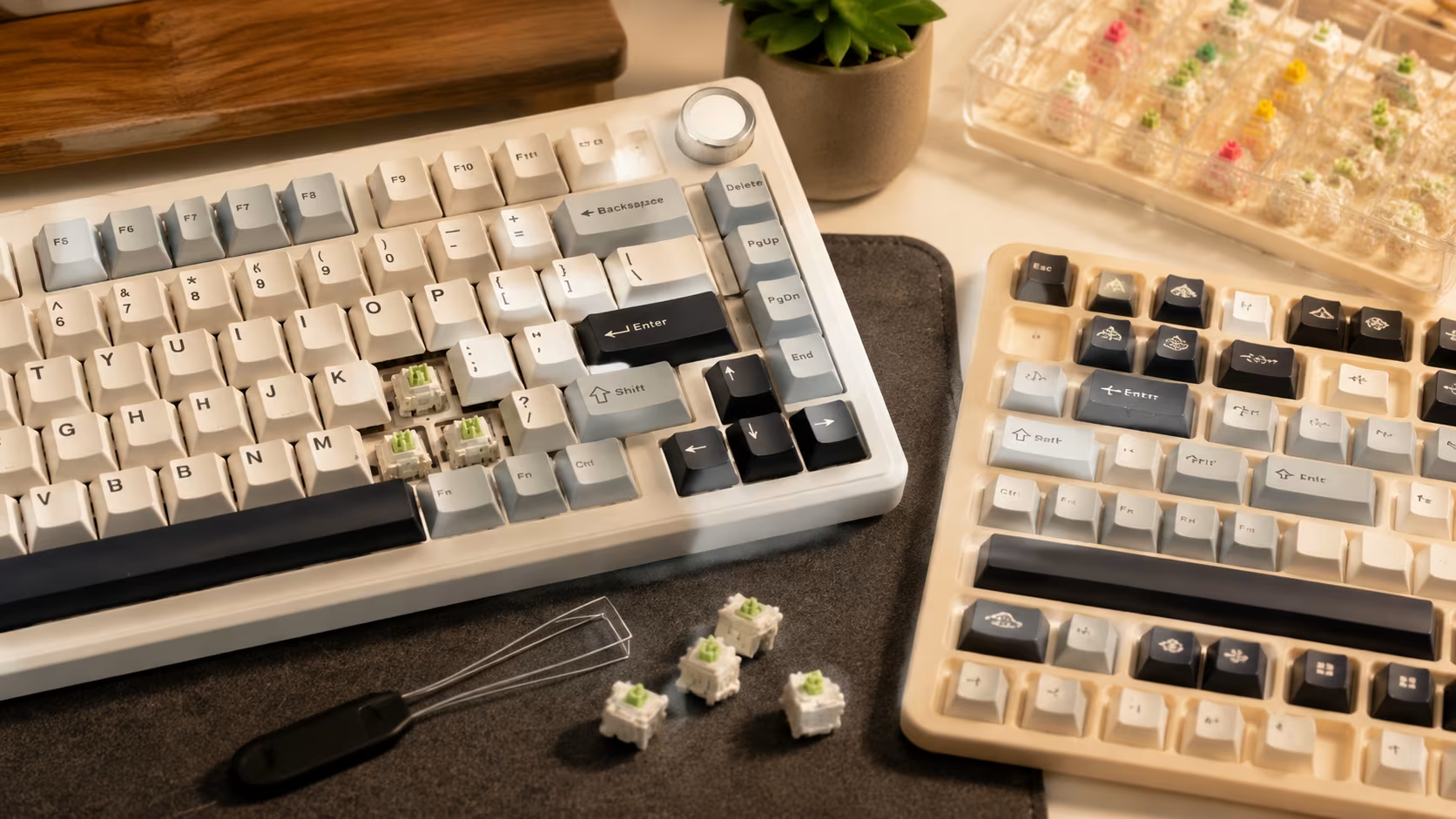
A keyboard is only part of the setup. AULA’s accessory range covers switches, keycap sets, keyboard kits, and custom options that let you tune the feel, sound, and appearance of your board.
Switches
If your keyboard supports hot-swap, replacing the pre-installed switches is one of the most effective ways to change the typing experience. The Switch category on AULAKeyboard.com includes both mechanical and magnetic switch options.
For mechanical keyboards, current options include the JJ Silent Linear Switch for quiet builds, the Leobog Ice Vein Switch and Leobog Crystal Switch for smooth linear feel, the Leobog Silent Iris and Leobog Silent Rose for silent tactile options, and the Leobog Rambo Switch for a heavier linear feel.
For Hall Effect keyboards, the Aula Purple Hall Effect Switch, IceMag Switch, Jade Emperor Magnetic, and Pink King Magnetic are available. Always verify that the magnetic switch you are considering is compatible with your specific keyboard model before purchasing.
Keycap Sets
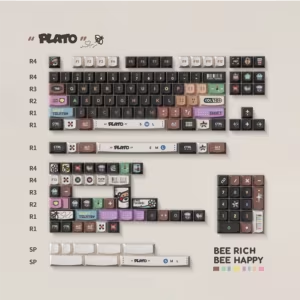
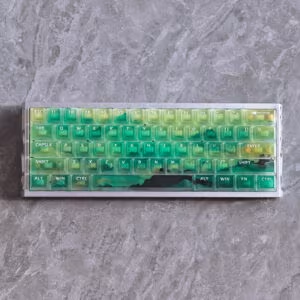
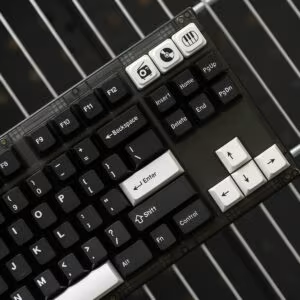
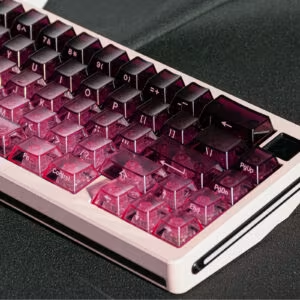
The Keycaps Set category offers over 100 options in different materials, profiles, and designs. The Taipo WOB Black PBT Double-Shot Keycaps (180 keys ) offer a clean, durable set for users who prefer a minimal look. The Moss Shadow Frosted PC Shine-Through Keycaps (115 keys ) are designed for RGB builds where the lighting effect matters as much as the legends. For a more elaborate design, the PLATO Side Story Keycaps and Objection Overruled Night Demon Keycaps offer themed sets for enthusiast builds.
For more ideas on building a custom keycap layout, the blog post Where to Buy Keycaps & How to Build a Fully Custom Keyboard covers the full process, and Real Customer Custom Keycap Projects shows what other users have built.
Keyboard Kits
The Keyboard Kit category includes the LEOBOG HI75 Keyboard Kit for users who want to build a 75% keyboard from scratch with their own switch and keycap selection.
Custom Keyboards
AULA’s custom keyboard program allows you to order a personalised keyboard with your choice of chassis colour, keycap colours, legends, language layout, and image uploads. Supported layouts include QWERTY, AZERTY, QWERTZ, Dvorak, Colemak, and others. Production takes approximately 5–7 business days. The Custom Keyboard Guide explains all options, supported profiles (Cherry and KCA ), and the return policy for custom orders.
Software and Drivers
All available drivers are listed on the Software Driver page. If you need help setting up your keyboard, the blog post How to Use AULA Software covers the complete configuration process including RGB customisation, macro programming, and polling rate settings.
For troubleshooting, AULA Keyboard Not Working? Here’s How to Fix It covers the most common connection and input issues. For maintenance, How to Clean a Keyboard provides a complete guide for mechanical and gaming keyboards.
Frequently Asked Questions
Which AULA keyboard is best for gaming?
For competitive gaming with Rapid Trigger and the highest polling rate, the AULA AG63 (32K polling, 0.001mm RT ) is the top choice. For casual gaming with wireless flexibility, the AULA F75 or AULA F87 Pro cover most gaming needs at a lower price point.
Is the AULA F75 good for work?
Yes. The F75’s 75% layout retains the function row and arrow keys, which are useful for most office and productivity tasks. The gasket mount structure reduces typing noise, and the tri-mode connectivity allows easy switching between a work computer and personal devices. The 4000mAh battery supports extended wireless use. It is not a dedicated office keyboard, but it handles work tasks well alongside gaming.
Which AULA keyboard has a number pad?
The AULA F99 Pro (108 keys ) and AULA F108 (108 keys ) are full-size keyboards with a number pad. The AULA F99 (99 keys ) and AULA F99 Max (97 keys ) include a number pad in a more compact 96% layout.
Are AULA keyboards hot-swappable?
Most AULA mechanical keyboards confirm hot-swap support with 3-pin and 5-pin MX-compatible sockets, including the F75, F65, F87 Pro, F87 Pro V2, F99, F99 Pro, and F81. The HERO 84 HE supports swappable magnetic switches. Feature availability varies by model — always check the product page for the specific keyboard you are considering.
What is the difference between mechanical and Hall Effect AULA keyboards?
Mechanical keyboards use physical contact switches with a spring and metal contacts. Hall Effect keyboards use magnetic sensors that detect the position of the key stem continuously. Hall Effect keyboards support Rapid Trigger (instant reset) and adjustable actuation points, which mechanical keyboards cannot do. The two types use different switch footprints and are not compatible with each other’s switches.
Is a 75% keyboard suitable for gaming?
Yes. The 75% layout retains the function row and arrow keys, which are used in most games. It is one of the most popular layouts among PC gamers because it keeps all the keys needed for gaming while leaving more desk space for mouse movement. The AULA F75 and AG75 are both 75% keyboards used for gaming.
Can I use an AULA keyboard with Mac?
The AULA F87 Pro product page lists compatibility with Windows, macOS, iOS, and Android. Other models list multi-OS support in their descriptions. However, the degree of software feature support on macOS may vary by model. If full macOS compatibility is essential, check the specific product page or contact AULA support before purchasing.
Can magnetic switches be replaced with mechanical switches?
No. Hall Effect magnetic switches and standard MX mechanical switches use different footprints and are not interchangeable. You cannot install MX switches into a Hall Effect keyboard, and you cannot install Hall Effect switches into a standard mechanical keyboard. The Hero68 Mini uses an exclusive low-profile magnetic switch that is also not interchangeable with standard Hall Effect switches from other models.
Which AULA keyboard is best for a small desk?
The AULA F65 (65%, 325 × 116mm, 804g ) is the most compact mechanical option. For a Hall Effect alternative in a similar footprint, the AULA HERO68 Air (68-key ) offers wireless connectivity and competitive performance. The AULA Hero68 Mini is the thinnest option at 26.35mm height if a low-profile design is the priority.
Where can I download AULA keyboard software?
All available drivers are listed on the Software Driver page at AULAKeyboard.com. Some models, including the AG75, use AULA Web HUB 3.0, a browser-based driver that requires no download. The Hero68 Mini uses AULA HUB 2.0. Individual product pages also link directly to the relevant driver download.
Final Verdict
AULA’s 2026 lineup covers a wider range of use cases than most buyers realise at first glance. The choice between mechanical and Hall Effect is the most important decision, and it should be driven by how you actually use your keyboard rather than by specifications alone.
For FPS and competitive gaming: The AULA AG63 is the strongest choice for players who want the maximum polling rate and Rapid Trigger precision. The AULA AG75 is the better option for players who also want to customise their build.
For office and gaming mixed use: The AULA F75 handles both scenarios well with its 75% layout, gasket mount, tri-mode connectivity, and hot-swap support. The AULA F87 Pro V2 is the step up for users who want higher polling rates and a larger battery.
For users who need a number pad: The AULA F99 Pro is the best full-size option with its 8000mAh battery and gasket mount. The AULA F99 offers the same battery in a slightly more compact 99-key layout.
For compact desk setups: The AULA F65 is the smallest mechanical option. The AULA HERO68 Air adds Hall Effect performance and wireless freedom in a similar footprint.
For personalisation and custom builds: Start with the AULA F75 or AULA AG75 as a base, then explore the Keycap Set and Switch categories, or use the Custom Keyboard program to design something unique.
For a broader understanding of keyboard layouts and form factors, the blog post Keyboard Sizes Explained covers every format in detail. For first-time buyers, The Complete Beginner’s Guide to Mechanical Keyboards is a good starting point before committing to a purchase.
Add comment
You must be logged in to post a comment.