


What’s the Best Halloween Gift Right Now?

Do you love adding a personal touch to your gaming setup? Imagine a keyboard that reflects your style and even celebrates the spooky season. With full customization, you can design a halloween keyboard that fits your vibe. Upload your favorite images, pick bold colors, and make every key unique. Personalized tech gifts are trending right now. This one stands out because you control every detail. It’s more than a keyboard—it’s a statement.
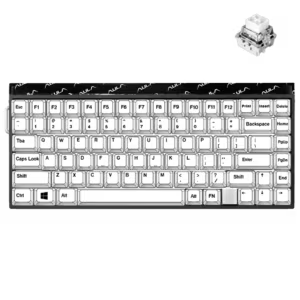
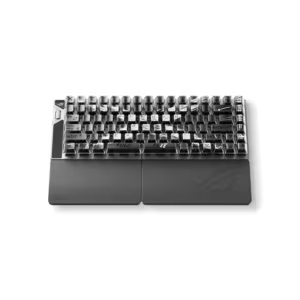
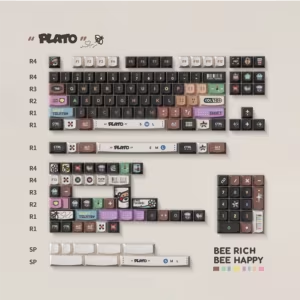
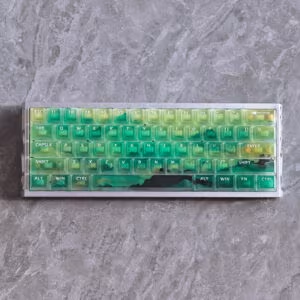
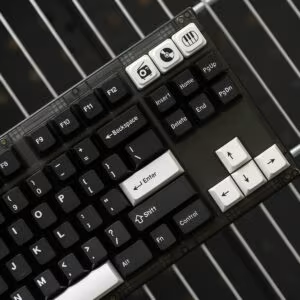
You can see many bloggers creating their own custom keyboards:

Why Choose a Halloween Keyboard
Unique Gift Appeal
You want a gift that stands out. A halloween keyboard does exactly that. It’s not just another tech gadget—it’s a piece of art you can use every day. When you give someone a customized keyboard, you show them you care about their interests and style. People love gifts that feel personal, especially during holidays.
Let’s look at how a halloween keyboard compares to other tech products:
| Feature | Halloween Keyboard | Standard Tech Products |
|---|---|---|
| Design | Festive and themed | Generic and functional |
| Craftsmanship | Handcrafted artisan keycaps | Mass-produced components |
| Personal Touch | Unique, seasonal relevance | Often lacks personalization |
| Aesthetic Appeal | Transforms keyboard into decor | Primarily utilitarian |
You can see how much more special a themed keyboard feels. It brings the Halloween spirit right to your desk.
Customized keyboards can make holidays more enjoyable
Holidays are all about fun and creativity. A customized mechanical keyboard lets you celebrate in your own way. You can pick spooky colors, add pumpkin or ghost images, and even choose your favorite keycap shapes. This kind of personalization makes every typing session a little celebration.
You’re not alone in loving tech that feels unique. Many people, especially Gen Z, look for gadgets that match their style. Here’s a quick look at what’s trending:
| Aspect | Details |
|---|---|
| Customizable Items | Items like engraved jewelry and branded accessories appeal to Gen Z. |
| Tech Gadgets | Transparent and minimalist devices align with Gen Z’s functional aesthetics. |
A halloween keyboard fits right into these trends. It’s both functional and fun, making it the best gift for Halloween currently.
Standout Features
You want your gift to be memorable. The Aula F75 mechanical keyboard leads the way with features that make it perfect for Halloween and beyond. You get full keycap customization, so you can design every key to match your theme. The keyboard uses high-quality PBT material, which feels great and lasts a long time. Hot-swappable switches let you change how your keyboard feels without any hassle.
Check out how a halloween keyboard stacks up against standard keyboards:
| Feature | Halloween Keyboards | Standard Keyboards |
|---|---|---|
| Design | Unique, festive designs with themed colors | Standard, often generic |
| Ergonomics | Ergonomic profiles for comfort | Varies, often less focus |
| Construction Quality | High-quality, durable materials | Varies widely |
| Customizable Backlighting | Yes | Limited or none |
| Hot-Swappable Switches | Yes | Typically no |
| Layout | Often compact for space-saving | Standard layouts |
The Aula F75 brings all these features together. You get a compact layout, global compatibility, and the freedom to upload your own images. Whether you’re a gamer, a student, or someone who loves cool tech, this customized keyboard makes every day a little more exciting.
Aula F75 Mechanical Keyboard
Customization Options
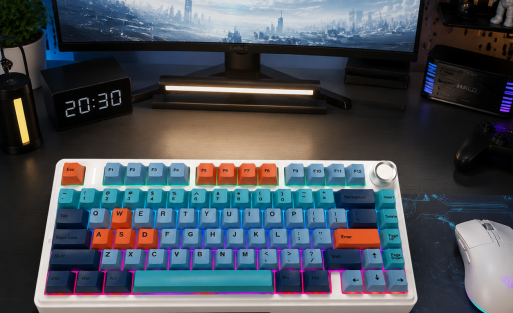
You want a keyboard that feels like it’s made just for you. The Aula F75 gives you that power. You can pick your favorite chassis color and design each keycap with bold colors or subtle shades. You get to upload your own images—maybe a pumpkin, a ghost, or even your favorite meme. You can resize and place these images on any keycap. This level of personalization turns your keyboard into a canvas.
Let’s see how the Aula F75 stacks up against other popular models:
| Feature | Aula F75 | Keychron V3 | Ajazz AK820 Pro |
|---|---|---|---|
| Switch Options | Linear, Silent | Linear, Tactile, Clicky | Linear |
| Hot Swappable | Yes | Yes | Yes |
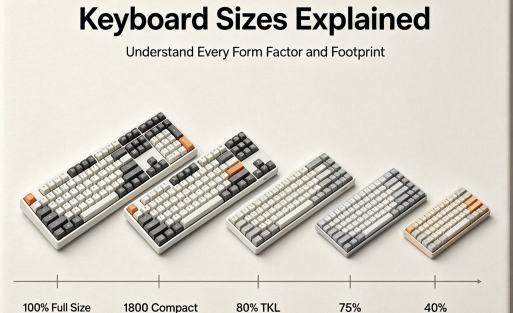
| Layout Size | 75% | 80% | 75% |
| Multi-Media Keys | Yes | Yes | Yes |
| Connection | Bluetooth, 2.4 GHz, Wired | Wired only | Bluetooth, 2.4 GHz, Wired |
| Backlight | RGB, South-face, North-face | RGB, South-face | RGB, South-face |
| Battery Capacity | 4000 mAh | N/A | 4000 mAh |
| QMK Support | Yes | Yes | Yes |
| VIA Support | Yes | Yes | Yes |
You see, the Aula F75 offers more ways to connect and more lighting options. You get a big battery for wireless use and full support for advanced keyboard software. You can create a truly customized mechanical keyboard that fits your style and needs.
Tip: Try uploading a Halloween image to your keycaps. You’ll love how it transforms your desk into a festive space.
Key Features
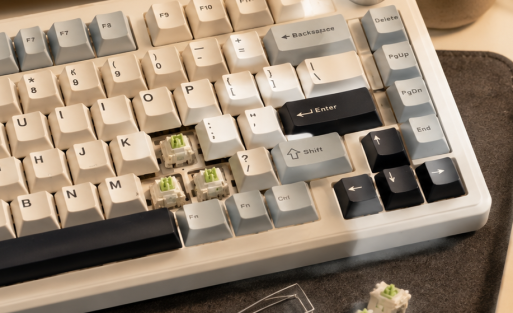
The Aula F75 packs a lot of cool features. You get hot-swappable switches, so you can change how your keyboard feels without tools. The keycaps use textured PBT material, which feels great and lasts longer than regular plastic. You can choose color-zoned keycaps to match your favorite themes. The keyboard supports global layouts, so you can pick QWERTY, AZERTY, or even request a custom layout.
Here’s what makes the Aula F75 stand out:
- Hot-swappable switches for easy upgrades
- Color-zoned keycap customization
- Upload your own images for personalized keycaps
- High-quality PBT material for durability
- Compact 75% layout saves space
- RGB lighting with south-face and north-face options
- Wireless and wired connections (Bluetooth, 2.4 GHz, USB)
- Large 4000 mAh battery for long use
- Multi-media keys for quick access
- Full support for QMK and VIA software
You get everything you need for gaming, typing, or just showing off your style. The Aula keyboard makes every day more fun.
Who It’s For
You might wonder if this keyboard fits your needs. If you love gaming, you’ll enjoy the fast response and cool RGB effects. If you type a lot for school or work, you’ll appreciate the comfortable Cherry profile and durable keycaps. If you want a halloween keyboard that shows off your personality, you’ll love the endless customization.
The Aula F75 works for:
- Gamers who want a responsive and stylish setup
- Typists who care about comfort and durability
- Students who want a unique look for their desk
- Anyone who loves personalization and creative tech
You don’t have to settle for a boring keyboard. With the Aula F75, you get a customized keyboard that matches your vibe and makes every holiday special.
Note: Production takes about 7–10 business days, so order early if you want your customized keycaps ready for Halloween!
Halloween Keyboard Design Ideas
Spooky Keycaps
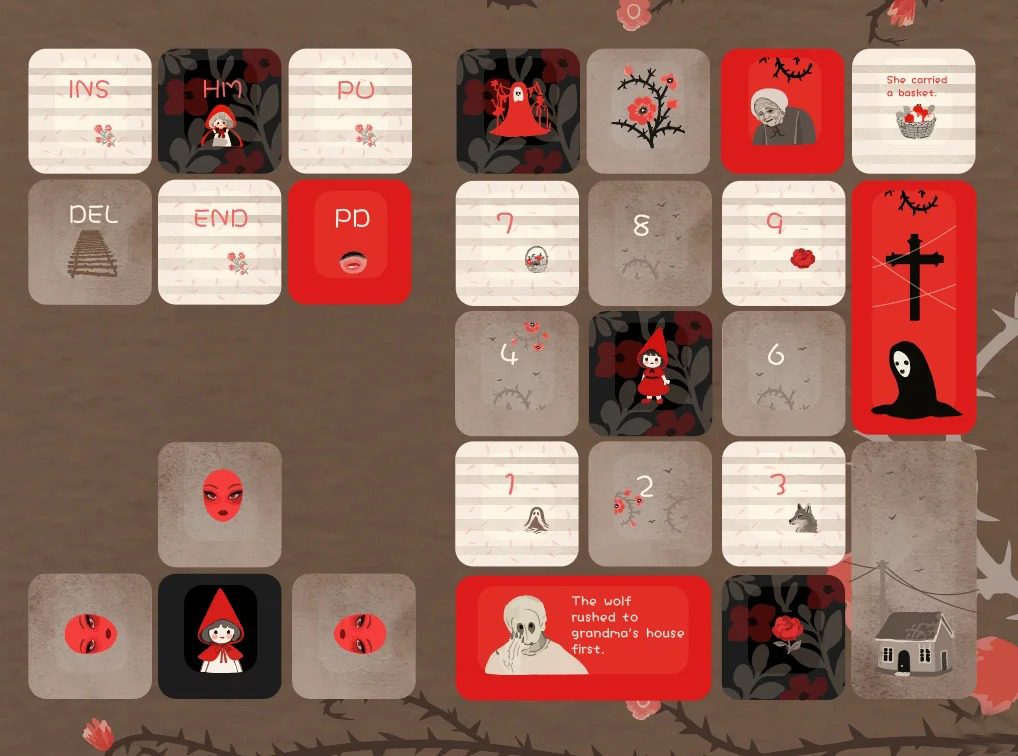
You want your keyboard to scream Halloween the moment you see it. Spooky keycaps make that happen. You can swap out your regular keys for ones that feature witches, ghosts, or even creepy symbols. Some of the most popular sets this year bring a whole new vibe to your desk. Check out these top picks:
| Keycap Set | Description | Features |
|---|---|---|
| GPBT Black Magic | Inspired by witchcraft and folklore. | Hand-drawn graphics, dark purple and pale pink colors |
| Spoo-key Keycaps | Ghostly designs perfect for Halloween. | Durable PBT, 138 keycaps, fits most layouts |
You can mix and match these sets or use them as inspiration for your own custom keycap designs. If you want something truly unique, try uploading your own artwork or favorite Halloween meme to your Aula F75. That way, your customized keyboard becomes a one-of-a-kind masterpiece.
Tip: Choose keycaps with textured PBT material. They feel great and last longer, so your spooky style sticks around all season.
RGB Lighting Effects
Lighting can turn your desk into a haunted house. With RGB lighting, you control the mood. Many keyboards, like the Aula F75, let you pick from a rainbow of colors and patterns. Want a pulsing orange glow or a wave of purple and green? You can set it up in seconds.
- Customizable lighting effects match your spooky keycap designs.
- Pick from a wide spectrum of colors and patterns for a unique look.
- Create an immersive experience that fits your Halloween theme.
Some keyboards, like the Monsgeek M5 and Nuphy Spawky, offer advanced lighting modes. You can make your keys flicker like candlelight or flash like lightning. When you combine these effects with your custom keycaps, your halloween keyboard becomes the centerpiece of your setup.
Try setting your keyboard to cycle through orange, purple, and green for a classic Halloween vibe. It’s an easy way to get into the spirit.
Themed Accessories
Don’t stop at just keycaps and lights. You can add even more Halloween flair with themed accessories. Think about a pumpkin-shaped wrist rest, a ghost mouse pad, or even little bat stickers for your desk. These small touches pull your whole setup together.
- Wrist rests with Halloween prints add comfort and style.
- Mouse pads with haunted house scenes make your desk pop.
- Desk mats in black, orange, or purple tie everything together.
You can even decorate your space with mini pumpkins or LED candles. When you combine all these elements, your customized mechanical keyboard feels right at home in a spooky, festive workspace.
Personalization goes beyond the keyboard. The right accessories make your setup feel complete and ready for Halloween fun.
How to Personalize Your Gift

Custom Keycap Sets
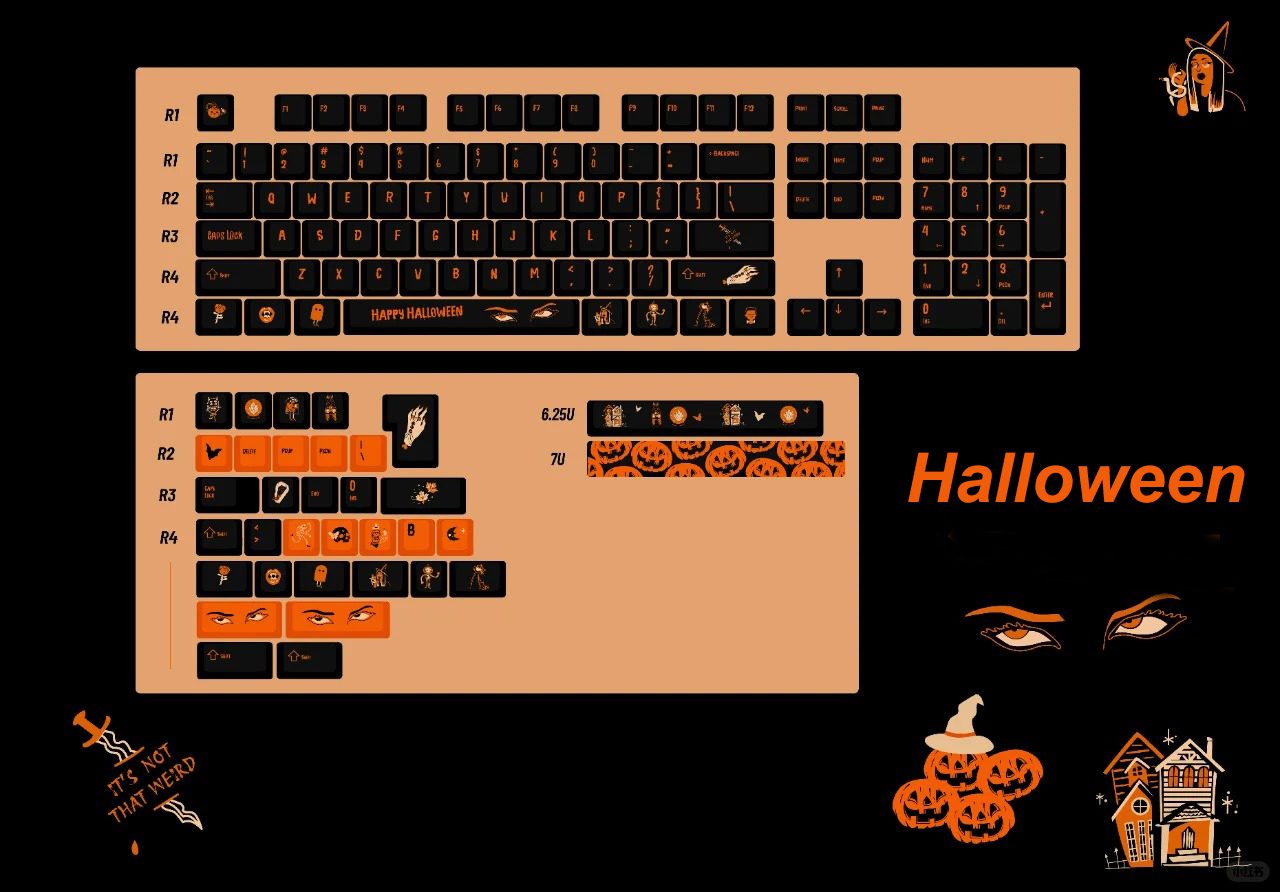
You want your halloween keyboard to stand out, right? Start with custom keycap sets. These sets let you swap out boring keys for ones that match your favorite spooky themes. You can find artisan keycaps shaped like ghosts, pumpkins, or even skeletons. Some sets use bold colors like orange and black, while others feature cute or creepy designs. Here are some popular options you might like:
- Halloween Keycap – Save big with a set that brings festive vibes to your desk.
- Fuck keycap for Backspace – Add a playful twist to your keyboard.
- Keyboard Gremlin Artisan Keycap – Perfect for a quirky touch.
- Halloween Personalised Cute XDA Keycaps – Make your keyboard adorable and unique.
- Spooky Ghost & Skeleton Artisan Keycaps – Show off your love for Halloween.
- Cyberstrike Orange Black Keycap Set – Go bold with classic Halloween colors.
- Halloween Keycaps | XOA Profile Keycap Set – Get a full set for a complete transformation.
These sets offer high-quality printing, so your colors stay vibrant. Many come pre-cut, which saves you time and ensures a perfect fit. You get protection for your keyboard and a fresh look that lasts.
Uploading Images
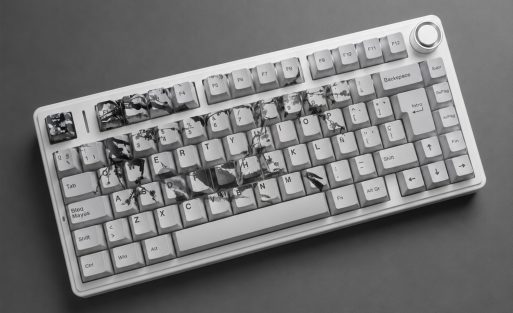
Want to take your customization even further? Try uploading your own images to your Aula F75. You can add personal photos, favorite memes, or custom artwork. This feature lets you create a one-of-a-kind design that reflects your personality. Maybe you want a pumpkin on your Enter key or a ghost on your spacebar. You decide!
Here’s how you can make your keyboard truly yours:
- Choose your favorite image.
- Resize it to fit your keycap.
- Upload it using the Aula keyboard’s customization tool.
- Preview your design before finalizing.
Tip: Use high-resolution images for the best results. Your customized keycaps will look sharp and colorful.
| Feature | Description |
|---|---|
| Unique Designs | Show off your style and personality. |
| Pre-Cut | Get a perfect fit for your keyboard. |
| Customization | Enter details for a one-of-a-kind design. |
| Protection | Keep your keyboard safe from scratches. |
| High-Quality Printing | Enjoy vibrant, long-lasting colors. |
DIY Touches
You don’t have to stop at keycaps and images. Add DIY touches to make your customized mechanical keyboard even more special. Try painting your own keycaps or adding stickers. You can use washi tape for borders or create themed wrist rests. Some people even craft tiny Halloween decorations to place around their setup.
Here are a few ideas to get you started:
- Paint keycaps with glow-in-the-dark paint.
- Attach mini pumpkins or bats to your desk.
- Write a personal note and tuck it under the keyboard for a surprise.
- Use themed desk mats to tie everything together.
Personalization makes your gift memorable. You show you care by creating something unique. With the Aula F75, you have endless options for customization. Your halloween keyboard will be the best gift for Halloween currently, and everyone will want to know how you did it!
Presenting Your Halloween Keyboard
Unboxing Experience
You know that feeling when you open a gift and it just blows you away? That’s what you want with your Halloween keyboard. The unboxing experience sets the mood before you even touch the keys. You see a box with bold colors—purple, orange, green, and black. Maybe there’s a splash of red or brown for extra drama. The packaging grabs your attention right away.
You spot Halloween symbols all over the box. Zombies, ghosts, and witches peek out from the corners. Themed keyboard packaging makes you smile before you even open it. Some boxes look like coffins or screaming pumpkins. You feel the excitement build as you lift the lid.
Here’s what makes the unboxing special:
- Eye-catching color schemes that scream Halloween
- Fun symbols like ghosts and witches on the packaging
- Unique box shapes, such as coffins or pumpkins
- Protective wrapping for your customized mechanical keyboard
- A preview of your customized keycaps through a clear window
You pull out your Aula F75 and see your personalized design for the first time. The RGB keyboard lights up with spooky colors. You notice the keycap customization you picked—maybe a pumpkin on the Enter key or a ghost on the spacebar. The whole experience feels magical.
Tip: Take a photo of your unboxing moment. Share it with friends or post it online. Your customized keyboard will get everyone talking!
Personal Notes
Adding a personal note makes your gift unforgettable. You can write a short message on a card or slip a handwritten note inside the box. Tell the person why you chose this customized keyboard for them. Mention the special touches you added, like their favorite Halloween character or a color scheme that matches their style.
Here are some ideas for personal notes:
| Note Idea | Example Message |
|---|---|
| 🎃 Spooky Surprise | “Hope this Halloween keyboard brings you chills and thrills!” |
| 👻 Personalized Touch | “I picked these keycaps just for you—enjoy your new setup!” |
| 🕸️ Gaming Vibes | “May your RGB keyboard light up every gaming night!” |
| 🧡 Heartfelt Message | “You deserve the best gift for Halloween currently!” |
You can tuck the note under the keyboard or tape it to the inside of the box. If you want to go the extra mile, add a small Halloween sticker or doodle. Personalization shows you care and makes your Aula keyboard even more special.
A thoughtful note turns a customized keyboard into a memory. You give more than a gift—you share a piece of yourself.
Your themed keyboard isn’t just a tech upgrade. It’s a celebration. The unboxing and personal touches make the Aula F75 stand out as the best gift for Halloween currently. You create an experience that lasts long after the holiday ends.
Halloween Keyboard vs. Other Gifts
Candy & Treats
You probably think of candy first when Halloween rolls around. Bags of chocolate, gummies, and lollipops fill every store shelf. You hand out treats to trick-or-treaters, and maybe you sneak a few pieces for yourself. Candy brings instant joy, but the excitement fades fast. You eat it, and it’s gone. If you want a gift that lasts longer, a Halloween keyboard beats a bag of sweets every time.
Let’s compare:
| Gift Type | Lasting Value | Personalization | Fun Factor |
|---|---|---|---|
| 🍬 Candy & Treats | Short | ❌ None | 😊 High |
| ⌨️ Aula Keyboard | Years | ✅ Full | 😍 Highest |
You get a sugar rush from candy, but a customized mechanical keyboard gives you daily excitement. You can enjoy your themed keyboard long after Halloween ends.
Tip: If you want to give something memorable, skip the candy and choose a customized keyboard with keycap customization.
Costumes & Decor
Costumes and decorations set the mood for Halloween. You dress up as your favorite character, and you hang spooky decor around your home. These gifts create fun moments, but you only use them once a year. Costumes might sit in your closet until next October. Decorations go back in the box after the party.
A customized keyboard, like the Aula F75, brings Halloween spirit to your desk every day. You can switch out customized keycaps, change RGB keyboard lighting, and keep the festive vibe going all year. Personalization makes your setup unique. You don’t have to pack it away when the holiday ends.
Here’s a quick look:
- Costumes: Fun for one night, limited use.
- Decor: Sets the scene, but seasonal.
- Aula keyboard: Everyday use, endless customization.
You get more value from a customized mechanical keyboard. You can show off your creativity and enjoy your gift every time you sit down to type or game.
Why Keyboards Win
You want the best gift for Halloween currently. The Aula keyboard stands out for many reasons. You get full customization, from chassis color to keycap design. You can upload images, pick spooky themes, and set RGB lighting to match your mood. Your themed keyboard becomes a centerpiece for your setup.
Let’s break it down:
- 🎃 Personalization: You control every detail with keycap customization.
- 👻 Longevity: Your customized keyboard lasts for years, not just one night.
- 🕹️ Functionality: You use it for gaming, work, and chatting with friends.
- 🌈 Style: RGB keyboard lighting lets you change the look anytime.
- 🖼️ Creativity: Upload your own images for truly customized keycaps.
You don’t just get a tool. You get a statement piece. The Aula F75 brings together customization, durability, and fun. You make your desk the coolest spot in the house. If you want a gift that keeps giving, choose a customized keyboard. It’s the ultimate way to celebrate Halloween and show off your style.
A customized mechanical keyboard isn’t just a holiday treat. It’s the best gift for Halloween currently, and it keeps the spirit alive all year long.
Customize a Halloween keyboard and give it to your child.
Give it to your loved one
You want to surprise someone special this Halloween. A customized keyboard makes a thoughtful gift. You can choose the Aula F75 and design it with their favorite colors or spooky images. Personalization shows you care about their interests. Maybe your loved one enjoys gaming or spends hours typing for school or work. A customized mechanical keyboard with RGB lighting and themed keycaps adds excitement to their desk.
Here’s how you can make your gift stand out:
- Pick a color scheme that matches their style.
- Upload a personal image or artwork for keycap customization.
- Add a heartfelt note inside the box.
- Select customized keycaps with Halloween designs.
A customized keyboard is more than just a tech upgrade. It becomes a daily reminder of your thoughtfulness. You give them something unique that fits their personality. The Aula keyboard lets you create a themed keyboard that feels special every time they use it.
Tip: Ask about their favorite Halloween character or color before you start the customization. You’ll make the gift even more personal.
Give it to your child
Kids love gifts that feel fun and different. A halloween keyboard can turn homework or gaming into a festive experience. You can choose the Aula F75 and add playful images like pumpkins, ghosts, or bats. Keycap customization lets you pick bright colors or cartoon designs. Your child will enjoy typing and playing games on a keyboard made just for them.
Try these ideas to make your child’s customized keyboard extra special:
| Idea | How It Adds Fun |
|---|---|
| Upload cartoon images | Makes each keycap playful |
| Use glow-in-the-dark keys | Adds excitement during nighttime |
| Pick favorite colors | Matches their room or gaming setup |
| Add a personal message | Shows you care and encourages creativity |
You can even let your child help with the customization. They pick their favorite images or colors. You work together to create a keyboard that feels like their own. The Aula F75 offers easy customization, so you can change keycaps or lighting anytime. Your child gets a personalized gift that lasts beyond Halloween.
A customized keyboard encourages creativity and makes learning or gaming more enjoyable. You give your child the best gift for Halloween currently, and you create a memory they’ll treasure.
You want a gift that stands out and lasts. The Aula F75 Mechanical Keyboard brings excitement, creativity, and personalization to your desk. You can design a halloween keyboard that matches your style and makes every day feel festive. Order early to get your custom keycaps in time for the holiday. Share this idea with friends and family for a memorable Halloween.
- Shop now to create your own unique keyboard.
- Explore festive designs and add your favorite images.
- Make this Halloween unforgettable with a personalized gift.
FAQ
What makes a Halloween keyboard different from a regular keyboard?
A Halloween keyboard uses themed colors, spooky images, and custom keycaps. You can add pumpkins, ghosts, or your favorite artwork. This personalization turns your keyboard into a festive centerpiece, not just a tool.
Can I upload my own images for keycap customization?
Yes! With the Aula F75, you can upload any image for your customized keycaps. Just pick your favorite photo, resize it, and see your design come to life on your customized mechanical keyboard.
How long does it take to get a customized keyboard?
Production for customized keycaps usually takes 7–10 business days. Order your Aula keyboard early if you want your themed keyboard ready for Halloween.
Is the Aula F75 good for gaming and typing?
Absolutely! The Aula F75 offers hot-swappable switches, a comfortable layout, and RGB keyboard lighting. You get fast response for gaming and a smooth typing experience for school or work.
Can I change the RGB lighting on my customized keyboard?
You control the RGB keyboard lighting on the Aula F75. Pick your favorite colors, set spooky effects, or match your Halloween theme. Your desk will glow with personality.
Who would love a customized mechanical keyboard as a gift?
Gamers, students, and anyone who loves tech will enjoy a customized keyboard. Personalization makes it the best gift for Halloween currently. Kids and adults both love seeing their style on every key.
What if I want a different layout or language?
The Aula F75 supports global layouts like QWERTY and AZERTY. You can even request a fully custom layout. Your customized keyboard fits your needs, wherever you live.
How do I make my Halloween keyboard extra special?
Try mixing keycap customization, RGB lighting, and themed accessories. Add a personal note or upload a favorite image. Your Aula keyboard will stand out as a one-of-a-kind gift.

Add comment
You must be logged in to post a comment.