Creative Ways to Design Your Aula F75 for Halloween and Beyond
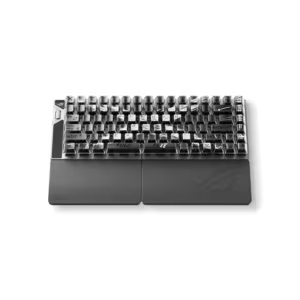
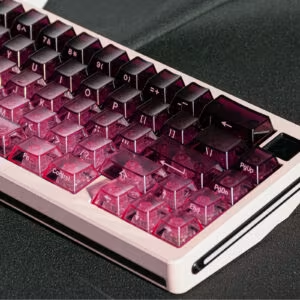
Yes, you can get creative with your Aula F75 for Halloween and beyond. This keyboard gives you a chance to show off your style and enjoy true comfort. Custom mechanical keyboards let you build a setup that feels just right every time you type. Imagine a keyboard that boosts your typing, supports your hands, and even makes a thoughtful gift. Ready to try something new? Dive in and discover how you can turn your Aula F75 into something special.
Advantages of Custom Mechanical Keyboards
Creative Freedom
You get to design your keyboard just the way you like it. Custom mechanical keyboards let you pick keycap designs that match your style. You can choose layouts that fit your typing habits. You might want switches that feel soft or clicky. You decide what works best for you.
Pick keycap colors and images that show off your personality.
Choose materials that feel good and last long.
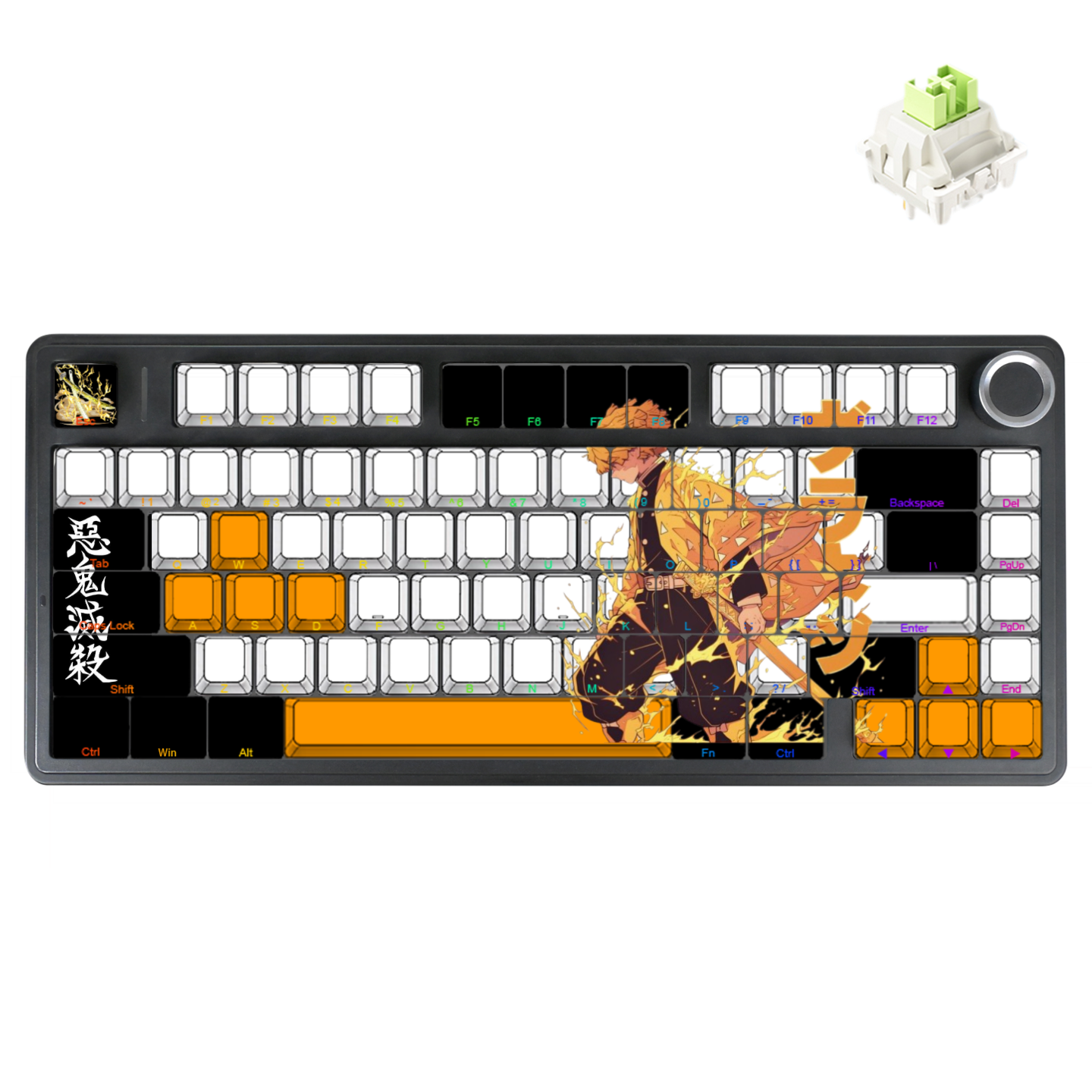
Add artistic touches, like anime or spooky Halloween themes.
The visual personality of a keyboard can range from minimalist to maximalist. It’s entirely up to you, making every choice a form of self-expression.
When you build your own keyboard, you blend function with style. Every keystroke feels personal.
Ergonomic Benefits
Typing should feel comfortable. Custom mechanical keyboards help you type with less strain. You can pick switches that need less force, which keeps your fingers from getting tired. Longer key travel makes each press smooth and easy.
| Ergonomic Factor | Description |
|---|---|
| Key Travel | Longer key travel gives you comfort and reduces fatigue. |
| Actuation Force | Lighter switches help your fingers stay fresh during long sessions. |
| Tactile Feedback | You get feedback with each press, which helps you type better and with less strain. |
| Customization | Adjust sensitivity for a typing experience that fits you. |
| Durability | Your keyboard stays strong and reliable, even after years of use. |
| Ergonomic Design | Features like wrist rests and adjustable angles keep your hands in a natural position. |
| Auditory Feedback | The click sound reassures you and makes typing more fun. |
Gift Value
Giving a custom mechanical keyboard shows you care. These keyboards last for years, so your gift keeps giving.
| Feature | Description |
|---|---|
| Durability | Custom keyboards can last for many years thanks to their strong build. |
| Material | Aluminum and brass cases make the keyboard tough and long-lasting. |
| Switch Longevity | Each key switch can handle millions of keystrokes before wearing out. |
You give someone a better typing experience.
The process of choosing and building the keyboard makes the gift special.
People love getting a keyboard that matches their interests.
Custom mechanical keyboards are practical gifts. They show you know what the person likes. Many users say these keyboards bring lasting satisfaction and a pleasant surprise.
Customization Features
When you want a keyboard that feels like it was made just for you, the Aula F75 gives you a ton of ways to make it your own. Let’s break down the main features you can customize.
Keycap Options
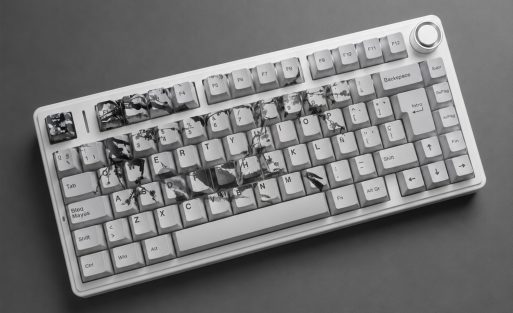
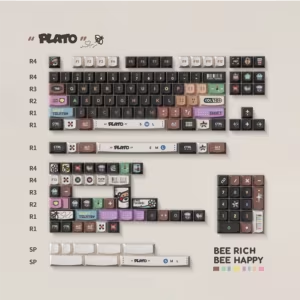
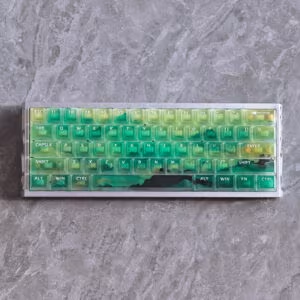
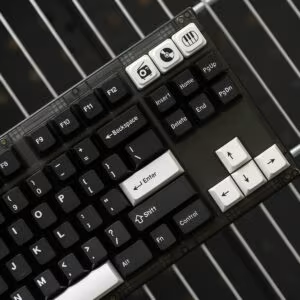
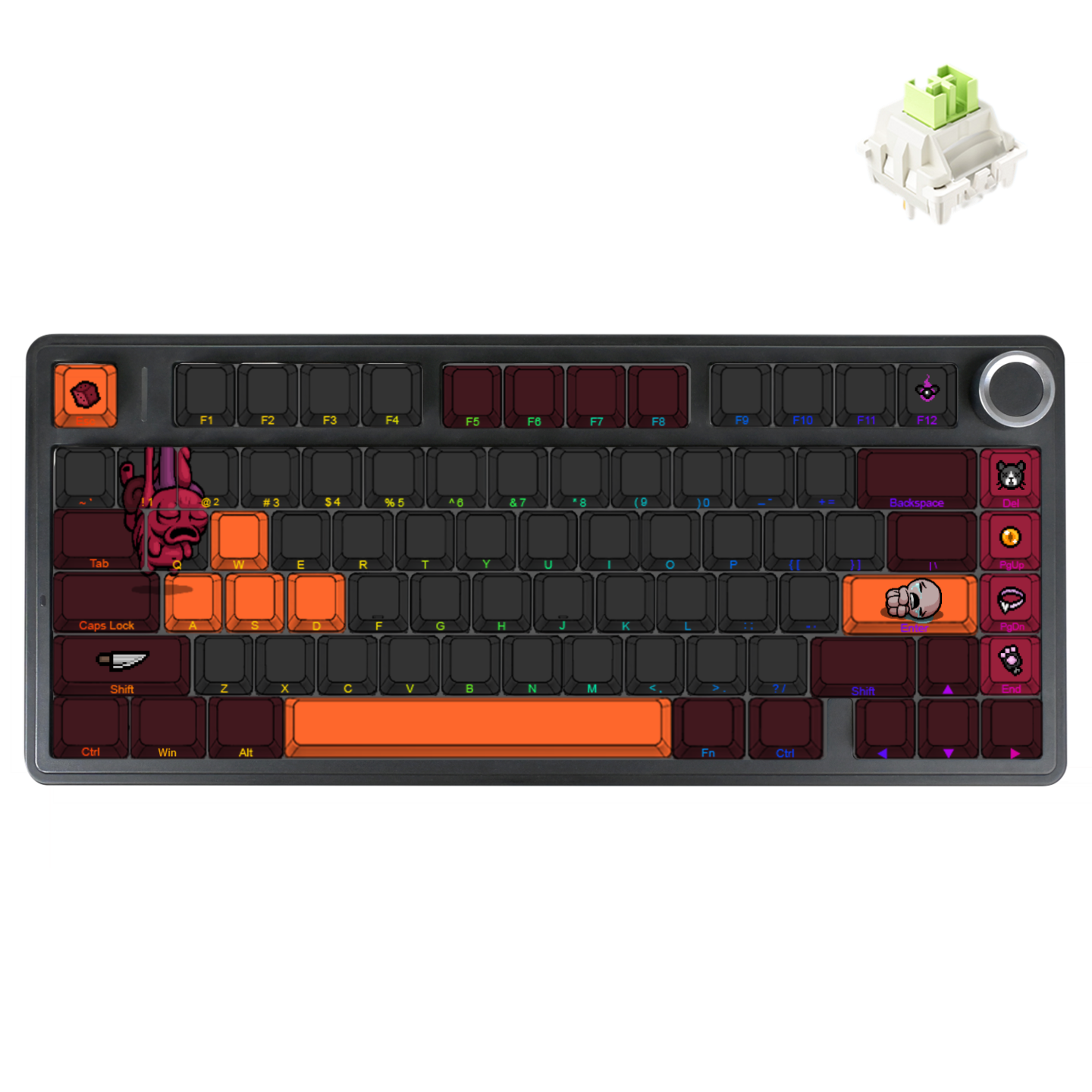
You get to pick the look and feel of every key. The Aula F75 lets you choose from a wide range of keycap colors, so you can go bold, spooky, or keep it classic. Want to add your favorite image or a Halloween design? You can upload your own artwork or photos to print right on the keycaps. This makes your keyboard stand out at home, school, or work.
The keycaps use high-quality PBT material, which feels textured and resists shine. Dye-sublimation printing keeps your designs bright and long-lasting. You can also select different fonts and even print text on the front or side of the keys. If you want to type in another language or use a special layout, you can pick from global options like QWERTY, QWERTZ,AZERTY, or Dvorak.
Tip: Custom keycap sets take about 7-10 business days to produce, so plan ahead if you want your keyboard ready for a special event.
Chassis Choices
The chassis is the frame of your keyboard, and you get to pick its color too.
The Aula F75 uses sturdy materials that give your keyboard a solid, premium feel.
If you want to compare the Aula F75 with other custom mechanical keyboards, check out this table:
| Customization Aspect | Aula F75 | Wooting 80HE |
|---|---|---|
| Switch Hot-Swap | Yes | Yes |
| Key Remapping | Yes (AULA Driver) | Yes (Wootility) |
| RGB Lighting | Per-key, 16.8M colors, effects | Per-key, effects, LED bar |
| Actuation Adjustment | No | Yes, 0.1-4.0mm per key |
| Macro Support | Yes | Yes |
| Device Switching | Tri-mode, quick toggle | Not supported |
Lighting Effects
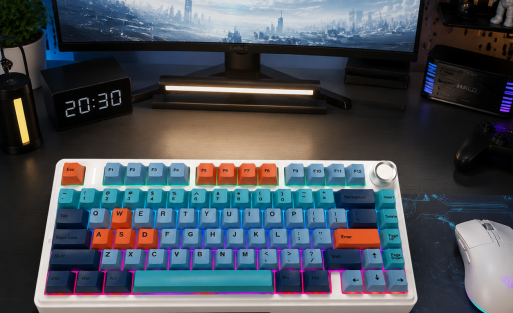
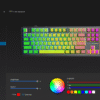
Lighting can change the whole vibe of your setup. The Aula F75 gives you per-key RGB lighting with 16.8 million colors. You can set up effects like waves, breathing, or even a spooky orange glow for Halloween. Want to match your keyboard to your favorite game or movie? You can do that too.
You control the lighting through the AULA software, which makes it easy to switch between effects or create your own. Lighting isn’t just for looks—it can help you find keys in the dark or set the mood for gaming or studying.
Switch Flexibility
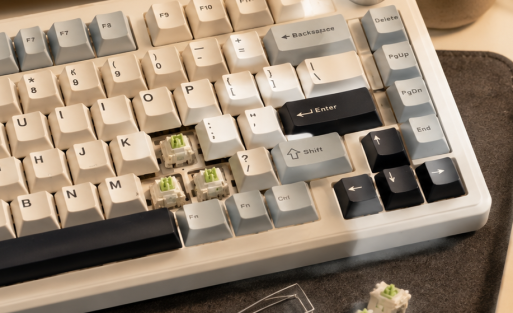
Switches are the heart of custom mechanical keyboards. The Aula F75 uses hot-swappable sockets, so you can change switches without any soldering. This means you can try out different switch types until you find the one that feels perfect.
Here are the main switch types you can use:
| Switch Type | Description |
|---|---|
| Linear | Smooth keystroke without tactile feedback |
| Tactile | Provides a noticeable bump at actuation |
| Clicky | Offers an audible click sound on actuation |
You can swap out switches anytime, which makes the Aula F75 great for experimenting or sharing with friends. Here’s how switch flexibility improves your experience:
You can easily change switches to match your typing or gaming style.
No need for special tools or soldering.
You get more satisfaction because your keyboard always feels just right.
Note: Because each keyboard is custom-made, returns are only accepted if there is a quality issue. Make sure to double-check your choices before ordering.
Custom mechanical keyboards like the Aula F75 let you control every detail, from the look of your keycaps to the feel of your switches. You get a keyboard that fits your hands, your style, and your life.
Personalizing Your Aula F75
Keycap Customization Steps
Ready to make your Aula F75 truly yours? You can start with the keycaps. Here’s a simple guide to help you customize them:
Choose Your Keycap Colors
Pick colors that match your mood or the season. Orange and black work great for Halloween. You might want pastel shades for spring or bold colors for gaming.Select Your Layout
Decide if you want QWERTY, AZERTY, Dvorak, or another global layout. Aula F75 supports them all.Pick Your Material
Aula F75 uses PBT keycaps. These feel textured and last longer than ABS. You get a premium touch every time you type.Order Your Custom Set
Once you’ve made your choices, place your order. Custom sets usually take 7-10 business days to produce.
Tip: Plan ahead if you want your keyboard ready for a holiday or special event.
Image and Font Upload
Want to add a personal touch? You can upload images and select fonts for your keycaps. Here’s how you do it:
Upload Your Image
Find a high-resolution image. It could be a spooky pumpkin, your favorite anime character, or a meme. Use the Aula customization tool to upload it. Make sure the image fits the keycap size.Choose Your Font
Pick a font that matches your style. You can go for classic, playful, or even gothic for Halloween. Aula F75 lets you print text on the front or side of each key.Preview Before You Confirm
Always check the preview. Make sure the image and text look sharp and clear. Adjust placement if needed.
| Step | What You Do | Why It Matters |
|---|---|---|
| Upload Image | Use high-res, crop to fit | Keeps design crisp |
| Select Font | Pick style, size, and placement | Matches your personality |
| Preview | Check for clarity and alignment | Avoids mistakes |
Note: Dye-sublimation printing keeps your designs vibrant and long-lasting.
DIY Tips
You don’t need to be a pro to personalize your Aula F75. Here are some easy tips to get started:
Use the online customization tool. It guides you through each step.
Try themed designs for holidays. Pumpkins, ghosts, or bats look awesome for Halloween.
Mix and match colors. You can create gradients or patterns.
Swap switches if you want a different feel. Hot-swappable sockets make this easy.
Clean your keyboard before installing new keycaps. Dust can affect the fit.
🎃 Pro Tip: Add matching desk accessories like mouse pads or wrist rests for a complete look.
Mistakes to Avoid
Personalizing your keyboard is fun, but you want to avoid common mistakes. Here’s what to watch out for:
Skipping the Preview
Always check how your design looks before you order. This helps you catch alignment issues or blurry images.Choosing Low-Quality Images
Blurry or pixelated images won’t print well. Use high-resolution files.Ignoring Layout Compatibility
Make sure your chosen layout matches your typing habits. Switching layouts later can be tricky.Forgetting About Production Time
Custom sets take time. Order early if you need your keyboard for a special occasion.
If you follow these steps, you’ll get a keyboard that looks amazing and feels great to use. Custom mechanical keyboards give you the freedom to express yourself and enjoy every keystroke.
Design Ideas for Halloween and More
Halloween Themes
You can turn your Aula F75 into the star of your Halloween setup. Try keycaps with pumpkins, ghosts, or even a spooky blood theme. Orange and black colors always work well. If you want something unique, upload your own haunted house or monster artwork. Many people love artisan keycaps that look like tiny sculptures. These can feature witches, pirate ships, or even scenes from classic Halloween movies.
You can also set your RGB lighting to flicker like candlelight or glow in orange and purple. This adds a spooky vibe to your desk.
Other Occasions
You don’t have to stop at Halloween. Switch your keycaps and lighting for other holidays or special days. Red and green work for Christmas. Pastel colors look great in spring. You can upload images for birthdays, graduations, or even your favorite sports team. Custom mechanical keyboards let you celebrate any event in style.
Community Inspiration
You can find endless ideas by joining keyboard communities online. People share photos, tips, and new trends every day. Some popular trends include hot-swappable switches, vibrant RGB lighting, and ergonomic layouts. Many users love tri-mode connectivity and gasket mount designs for comfort and flexibility.
| Feature/Trend | Description |
|---|---|
| Hot-swappable switches | Change switches easily for a new typing feel. |
| RGB lighting | Set colors and effects to match your mood or theme. |
| Ergonomic designs | Enjoy comfort during long typing sessions. |
| Tri-mode connectivity | Switch between USB, 2.4GHz, and Bluetooth with ease. |
| Gasket mount design | Get a softer typing sound and feel. |
You can share your own Aula F75 designs and get inspired by others. The community always has fresh ideas for every season.
User Scenarios and Recommendations
Gamers
You want your keyboard to keep up with fast-paced action. The Aula F75 lets you swap in linear switches for smooth, rapid keystrokes. Try bold RGB lighting effects to match your favorite game or team. You can even upload custom images for WASD keys or add icons for quick access. Many gamers like to set macros for combos or shortcuts. The Aula F75 supports this, so you can play smarter, not harder.
Tip: Adjust the keyboard angle and use a wrist rest to keep your hands comfortable during long gaming sessions.
Typists
If you spend hours typing essays, emails, or stories, you need a keyboard that feels just right. Choose tactile switches for satisfying feedback with every press. Pick a font and layout that matches your typing style. You can even add custom legends or language options. Many typists prefer a clean, minimalist look, but you can always add a pop of color for fun.
Use PBT keycaps for a textured feel.
Set soft white or blue lighting to reduce eye strain.
Students
You juggle homework, projects, and maybe even gaming. The Aula F75 helps you stay organized. Try color-coding keycaps for different subjects or shortcuts. Upload your school logo or mascot for a personal touch. The hot-swappable switches let you experiment until you find your favorite feel.
| Student Customization Ideas | Benefit |
|---|---|
| Color-coded keycaps | Quick subject access |
| School logo image | Personal motivation |
| Quiet switches | Study in silence |
Note: Keep your desk tidy with matching accessories like a mouse pad or cable organizer.
Gift Presentation
Looking for a memorable gift? Custom mechanical keyboards like the Aula F75 make anyone feel special. Design the keycaps with the recipient’s favorite colors, images, or quotes. Choose a layout that fits their needs. Add a handwritten note or wrap the keyboard in themed packaging for extra flair.
Present the keyboard in a sturdy box with a ribbon.
Include a guide on how to swap switches or change lighting.
A personalized keyboard shows you care about comfort and style. It’s a gift that lasts for years and stands out from the crowd.
Customizing your Aula F75 lets you show off your style, boost comfort, and create a gift that stands out. You get to pick every detail, from keycaps to lighting. Why not start your own design today? Share your spooky Halloween setup or your favorite look with the community. 🎃 Your keyboard can become a fun project and a lasting memory—make it yours!

Add comment
You must be logged in to post a comment.